How to Create Positioning and GTM Briefs
A practical guide to turning product context into positioning, value propositions, ICPs, and GTM motions with approval.

Founder, Task Machine
A positioning and GTM brief is the document that turns scattered product, customer, and market notes into a set of deliberate choices. It names the target customer, the underserved need, the category, the benefit, the real alternative, the value proposition, the ICP, and the go-to-market motion.
This work is worth doing before copy, campaigns, and sales material multiply. Without a brief, every page and pitch makes its own assumptions about who the product is for and why the buyer should care. A brief gives the team one artifact to argue with, approve, and reuse.
Weak positioning shows up as other problems
Bad positioning rarely announces itself as bad positioning. It shows up as a homepage that names features but not a buyer, campaigns that attract the wrong segment, sales calls that repeat the same basic explanation, and a roadmap pulled toward whoever complained most recently.
The common failure is trying to make the product sound broad. "For teams" is not a target. "Better workflow" is not an underserved need. "AI platform" is not a useful category if buyers cannot compare it to anything. Strong positioning narrows the first bet so the GTM motion can focus.
What the manual process looks like
Done by hand, a positioning and GTM brief is a structured workshop:
- Gather current website copy, sales objections, testimonials, win/loss notes, customer interviews, and competitor pages.
- Force the five positioning decisions: target, need, category, benefit, and differentiation.
- Write a Geoffrey Moore positioning statement and test whether a customer would recognize themselves in it.
- Build the six-part JTBD value proposition: who, why, what before, how, what after, and alternatives.
- Synthesize the ICP from evidence, including disqualification criteria.
- Pick a GTM motion with channels, message-market fit, funnel KPIs, launch phases, and go/no-go points.
- Verify the load-bearing claims before the brief reaches the team for approval.
The work is deciding which market reality to accept and which segment to serve first. Names and taglines come later.
What an agent can automate
The Positioning & go-to-market planning playbook gives the agent a fixed method rather than a blank prompt:
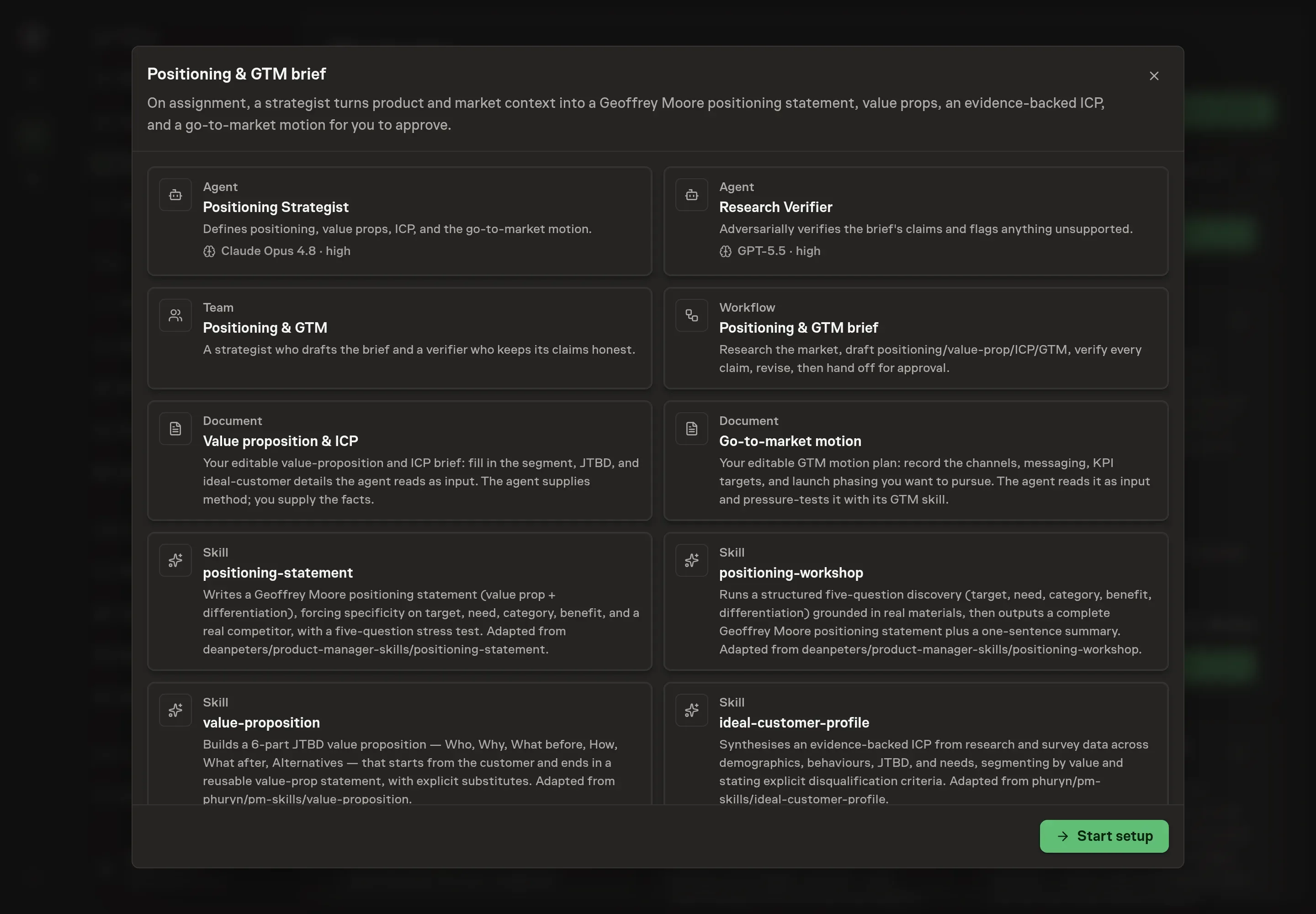
- Gather market context. The positioning strategist reads the value-proposition and GTM documents, then uses attached research and web research when available to capture competitors, category framing, and customer signals.
- Force the positioning decisions. The agent applies the positioning-statement and positioning-workshop skills in order. It must name a real target, a need in the customer's language, an existing category, an outcome benefit, and a real alternative.
- Build the value proposition and ICP. The agent uses the six-part JTBD structure and the ICP skill to turn evidence into firmographics, behaviors, jobs, pains, and disqualification criteria.
- Recommend the GTM motion. The agent chooses channels by where the ICP is, then drafts message-market fit, KPIs, launch phases, and decision points.
- Verify claims. A separate research verifier challenges the competitor, differentiation, category, ICP, and quantified claims before a human approves the brief.
That verifier matters because positioning often fails through convenient fiction: a competitor no buyer mentions, an ICP invented from internal preference, or a benefit that is really a feature list.
The guardrails that make it safe
The playbook does not publish messaging or rewrite the website. It drafts a brief and forces review. Claims that are not supported by attached evidence or public research should be labeled as assumptions to validate.
The human approval step is where strategy becomes a decision. The team reviews the positioning statement, value proposition, ICP, GTM motion, and verifier notes. If the brief cannot name a real alternative or a customer-recognizable segment, the right outcome is revision, not approval.
Set it up in Task Machine
The Positioning & go-to-market planning playbook provides a starting point for the method above. You need an active Task Machine workspace with Chat, workspace-management and Playbook-installation access (workspace owners have it). Web research improves competitor and category checks. Without it, the agent works from the notes and research you attach.
1. Find the playbook
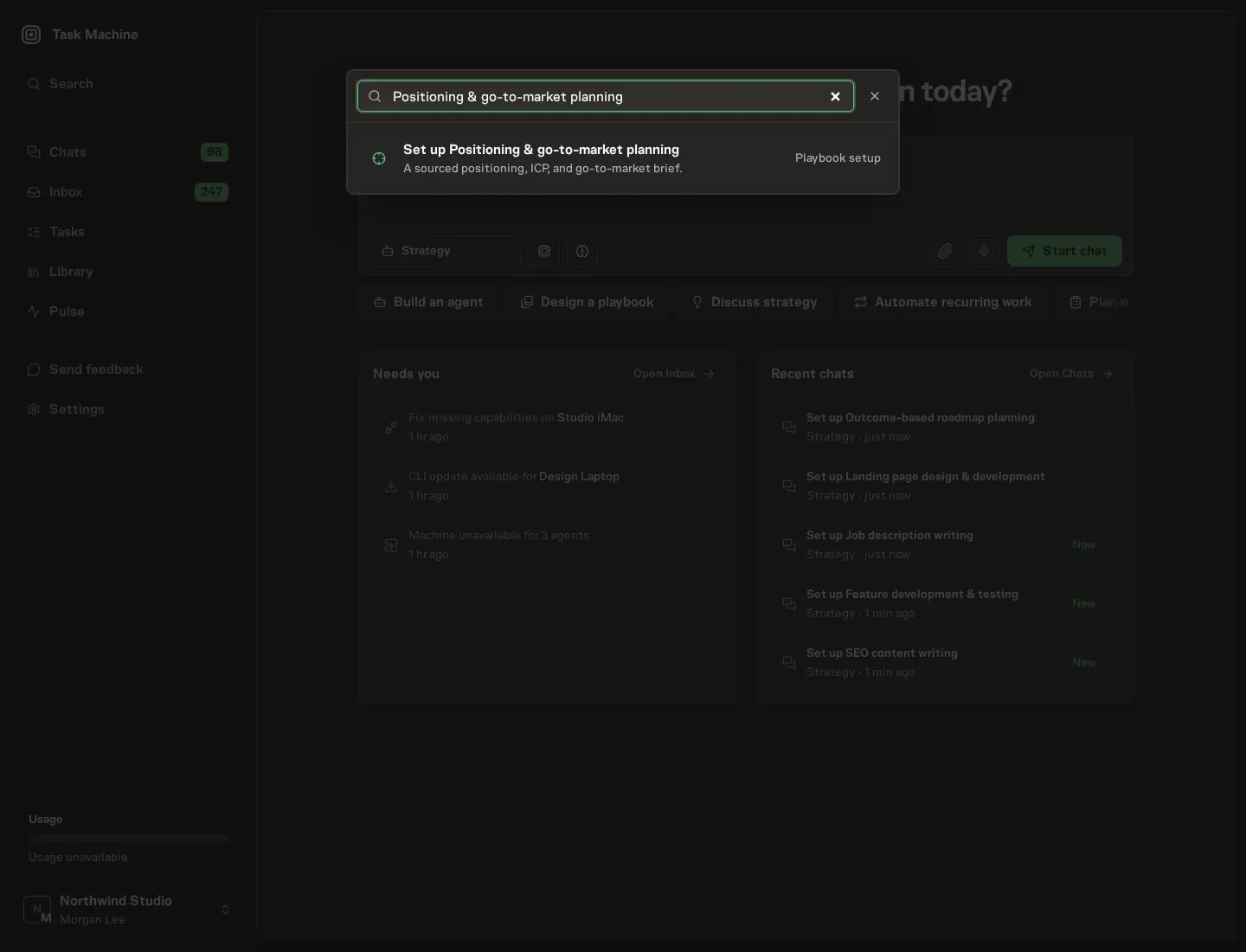
Open Search in your workspace and enter "Positioning & go-to-market planning". The command center lists Set up Positioning & go-to-market planning under Playbook setup.
2. Start the conversation
Choose Set up Positioning & go-to-market planning. Task Machine opens a dedicated Chat with the Playbook card and an editable, unsent request. Read the intended job and outcome. Add your situation and send it when ready. Opening the draft does not install anything or start work. This walkthrough uses settings that require approval of the proposed Playbook.
3. Agree the working brief
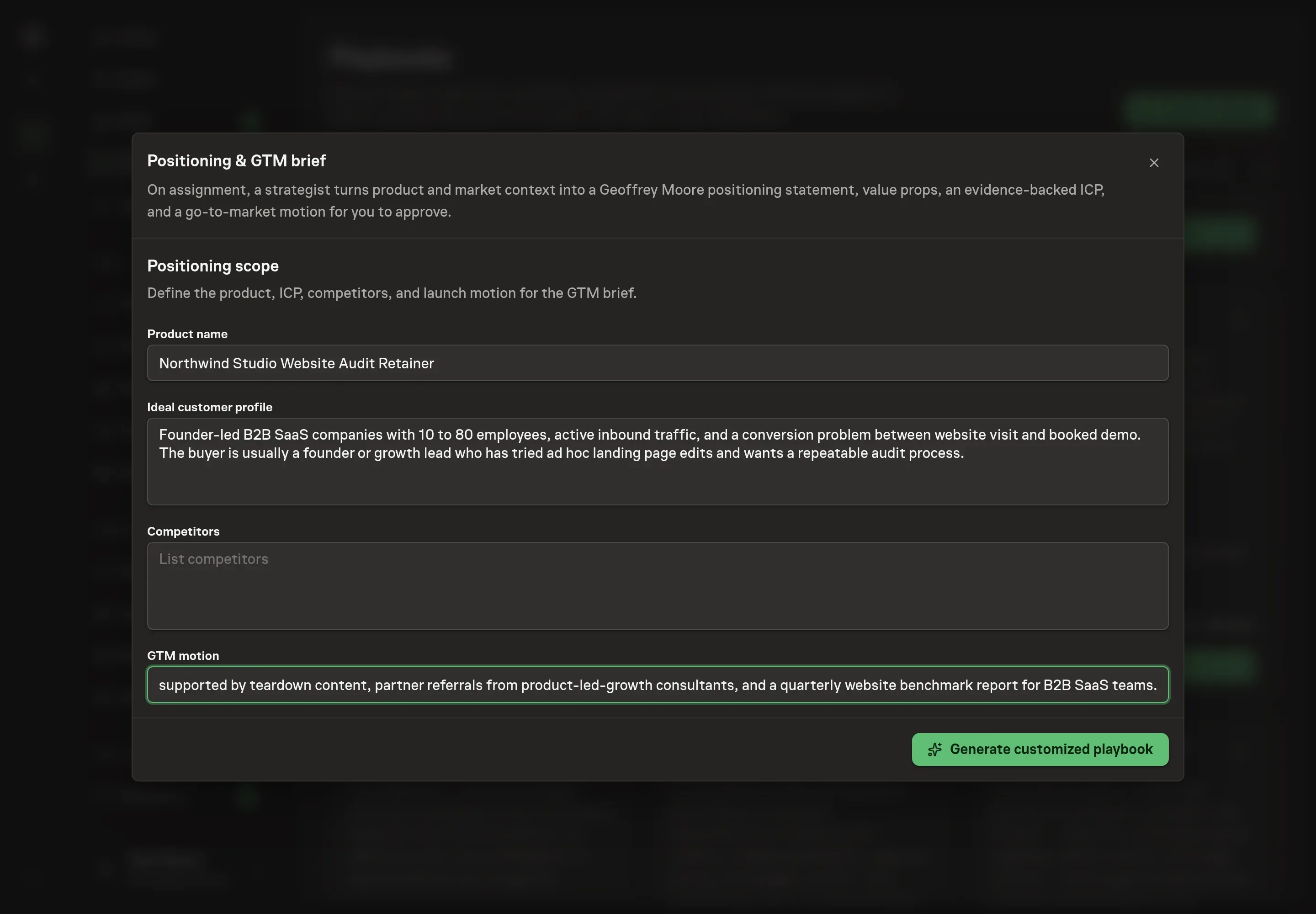
Use Chat to agree the inputs, expected output and limits before asking for a proposal. The Agent needs product name, ideal customer profile, competitors, and GTM motion. Keep the answers specific enough to constrain the brief. For example, name a buyer segment, a real set of alternatives, and the motion you are considering rather than asking for a generic launch plan.
4. Review the proposed Playbook
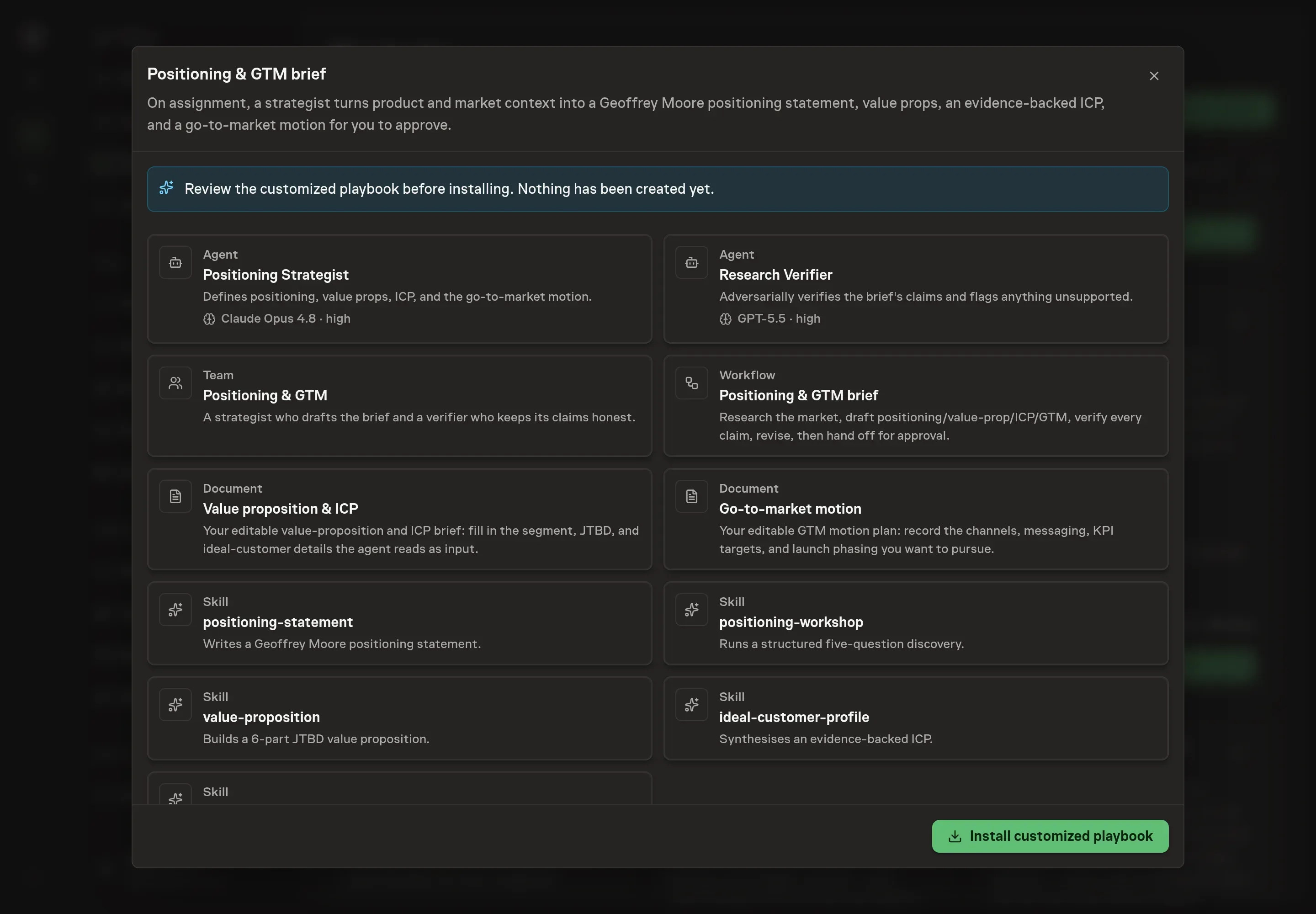
Ask the Agent to generate the Playbook from the agreed brief. Open its proposal in Chat and check the instructions and resources it will install, which carry more detail than the conversational summary. Confirm the brief will draw from the value-proposition and GTM documents, pass through the research verifier, and wait for approval before being used. Ask for a revised proposal if anything is missing or changes the job.
5. Approve and prepare the first work
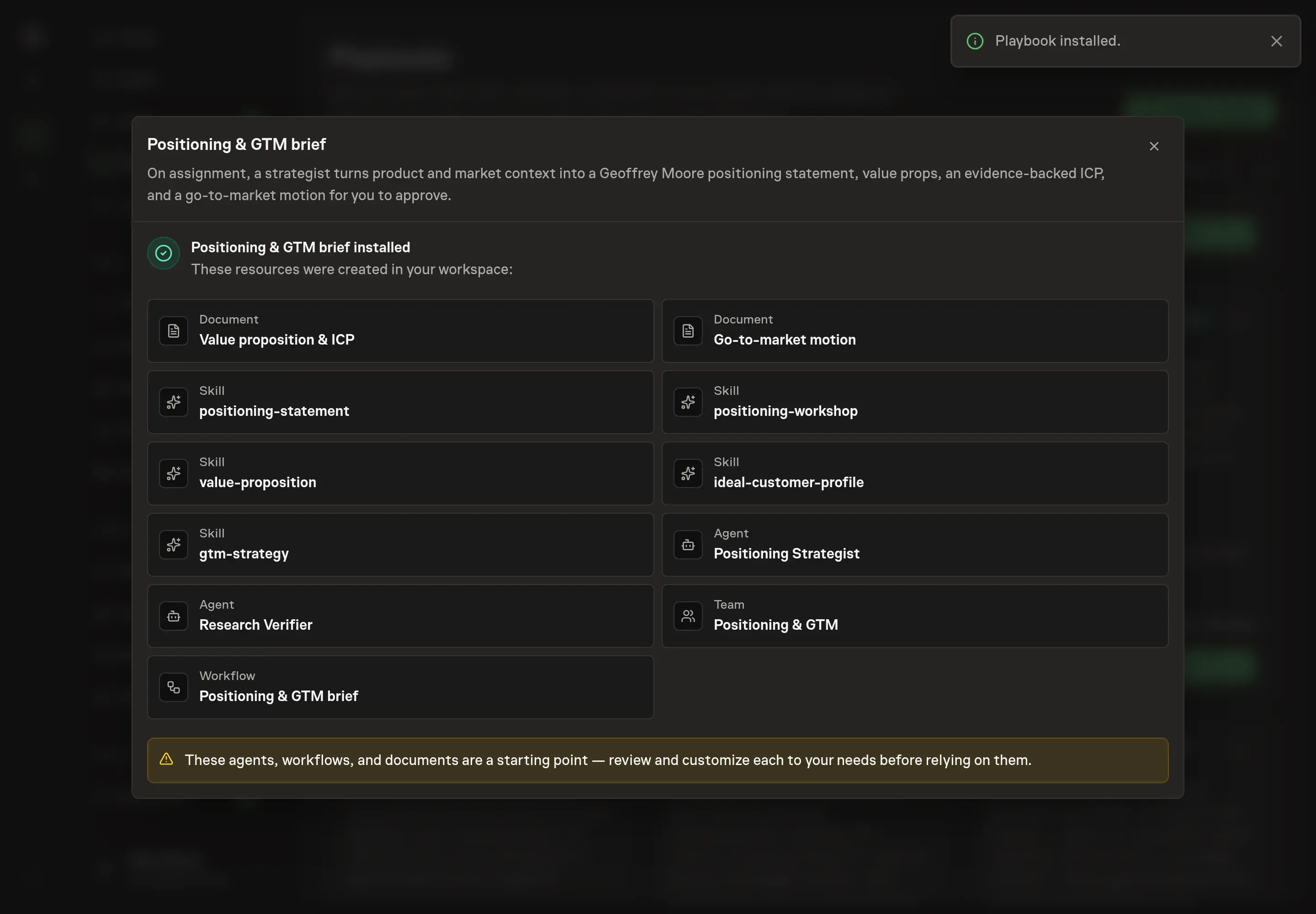
Choose Approve on the proposal in Chat when the configuration matches your brief. Task Machine installs that reviewed configuration. The approved item retains its review details. If your autonomy settings allow direct installation, this approval may not be required. Check the resulting configuration in that case too.
Complete any remaining secure service setup from the installation details in Chat. Inbox keeps those setup items available if you return later. Prepare the source documents and inputs before starting the first Task or Workflow. Installation does not authorize sending, publishing or changing an external service beyond the boundaries you agreed.
What good looks like
Strong positioning output has three visible traits:
- A customer can self-identify. The target and need are specific enough that the right buyer can say "that is us."
- The alternative is real. The brief names a competitor, substitute, spreadsheet, agency, or do-nothing path the buyer considers.
- The GTM motion is focused. The plan chooses a few channels with baselines and decision points rather than spreading effort across every possible channel.
Common questions
Is this the same as writing homepage copy? No. The brief comes before copy. It gives the copywriter, founder, or marketer the strategic choices that the page should express.
What if there is not enough evidence yet? The agent should mark weak claims as assumptions to validate. A thin evidence base is still useful if the brief makes the uncertainty visible.
Can the playbook handle multiple customer segments? Run one segment per pass. Different segments usually need different value propositions, alternatives, and channels.
Why include a research verifier? Positioning is full of claims that sound plausible internally. The verifier checks whether the named competitor, differentiation, ICP, and quantified outcomes are grounded before approval.