How to Draft Customer Case Studies
A practical guide to drafting customer case studies with an agent: interview questions, an outcome-led draft, fact-checking, and customer permission.

Founder, Task Machine
A customer case study is a short proof document built from one customer's real story: what they did before, what changed, and the measured result, told in their own words. Drafting one means catching a customer right after they get clear value, interviewing them about the before and after, and shaping their answers into a page a skeptical prospect will believe.
For a small team it is the one marketing asset that cannot be faked. A named customer with a confirmed number carries more weight than anything you write about yourself, and a finished study keeps working in sales conversations long after the hours it took to produce.
Customer wins pass before anyone writes them up
Every few weeks a customer hits a result worth telling. Without a process, the moment passes. The enthusiasm fades, the numbers get fuzzy, and by the time you ask for an interview the customer has moved on to the next problem.
The cost lands in two places. In sales, you keep repeating your own claims because there is no customer on record making them for you. And when a study finally does get written under deadline pressure, the shortcuts show: a paraphrased quote, a rounded-up number, a logo the customer never agreed to. A case study uses a real person's name, words, and figures, so a sloppy one damages the relationship it was meant to celebrate.
What the manual process looks like
Done by hand, a case study is a small project with seven steps:
- Notice that a customer hit a real result and ask them for an interview.
- Prepare questions that cover the before, the turning point, and the after.
- Run the interview, pressing gently for a hard number and lines worth quoting.
- Write the draft: a results headline, the customer's situation, the challenge, what they did, the results, and a pull quote.
- Check every number and quote in the draft against your notes.
- Send the customer exactly what will be published, including their quotes, how they will be named, and every metric, and wait for sign-off.
- Publish once they approve.
None of these steps is hard. Together they take enough hours that most teams do them rarely, and the checking steps are the first to get skipped, which is exactly where the risk lives.
What an agent can automate
Most of that project is preparation, drafting, and verification, which an agent can carry while the conversation and the final call stay with you:
- Prepare the interview. From the customer and the value moment that triggered the study, the agent writes structured questions along a before, turning point, after, and so-what arc, designed to surface at least one hard number and two or three quotable lines. You run the conversation, and the agent makes sure it asks the right things.
- Draft the case study. From the customer's answers and the account's usage, the agent writes the mini case study: a results headline, a customer snapshot, the challenge, the solution described as the customer's workflow rather than a feature list, two or three scannable result stats, a verbatim pull quote, and a soft call to action.
- Assemble the permission request. Alongside the draft, the agent lists every quote attributed to the customer word for word, exactly how the customer will be named and described (person, role, company, logo use), and every metric to be published, so the customer can approve precisely what will appear.
- Fact-check independently. A second agent checks the draft against the interview answers and the usage data: every number traces to something the customer confirmed, every quote is verbatim rather than paraphrased, nothing marked off the record leaked in, and the permission request is complete. It produces a go or no-go note, and a no-go goes back to the drafting agent with specifics.
What stays with you is judgment: the interview itself, the decision that this customer's story is worth telling, and the final approval.
The guardrails that make it safe
The hard rule in this process is that nothing publishes without permission. A case study borrows a customer's name and credibility, so the workflow treats permission as a gate, not a courtesy.
The gate has two layers. First, the editor agent's fact-check: an altered quote, an unconfirmed number, or a violated confidentiality note is an automatic no-go, and the draft cycles back until it is accurate. Second, a human approval step ends the workflow. It waits in your inbox with the draft and the permission request, and it asks you to confirm the customer has approved their quotes, attribution, and metrics (or to route the permission request to them first) before you sign off. Only after both the customer and you have approved does the case study count as publish-ready.
The agents never publish anything on their own. Their job ends at a verified draft and a permission request that makes it easy for the customer to say yes.
Set it up in Task Machine
The Customer case study writing playbook provides a starting point for the method above. You need an active Task Machine workspace with Chat, workspace-management and Playbook-installation access (workspace owners have it). No outside services need to be authorized, because the workflow runs on the interview answers and account details you bring to it.
1. Find the playbook
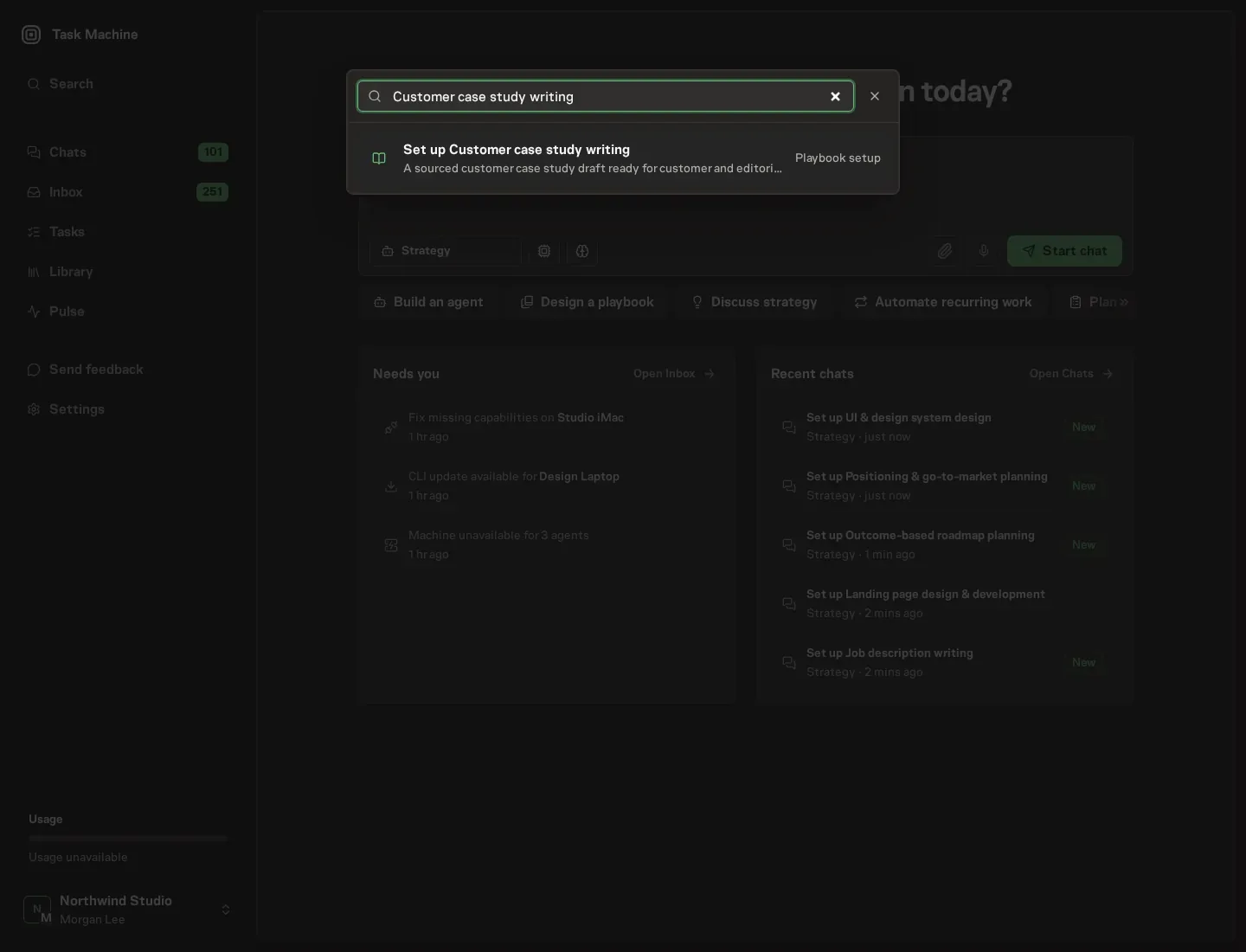
Open Search in your workspace and enter "Customer case study writing". The command center lists Set up Customer case study writing under Playbook setup.
2. Start the conversation
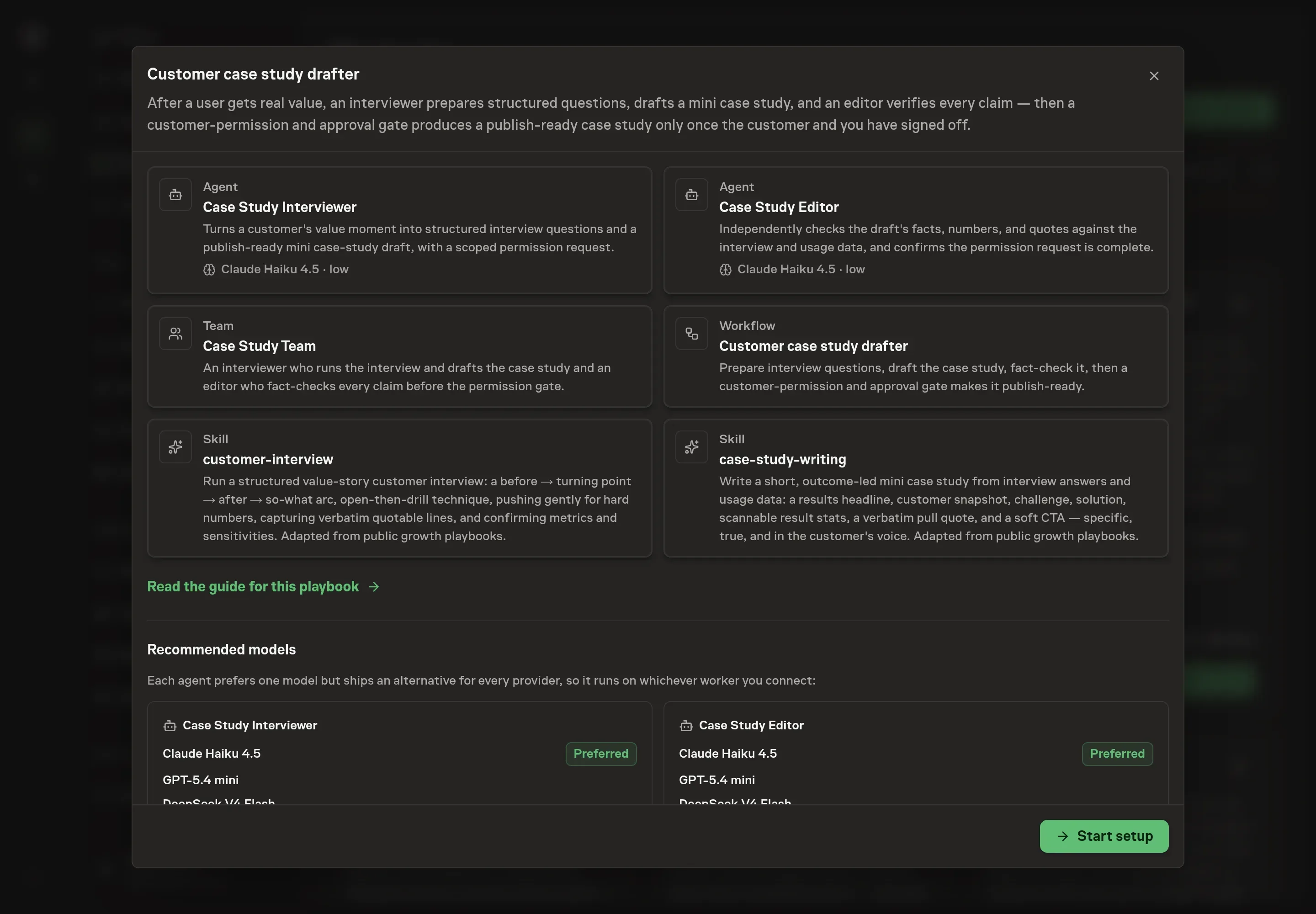
Choose Set up Customer case study writing. Task Machine opens a dedicated Chat with the Playbook card and an editable, unsent request. Read the intended job and outcome. Add your situation and send it when ready. Opening the draft does not install anything or start work. This walkthrough uses settings that require approval of the proposed Playbook.
3. Agree the working brief
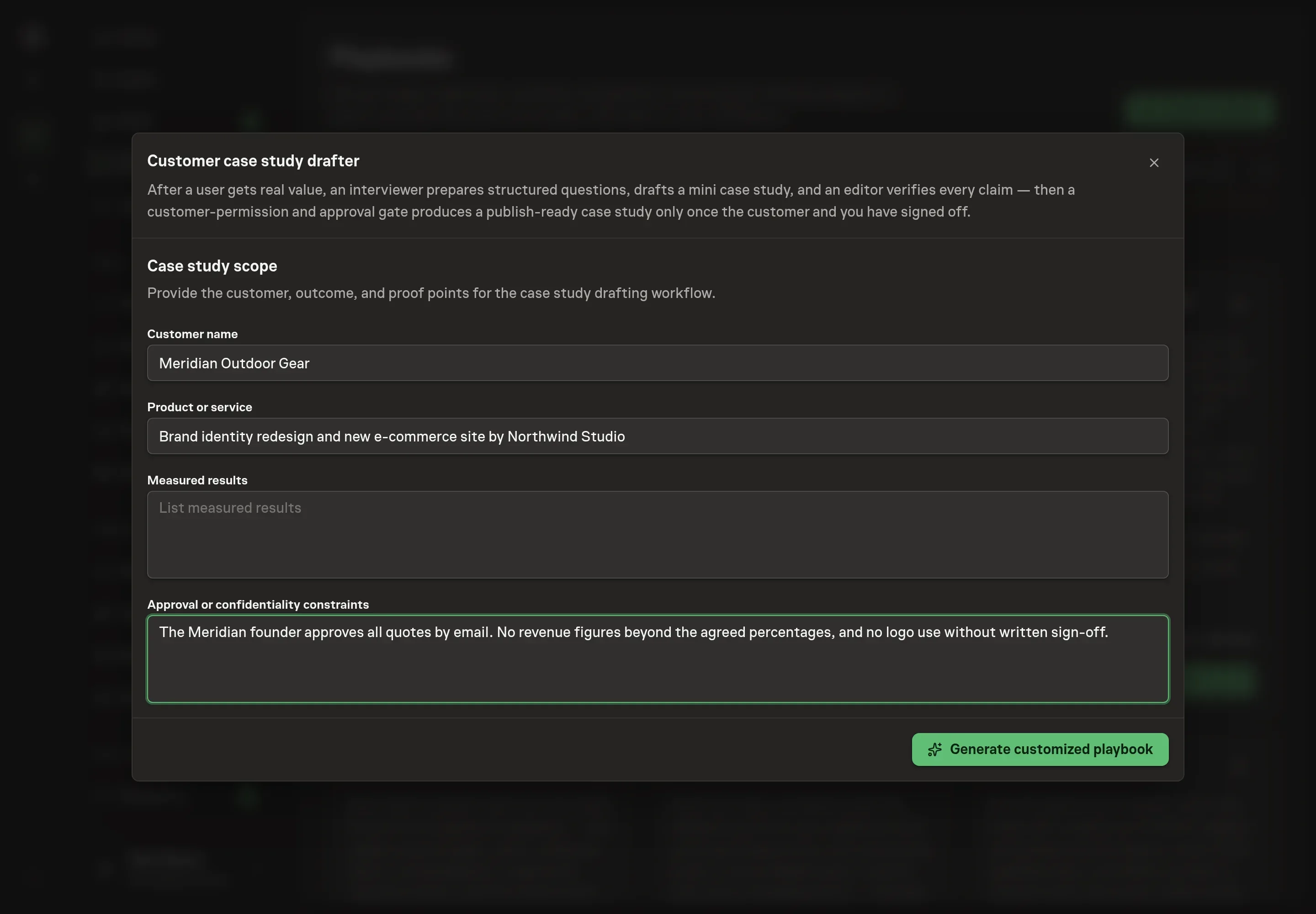
Use Chat to agree the inputs, expected output and limits before asking for a proposal. The Agent needs the story the workflow should start with. Customer name names whose story it is. Product or service names what they used, which shapes the challenge and solution sections. Measured results takes the confirmed outcomes the draft should lead with, one per line. Approval or confidentiality constraints captures the rules the permission request must respect, such as who signs off on quotes or which figures may not be published.
4. Review the proposed Playbook
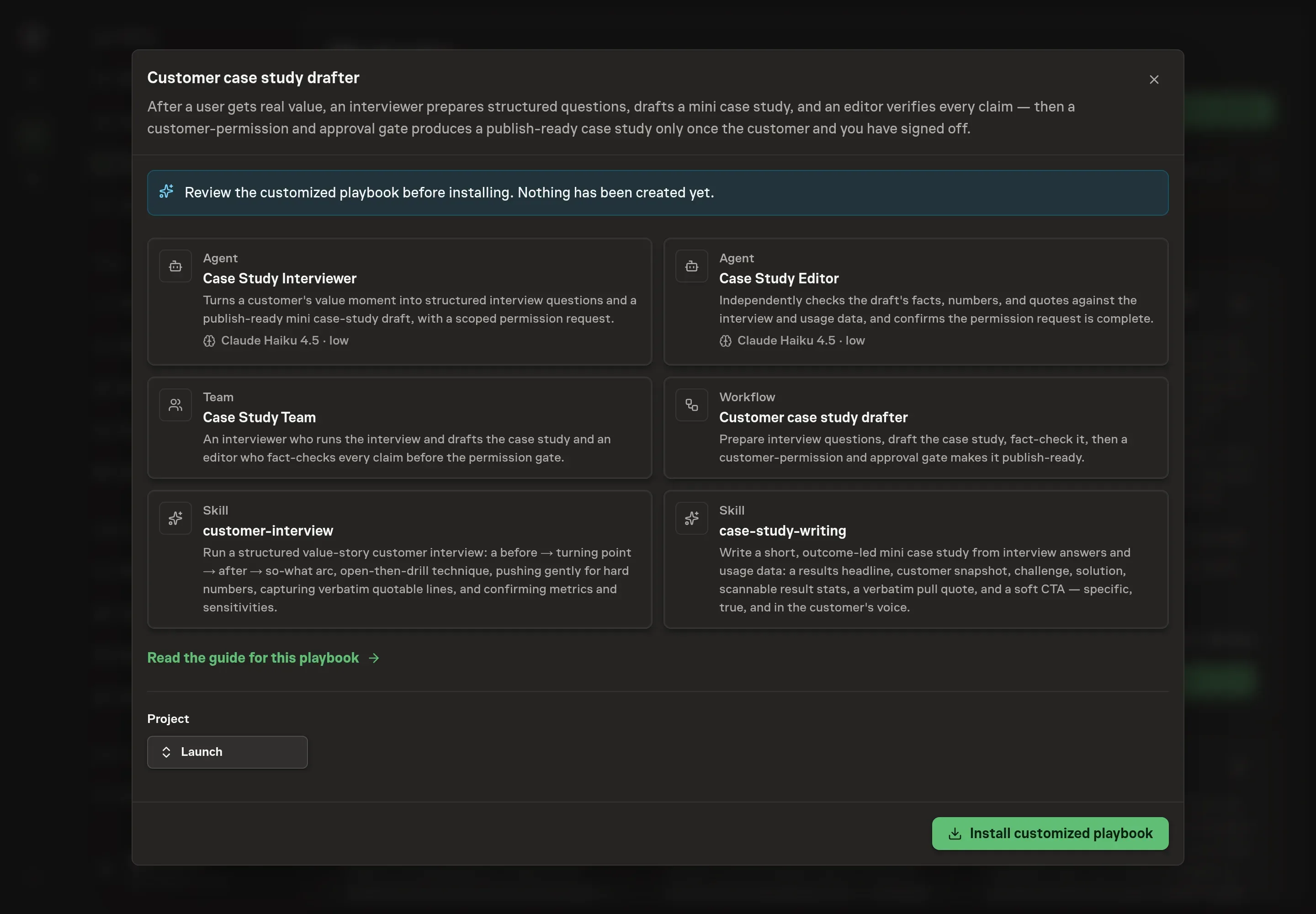
Ask the Agent to generate the Playbook from the agreed brief. Open its proposal in Chat and check the instructions and resources it will install, which carry more detail than the conversational summary. Read through the agent and workflow cards and confirm the customer details, the measured results, and the constraints appear where you expect them. Ask for a revised proposal if anything is missing or changes the job.
5. Approve and prepare the first work
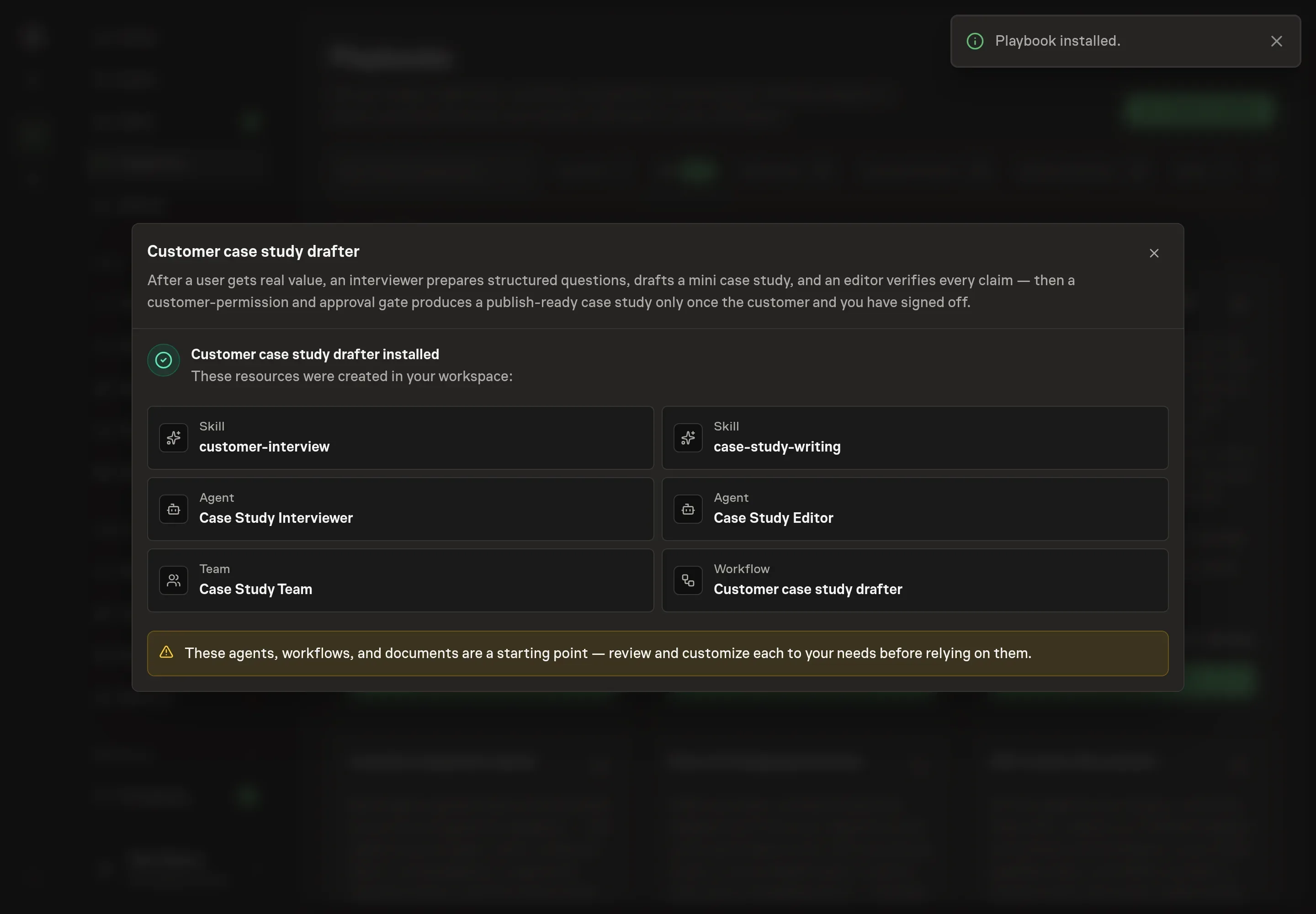
Choose Approve on the proposal in Chat when the configuration matches your brief. Task Machine installs that reviewed configuration. The approved item retains its review details. If your autonomy settings allow direct installation, this approval may not be required. Check the resulting configuration in that case too.
Complete any remaining secure service setup from the installation details in Chat. Inbox keeps those setup items available if you return later. Prepare the source documents and inputs before starting the first Task or Workflow. Installation does not authorize sending, publishing or changing an external service beyond the boundaries you agreed.
What good looks like
The playbook's own quality bar tells you whether a run worked:
- The interview produced the raw material. A costed before-state, a concrete after-state with at least one hard number, the why-us moment, and two or three quotable lines the customer confirmed.
- The draft is skimmable. A reader who only sees the headline, the two or three result stats, and the pull quote gets the whole story.
- The permission request passes on the first read. Every quote verbatim, the naming exact, every metric one the customer already confirmed, so approval takes the customer minutes rather than a negotiation.
Common questions
Does the agent interview the customer directly? No. The agent prepares the questions and you run the conversation. The interview is a relationship moment with a customer who just got value from you, and the structured questions make sure that conversation surfaces a hard number and quotable lines without turning into an interrogation.
What if the customer will not share a specific number? An unconfirmed number never publishes. The interview technique is to ask an open question and then follow with "can you put a number on that?", because a figure like a task going from hours to minutes beats "much better". If the customer declines, the study runs on the concrete before-and-after change instead, and the fact-check keeps any implied figure out of the draft.
Can the agent publish the case study on its own? No. The workflow ends at a human approval step, and before that step the editor agent must issue a go note. Nothing counts as publish-ready until the customer has approved their quotes, attribution, and metrics and you have signed off.
What if the customer wants to stay anonymous? Put that in the approval and confidentiality constraints during setup. The permission request states exactly how the customer will be named and described, including role, company, and logo use, so an anonymized or role-only attribution is agreed in writing before anything is drafted for publication.
When is the right moment to run it? Right after a clear value moment, while the result is fresh and the customer can still put numbers on it. Waiting costs you both the enthusiasm and the precision, which is why the workflow is built to start from a specific value event rather than a calendar.