How to Generate a Marketing Plan
A practical guide to generating a quarterly marketing plan from positioning, AARRR stages, budget, team capacity, and approval.

Founder, Task Machine
A marketing plan is a quarterly operating artifact that connects positioning, audience, budget, team capacity, channels, and measurement into one sequence of work. A useful plan does not list every possible tactic. It says which bets fit the company's stage and why the skipped ideas should stay skipped.
This work is worth systematizing because small teams often plan from pressure instead of context. A founder asks for more pipeline, a channel looks fashionable, or a competitor launches a campaign, and the team reacts before agreeing on who they serve, what they can afford, and which part of the funnel is constrained.
Marketing plans built on guesses come out generic
Generic plans happen when the strategist does not have enough real inputs. Budget is assumed, CAC is guessed, team capacity is treated as unlimited, and positioning is described in polished adjectives instead of customer language.
The bundle's method starts with the foundation: ICP, switching forces, competitive frame, anti-persona, differentiation, verbatim customer language, budget, team, stage, funding state, and unit economics. Then it builds the plan by AARRR stage: acquisition, activation, retention, referral, and revenue.
What the manual process looks like
Done by hand, a serious quarterly marketing plan follows a sequence:
- Capture the product, category, business model, target audience, anti-persona, and customer language.
- Write the competitive frame and switching forces so the plan starts from the struggling moment, not from channel ideas.
- Gather current channels, traction, budget, team capacity, stage, funding state, unit economics, and open decisions.
- Research the category, competitors, and channel benchmarks that matter for this audience.
- Structure recommendations by AARRR stage and sequence them into a 90-day roadmap with owners.
- Build an idea bank that explains which tactics fit, which are skipped, and what changes when the next funding milestone arrives.
The hard part is the discipline to say no. A plan that recommends paid tests before the budget exists, or brand campaigns before the funnel problem is known, creates motion without focus.
What an agent can automate
An agent can carry the research and planning structure while the founder keeps the judgment:
- Build the positioning base. The agent drafts the ICP and positioning context document with audience, anti-persona, switching forces, competitive frame, and customer language.
- Research the market. It studies the category, competitors, and channel benchmarks when web research is available, and labels gaps when it is not.
- Write the AARRR plan. The plan covers acquisition, activation, retention, referral, and revenue, with every recommendation tagged to a funnel stage.
- Prioritize the idea bank. The agent filters tactics by stage, budget, timeline, and team capacity instead of listing a library of ideas.
- Verify quality before approval. A verifier checks that the plan is customized, names open decisions, avoids fake certainty about CAC, and does not recommend work the team cannot execute.
The agent prepares the strategy artifact. The company still decides whether to adopt it.
The guardrails that make it safe
Marketing plans create downstream work, budget requests, and founder expectations. That means the final plan needs a human approval step, not silent adoption.
The verifier is the second guardrail. It rejects template sections, missing owners, hidden unknowns, unsupported market claims, and budgets that do not match stage. The plan reaches the human with explicit open decisions, especially CAC, retention, budget, and team capacity.
Set it up in Task Machine
The Marketing planning and campaign ideas playbook provides a starting point for the method above. You need an active Task Machine workspace with Chat, workspace-management and Playbook-installation access (workspace owners have it). Web search helps with market and competitor research, but the workflow can work from supplied context and label research gaps.
1. Find the playbook
Open Search in your workspace and enter "Marketing planning and campaign ideas". The command center lists Set up Marketing planning and campaign ideas under Playbook setup.
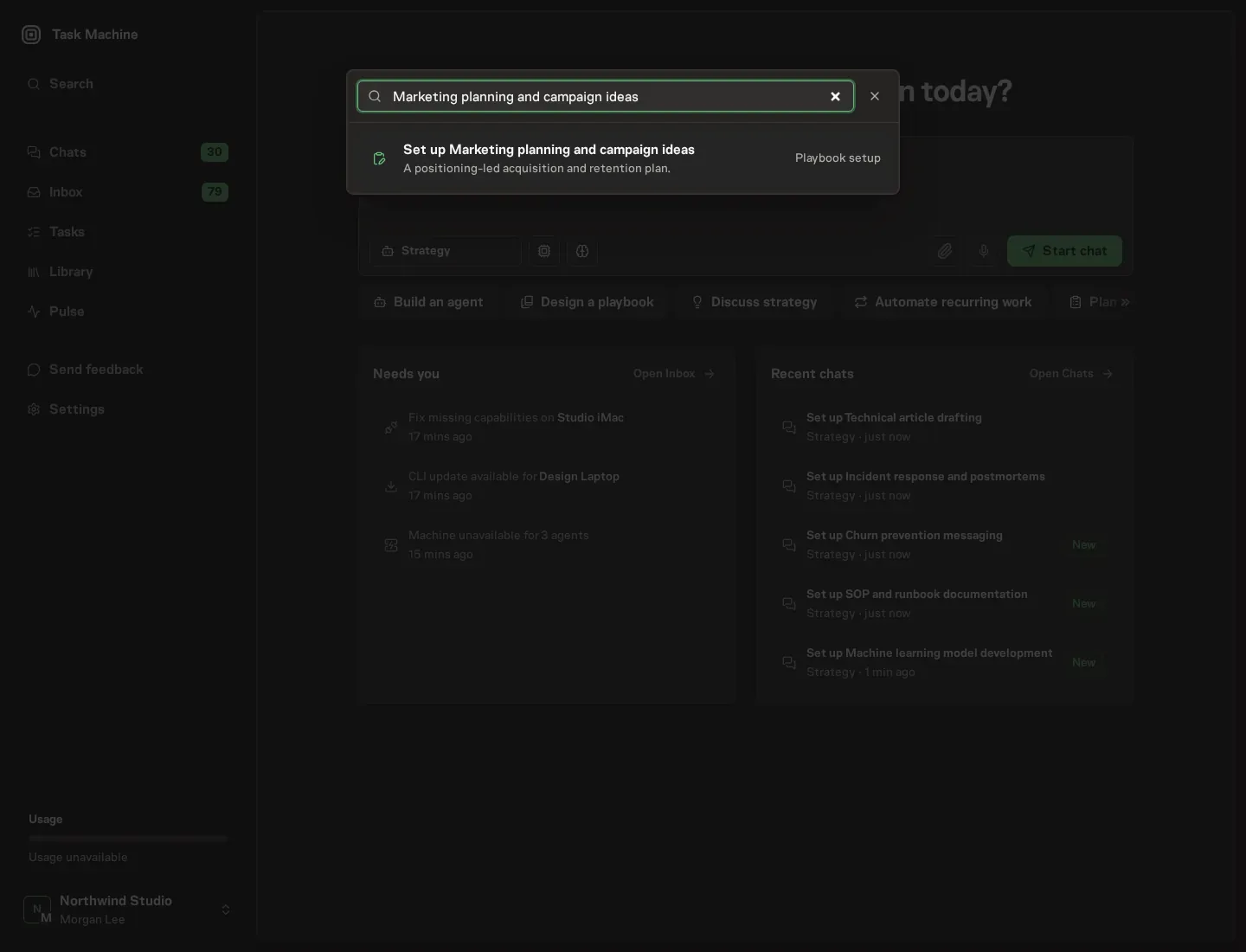
2. Start the conversation
Choose Set up Marketing planning and campaign ideas. Task Machine opens a dedicated Chat with the Playbook card and an editable, unsent request. Read the intended job and outcome. Add your situation and send it when ready. Opening the draft does not install anything or start work. This walkthrough uses settings that require approval of the proposed Playbook.
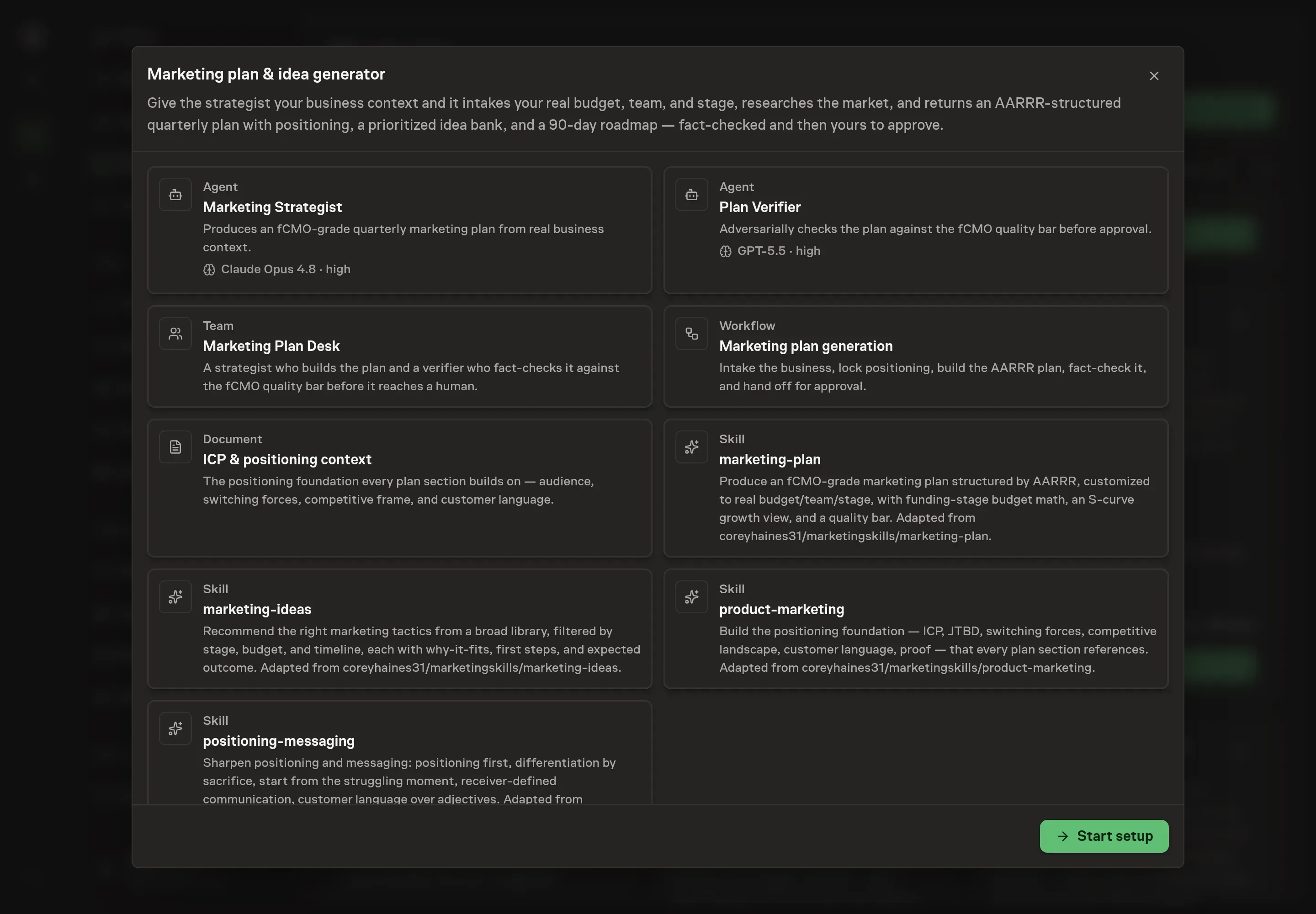
3. Agree the working brief
Use Chat to agree the inputs, expected output and limits before asking for a proposal. Discuss the business or product, target audience, marketing goal, and preferred channels. Use real constraints: who the plan is for, what the quarter must change, which channels already have evidence, and which channels are off-limits.
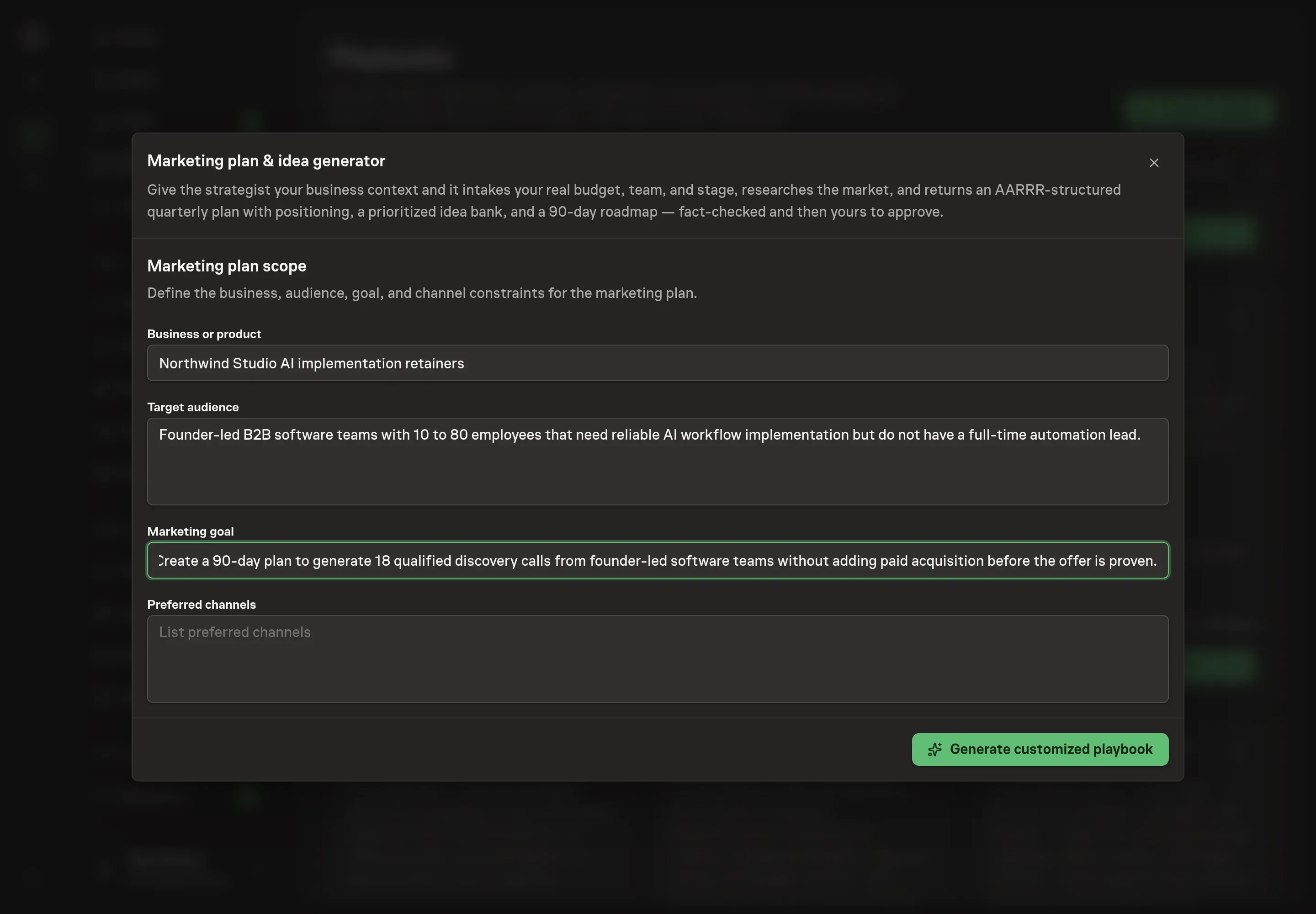
4. Review the proposed Playbook
Ask the Agent to generate the Playbook from the agreed brief. Open its proposal in Chat and check the instructions and resources it will install, which carry more detail than the conversational summary. Check that the workflow intakes positioning first, researches the market, builds the AARRR plan and idea bank, verifies the quality bar, and waits for approval. Ask for a revised proposal if anything is missing or changes the job.
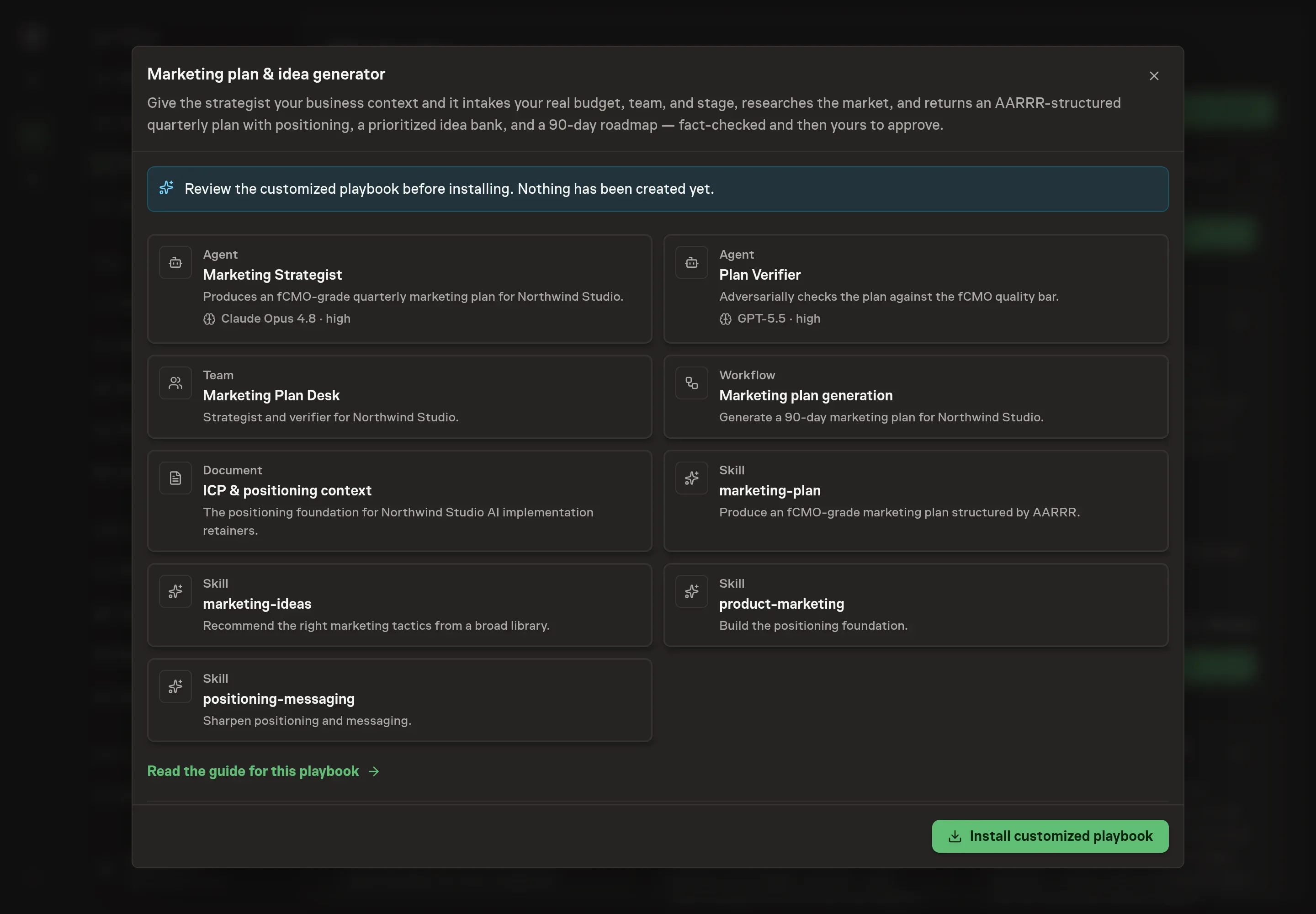
5. Approve and prepare the first work
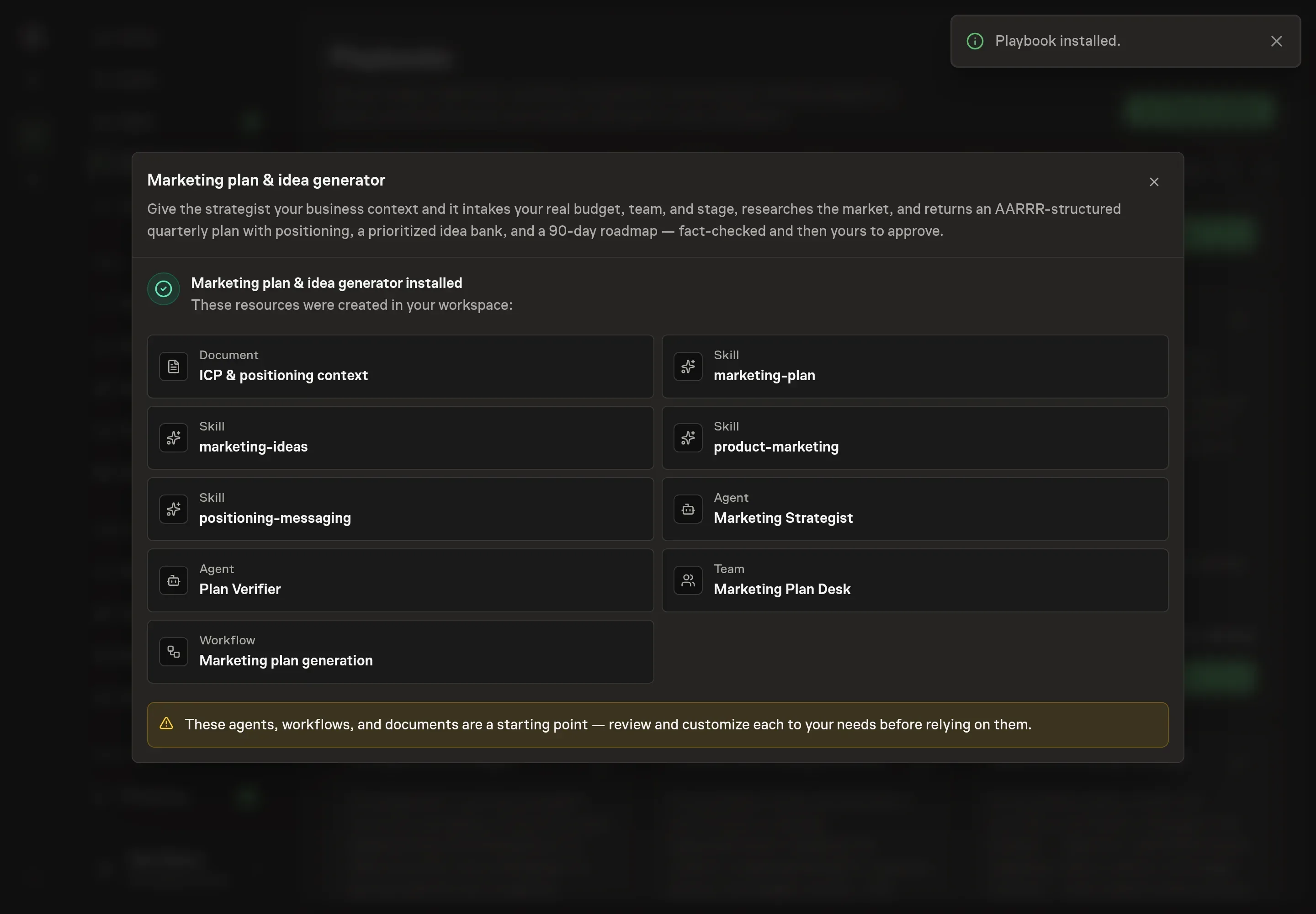
Choose Approve on the proposal in Chat when the configuration matches your brief. Task Machine installs that reviewed configuration. The approved item retains its review details. If your autonomy settings allow direct installation, this approval may not be required. Check the resulting configuration in that case too.
Complete any remaining secure service setup from the installation details in Chat. Inbox keeps those setup items available if you return later. Prepare the source documents and inputs before starting the first Task or Workflow. Installation does not authorize sending, publishing or changing an external service beyond the boundaries you agreed.
What good looks like
A good marketing plan is specific enough to disagree with:
- The audience is narrow. It names the target customer, anti-persona, switching forces, and customer language.
- The roadmap has owners. The 90-day plan is sequenced and assigned instead of a bare tactic list.
- The budget matches the stage. The plan does not pretend paid acquisition exists before the budget or evidence exists.
- Open decisions are visible. CAC, retention, budget, and positioning gaps are named rather than hidden.
Common questions
Can this create a plan for a company with little traction? Yes, but it should name unknowns instead of filling them with invented numbers. Early plans usually emphasize positioning, customer conversations, content, community, and small tests.
Does it decide the marketing strategy automatically? No. It drafts and verifies the plan. A human approves whether to adopt it.
What if the team has no CAC number yet? The plan should mark CAC as an open decision and avoid recommendations that depend on a guessed CAC.
Can it include paid acquisition? Yes, when budget, stage, and evidence support it. The bundle's method explicitly avoids pretending paid budget exists before it does.