How to Launch LinkedIn Ads Campaigns
A practical guide to launching LinkedIn Ads with firmographic targeting, creative checks, budget review, and approval before spend.

Founder, Task Machine
Launching a LinkedIn Ads campaign is the work of turning a B2B offer into a live campaign with the right objective, firmographic targeting, creative, lead form or landing page, conversion tracking, and budget controls. LinkedIn is useful when job title, seniority, company size, and account targeting matter.
It is also easy to spend real money before the campaign is ready. A campaign that is too broad, missing exclusions, untracked, or built around a weak offer can burn through a test budget before the team learns anything useful.
LinkedIn's precise targeting can hide waste
LinkedIn's targeting is valuable because it is specific. That specificity can also hide waste. A campaign can reach the right job titles but the wrong buying stage, collect polite form fills that never become qualified leads, or run creative that sounds professional but gives the buyer no reason to act.
The budget risk is separate. LinkedIn B2B CPMs are high, so campaign launch, budget changes, and bid changes need a named cap and an approval gate. The campaign should prove the worst-case spend before it goes live.
What the manual process looks like
Done by hand, a controlled LinkedIn Ads launch has six steps:
- Define the objective, offer, landing page or Lead Gen Form, target CPL, and buying stage.
- Build the ICP: job titles, functions, seniority, industries, company size, account lists, and exclusions.
- Write professional creative variants across distinct angles such as pain point, outcome, proof, comparison, or role identity.
- Check the Insight Tag, conversion or lead events, UTMs, landing page, and Lead Gen Form fields.
- Set the daily or lifetime budget so worst-case spend stays inside the named external-costs cap.
- Review the build, approve spend, launch, monitor CPL and downstream lead quality, and pause if the campaign drifts past the target.
The manual work is simple, but it requires discipline. The team needs a build record, a budget memo, and approval before spend.
What an agent can automate
An agent can build the campaign package and prepare the spend decision without owning the spend:
- Build the campaign structure. The ad operator maps the objective, ICP, offer, target roles, firmographic filters, exclusions, creative variants, and Lead Gen Form.
- Write professional creative. It creates distinct angles, respects LinkedIn character limits, and keeps the copy proof-led instead of generic.
- Check tracking and forms. It confirms the Insight Tag, lead or conversion events, UTMs, landing page, and form fields are ready.
- Compute worst-case spend. It sets budget options that stay inside the external-costs cap and states remaining headroom.
- Run an independent review. A spend reviewer checks targeting fit, creative policy, tracking, and budget math before a human approves.
The agent can launch only after the spend approval gate. It must request approval again for budget increases, bid changes, or scale-up spend.
The guardrails that make it safe
The main guardrail is approval before spend. The workflow should not launch the campaign, raise a budget, or change a bid without a person approving the campaign and the budget memo.
The second guardrail is a named external-costs budget. The agent works inside a fixed cap, states worst-case spend, reports headroom, and pauses when cost per lead drifts past the target. That makes the approval decision concrete instead of a vague request to "run ads".
Set it up in Task Machine
The LinkedIn Ads campaign launch playbook provides a starting point for the method above. You need an active Task Machine workspace with Chat, workspace-management and Playbook-installation access (workspace owners have it). LinkedIn Campaign Manager access is not required for setup. Until you authorize browser access, the agents work from attached exports and documents.
1. Find the playbook
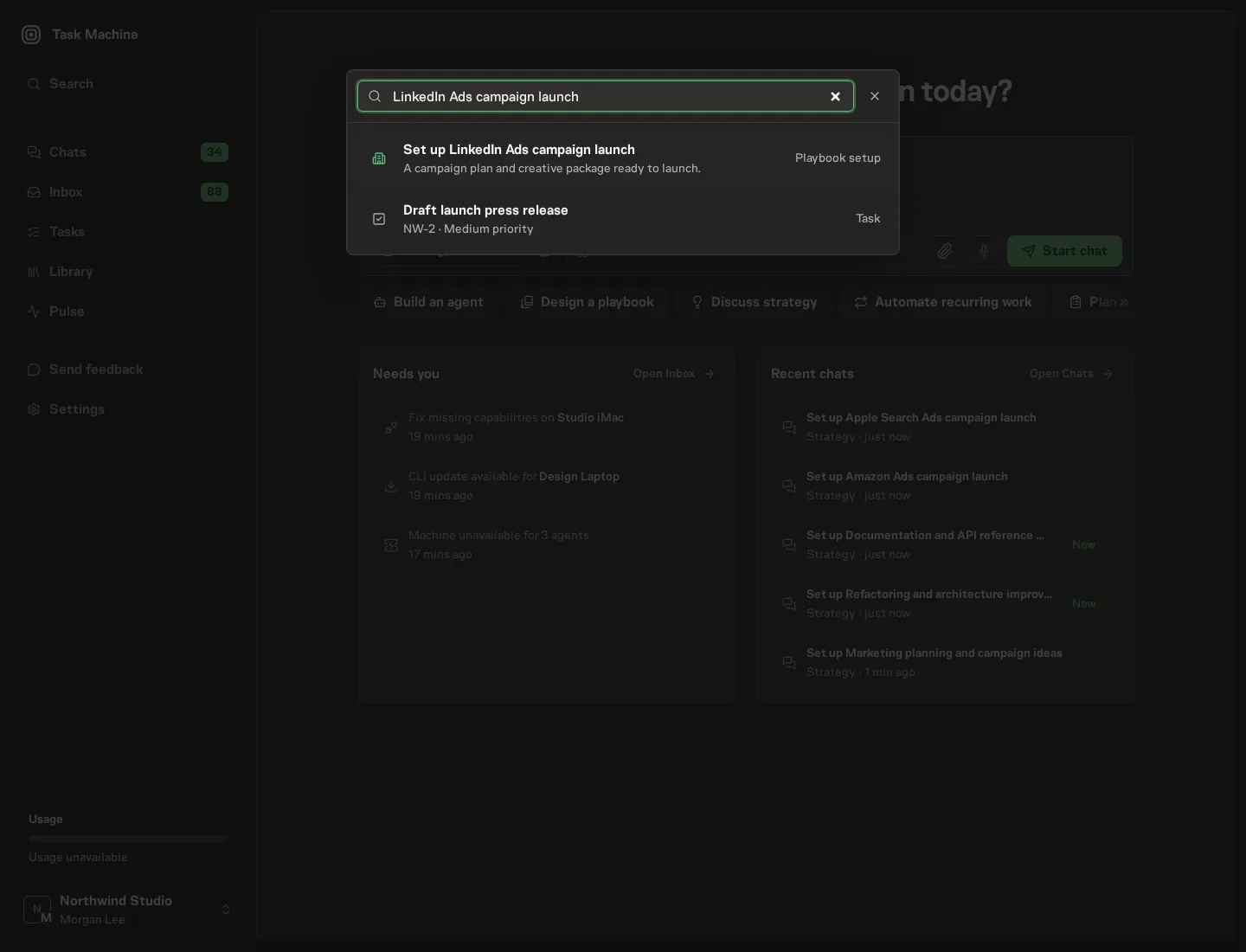
Open Search in your workspace and enter "LinkedIn Ads campaign launch". The command center lists Set up LinkedIn Ads campaign launch under Playbook setup.
2. Start the conversation
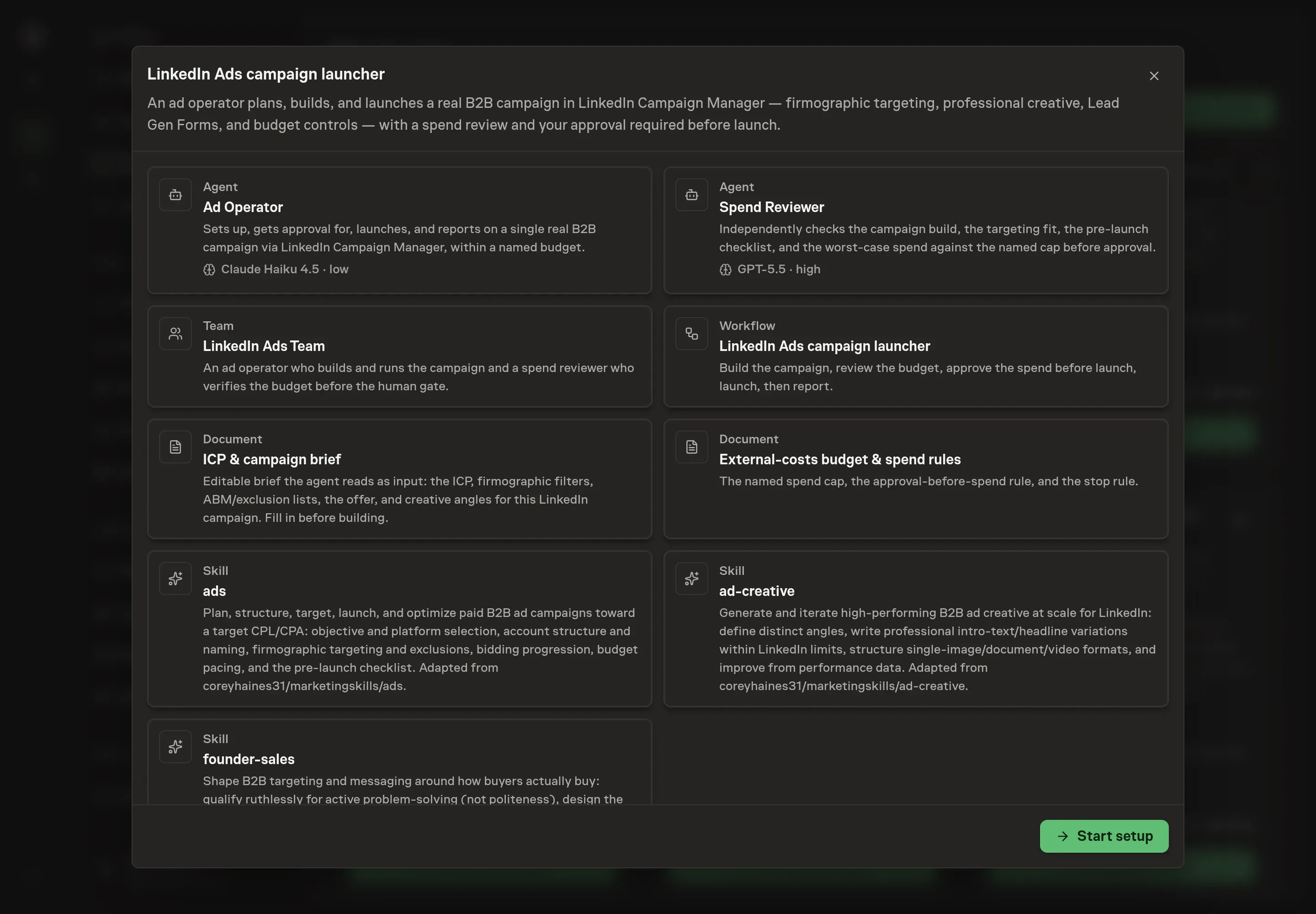
Choose Set up LinkedIn Ads campaign launch. Task Machine opens a dedicated Chat with the Playbook card and an editable, unsent request. Read the intended job and outcome. Add your situation and send it when ready. Opening the draft does not install anything or start work. This walkthrough uses settings that require approval of the proposed Playbook.
3. Agree the working brief
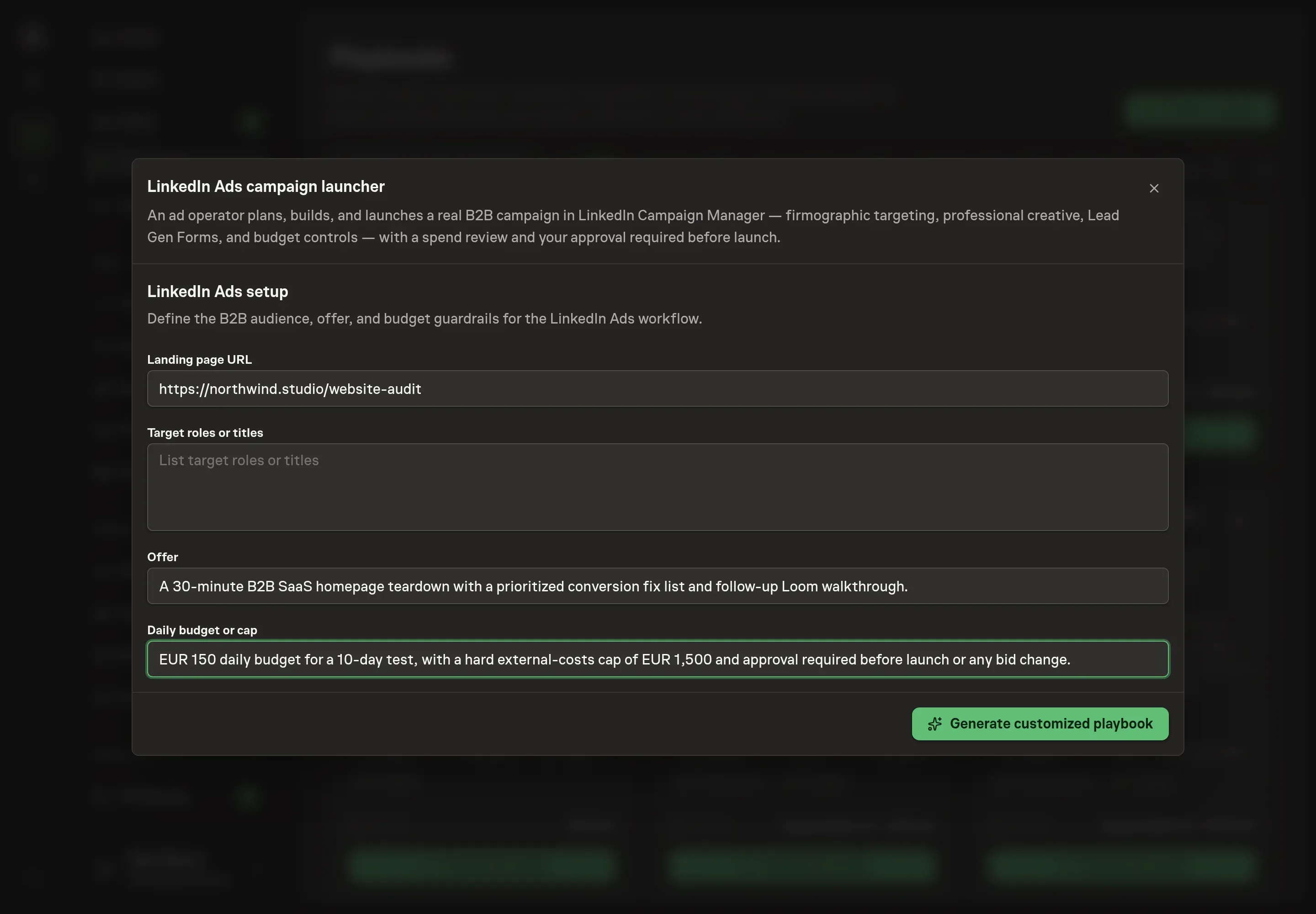
Use Chat to agree the inputs, expected output and limits before asking for a proposal. The Agent needs the landing page URL, target roles or titles, offer, and daily budget or cap. For budget, name the real spend boundary, not only a daily number.
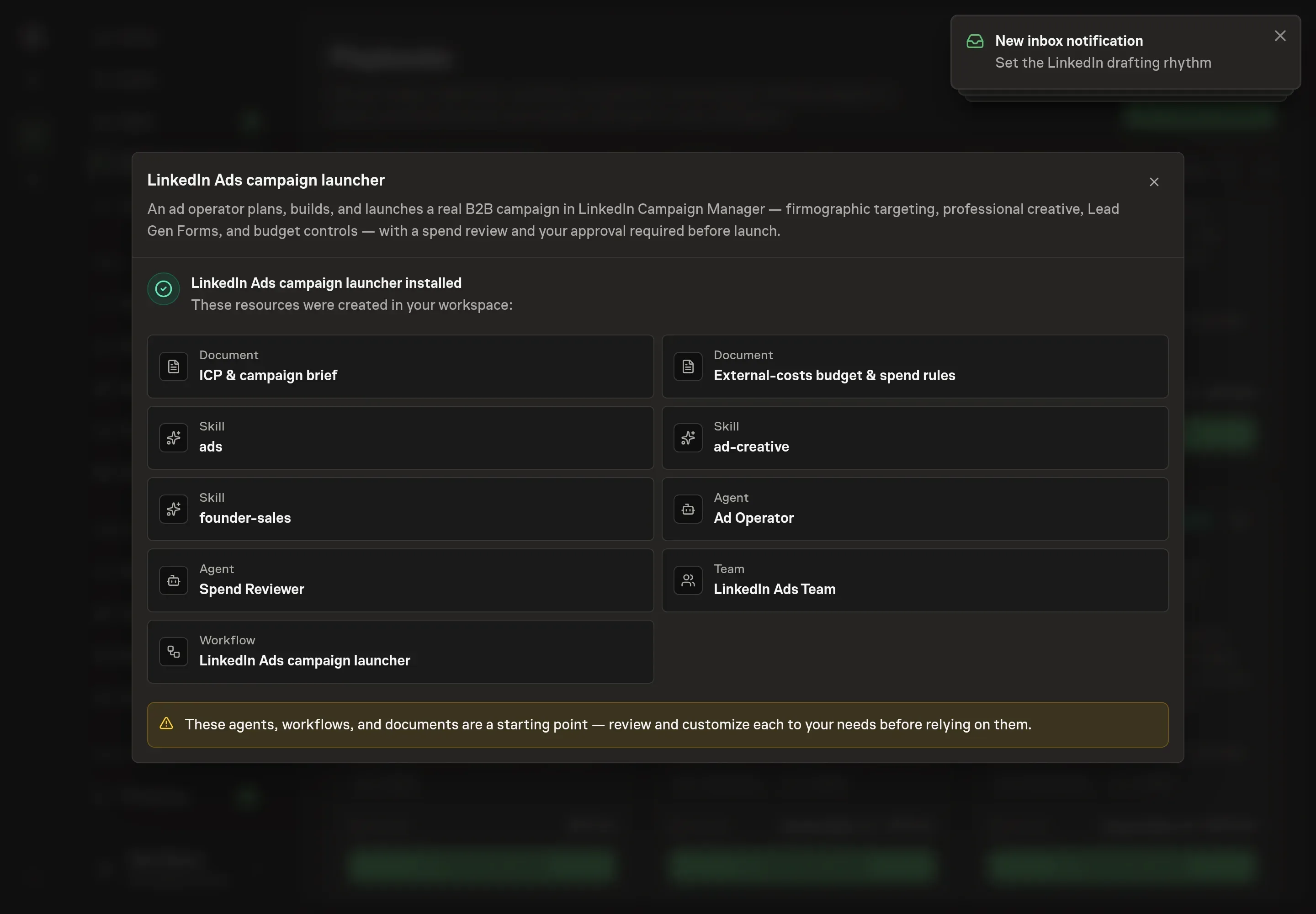
4. Review the proposed Playbook
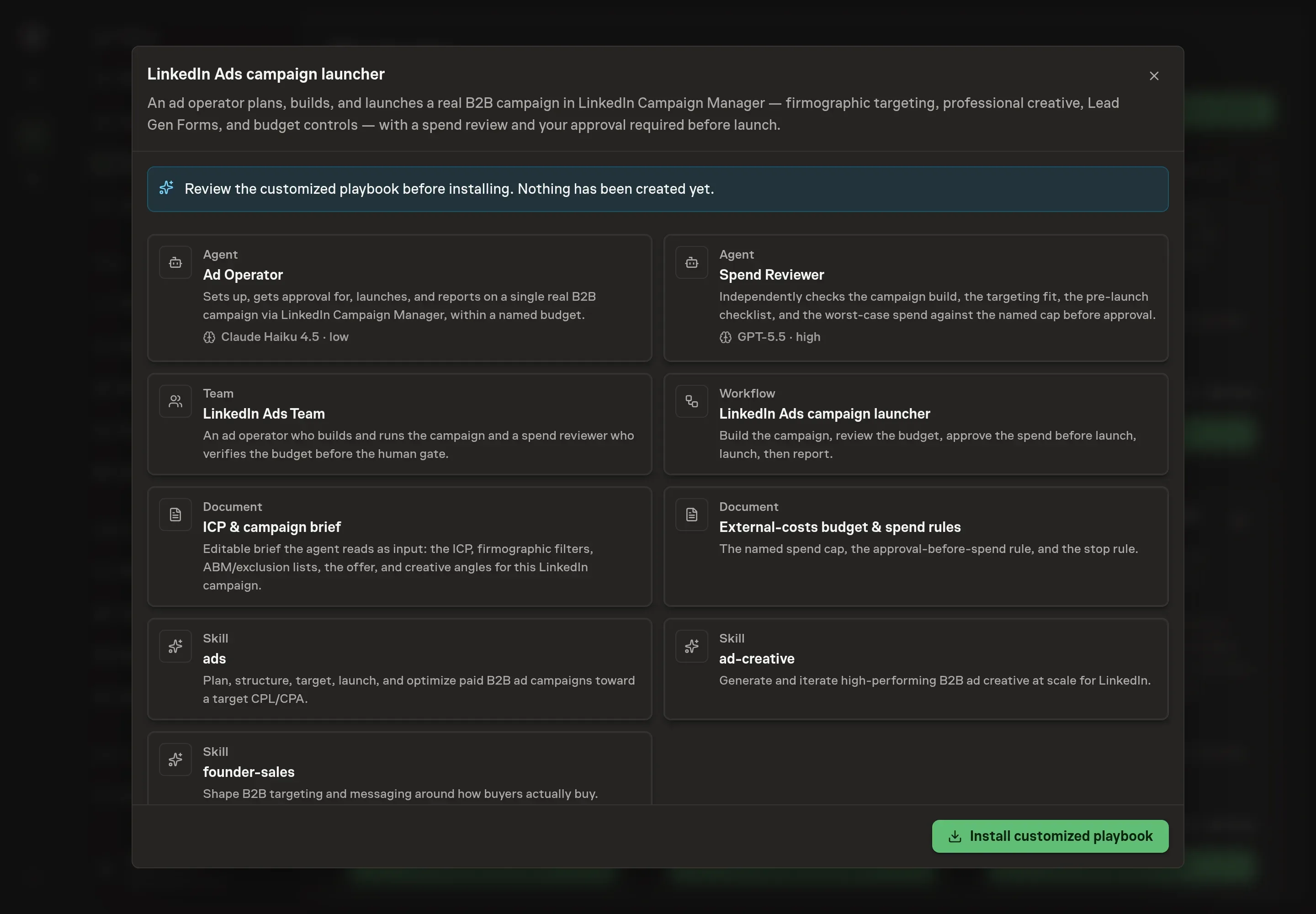
Ask the Agent to generate the Playbook from the agreed brief. Open its proposal in Chat and check the instructions and resources it will install, which carry more detail than the conversational summary. Review that the spend reviewer is present, the budget document reflects the cap, and the workflow has Approve spend before launch before the launch step. Ask for a revised proposal if anything is missing or changes the job.
5. Approve and prepare the first work
Choose Approve on the proposal in Chat when the configuration matches your brief. Task Machine installs that reviewed configuration. The approved item retains its review details. If your autonomy settings allow direct installation, this approval may not be required. Check the resulting configuration in that case too.
Complete any remaining secure service setup from the installation details in Chat. Inbox keeps those setup items available if you return later. Prepare the source documents and inputs before starting the first Task or Workflow. Installation does not authorize sending, publishing or changing an external service beyond the boundaries you agreed.
What good looks like
Judge the campaign by the quality of the build and the spend controls:
- Targeting fit. The audience should match buyer roles, company filters, buying stage, and exclusions, not only reach volume.
- Spend headroom. Every launch or adjustment request should show worst-case spend and remaining budget headroom.
- Downstream lead quality. Form fills matter only if they become qualified leads, sales conversations, or pipeline.
Common questions
Can an agent launch LinkedIn Ads without approval? No. The playbook has a human spend approval before launch. Budget increases and bid changes need approval too.
What should go in the LinkedIn campaign brief? Include the objective, offer, landing page, qualified lead definition, target CPL, buyer personas, firmographic filters, exclusions, creative angles, form fields, and compliance constraints.
Should a campaign start with a daily or lifetime budget? For a bounded test, a lifetime budget is often easier to keep inside a cap. The key requirement is that worst-case spend stays within the named external-costs budget.
Can this run without LinkedIn Campaign Manager access? Yes. The agents can prepare the campaign build, creative, and budget memo from documents. Browser access is needed only when you want the campaign built or launched in Campaign Manager.