How to Monitor Competitor Mentions
A practical guide to monitoring competitor mentions with an agent: a scheduled sweep, a memory diff, a dated delta report, and approval on every report.

Founder, Task Machine
Competitor mention monitoring is the practice of sweeping what is publicly said about your competitors on a fixed cadence (news coverage, reviews, social posts, comparison pages, and public benchmarks) and recording only what changed since the last look. The output is a delta report: the price change, the feature launch, the funding round, or the new comparison page that appeared this period, each with a date and a source.
It is worth doing because competitor moves reshape your sales conversations whether you see them or not. A price cut, a feature that closes a gap you sell against, or a new "them versus you" page changes the comparison a prospect runs before ever talking to you. Catching the move the week it happens means you answer it instead of being surprised by it.
Competitor watching happens in bursts, if at all
Nobody owns competitor watching in most small teams. It happens in bursts: someone checks a rival's pricing page before a big call, finds three changes at once, and has no idea when any of them landed. Between bursts, battlecards go stale, comparison pages you have never read shape deals, and new entrants build mindshare against your category unnoticed.
The cost shows up indirectly. A prospect quotes a competitor claim you cannot counter. A rival ships the feature you sold against, and your positioning keeps selling against its absence. By the time the move surfaces on its own, the window for a considered response has closed.
What the manual process looks like
Done by hand, competitor watching is a recurring ritual with five steps:
- Search each competitor's name across news outlets, review sites, discussion boards, and social channels.
- Open each competitor's pricing page and changelog and compare them against what you remember from last time.
- Run comparison queries like "competitor vs" and "competitor alternatives" to see who is positioning against whom.
- Sort the findings into new versus already known, which depends entirely on how well you remember the last sweep.
- Write up the moves that matter, share them, and hold the whole picture in your head until the next round.
The sweep itself is mechanical. The hard part is the memory: without a written record of what you already knew, every pass re-reports old news or misses the change hiding in a page you only skimmed. That is why the ritual decays into the burst pattern, because a sweep that cannot tell new from known feels like wasted time.
What an agent can automate
Everything in that loop except the final reading is mechanical, which makes it a good fit for an agent running a fixed workflow against a written memory:
- Sweep the lanes. For each competitor on the watchlist, the agent works through news and comparison pages, review sites and discussion boards, social posts, public benchmarks, and product-surface changes such as a new pricing tier or a changelog entry. Every sweep is date-filtered to the window since the last run, and every finding carries a URL and a date.
- Parse the comparison-page graph. Comparison queries like "competitor vs" and "competitor alternatives" reveal who is actively positioning against your set. The agent extracts both names from result titles rather than URLs, because a page's address often hides the second name while the title spells out "X vs Y". That surfaces new entrants that never rank for their own brand search.
- Diff against memory. A running competitor-memory document holds each competitor's current state (pricing, features, compliance, funding, positioning) and a dated log of past moves. The agent drops anything already known, dedups by URL and claim, and classifies what remains by source type and materiality.
- Write the delta report. The report leads with the moves that change your sales motion, lists dated changes per competitor with a one-line "why it matters", groups low-signal mentions into an appendix, and notes any public benchmark that changed the picture against you. Where a move warrants it, the agent adds a suggested response, flagged as a suggestion rather than an action.
- Update memory. New dated entries are appended and the per-competitor state lines refreshed, so the next run diffs against fresh ground truth. Past entries are never deleted, only superseded by newer dated lines.
What stays judgment is the reading: deciding which moves warrant a response, confirming whether a newly surfaced name belongs on the watchlist, and approving the report.
The guardrails that make it safe
Automating the research is not the same as automating the reaction. A monitor that acted on its own findings could publish a counter-message nobody reviewed, so the reaction stays with you.
The workflow ends in an explicit approval step: after the sweep, the diff, and the memory update, the delta report waits in your inbox. You review the report and the updated memory, approve, and flag any move that warrants a response. The agent never posts or notifies anyone externally, and its suggested responses are exactly that, suggestions.
Evidence discipline is built into the method. Every item is dated and sourced, a competitor's "vs" page is attributed as a competitor-authored claim rather than neutral truth, and low-confidence findings arrive flagged instead of asserted. A quiet period produces "no material moves this period" rather than manufactured activity. And when the agent's research tools are unavailable, it halts and says so instead of inventing mentions from memory.
Set it up in Task Machine
The Competitor mention monitoring playbook provides a starting point for the method above. You need an active Task Machine workspace with Chat, workspace-management and Playbook-installation access (workspace owners have it). No external accounts need authorizing: the agent researches the public web with its own search and fetch tools, falling back to browser access for pages that block plain fetches.
1. Find the playbook
Open Search in your workspace and enter "Competitor mention monitoring". The command center lists Set up Competitor mention monitoring under Playbook setup.
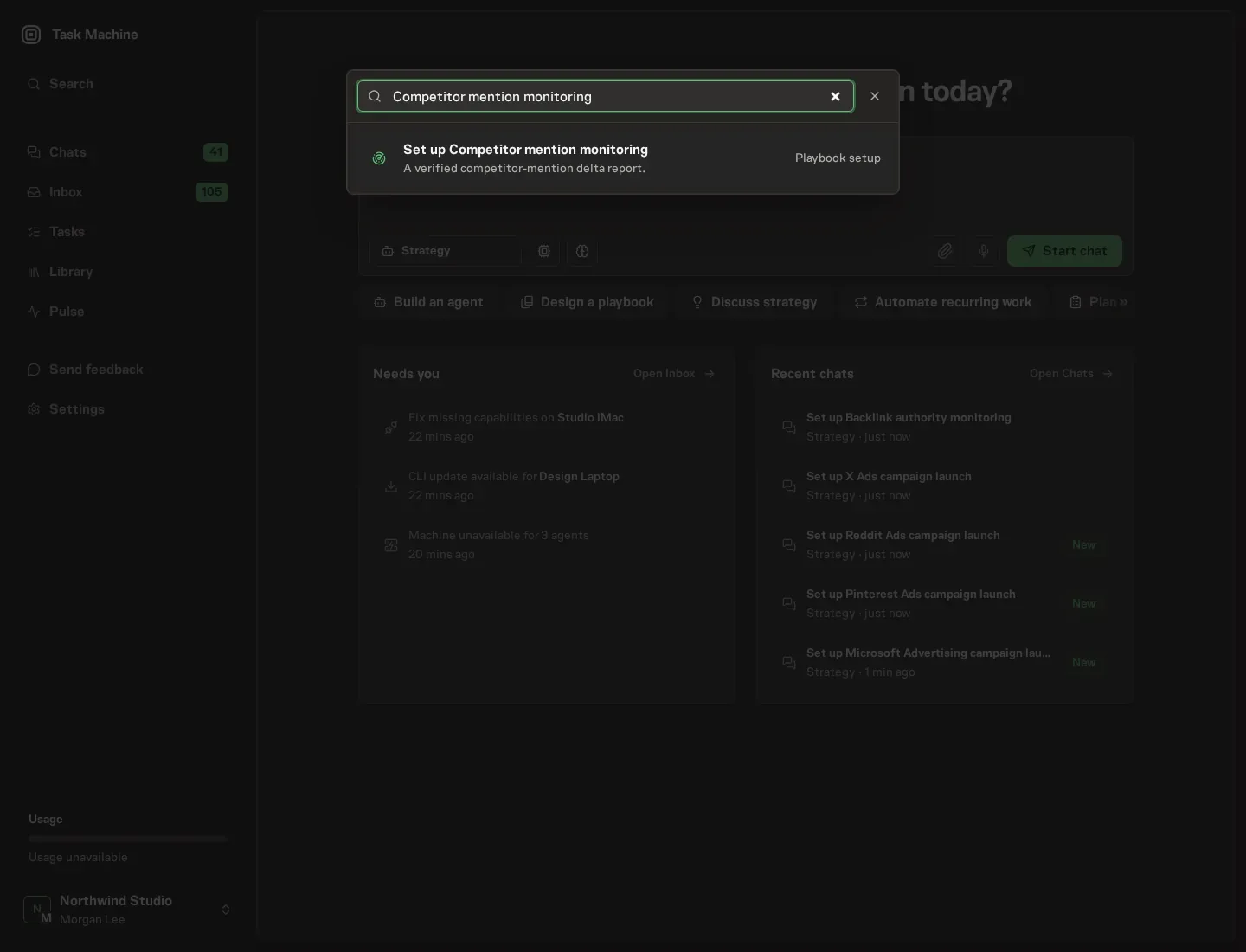
2. Start the conversation
Choose Set up Competitor mention monitoring. Task Machine opens a dedicated Chat with the Playbook card and an editable, unsent request. Read the intended job and outcome. Add your situation and send it when ready. Opening the draft does not install anything or start work. This walkthrough uses settings that require approval of the proposed Playbook.
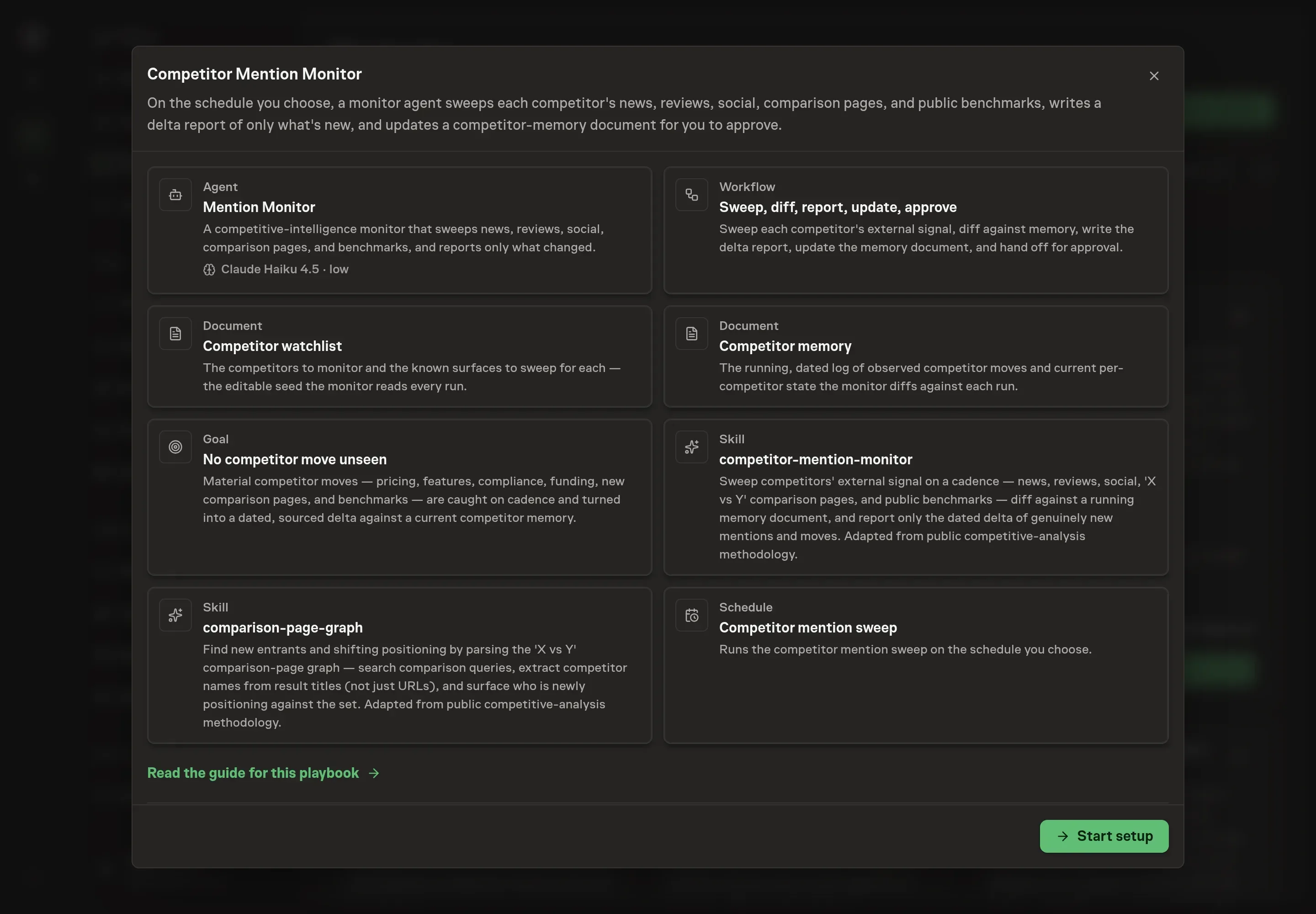
3. Agree the working brief
Use Chat to agree the inputs, expected output and limits before asking for a proposal. The Agent needs the details that shape the sweep. Competitors to monitor names the list the watchlist starts from. Channels or sources names the outlets, review sites, and social surfaces the sweep should never miss. Topics to watch narrows what counts as signal for your business. Alert rules describes which moves the delta report should call out loudest.
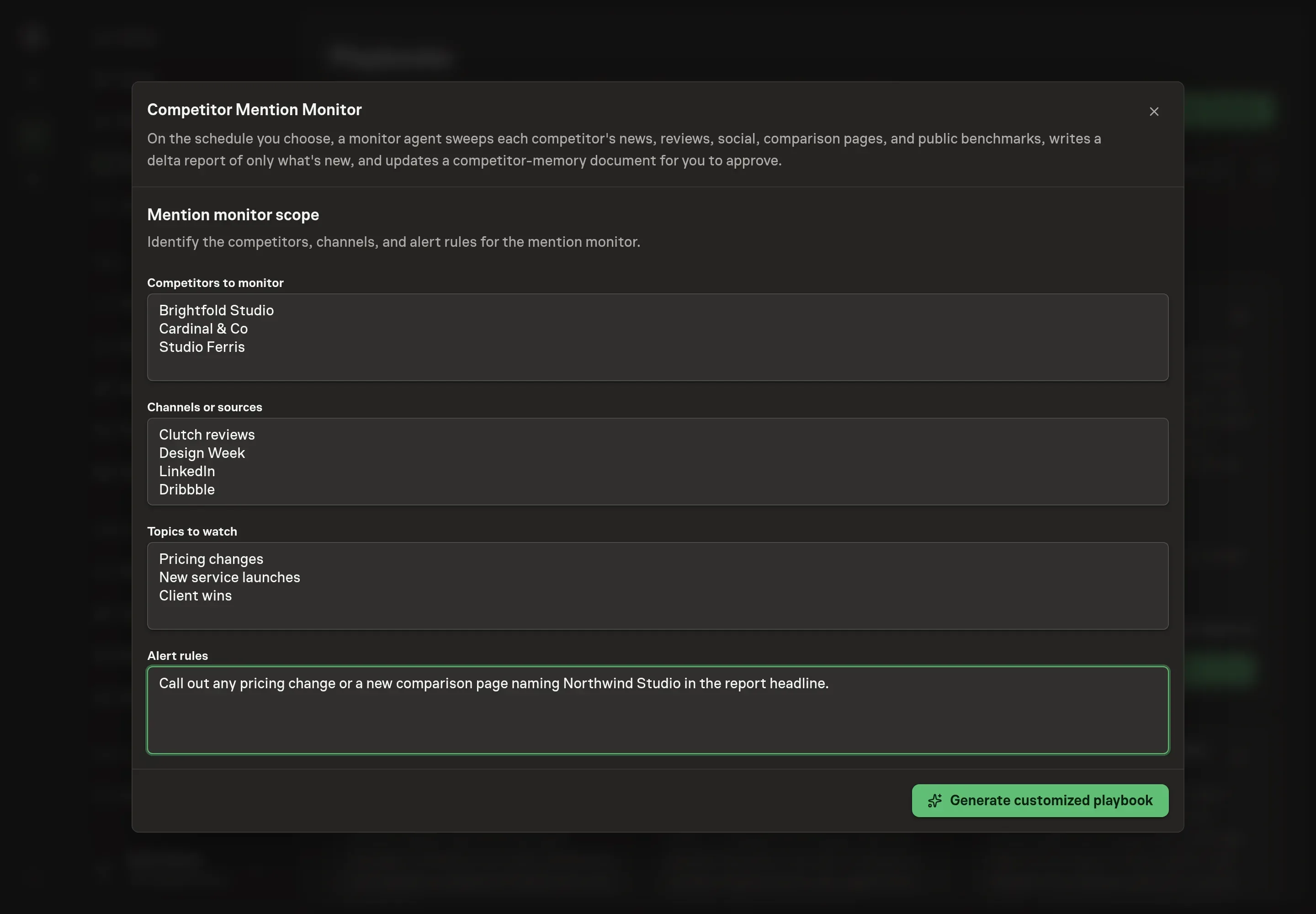
4. Review the proposed Playbook
Ask the Agent to generate the Playbook from the agreed brief. Open its proposal in Chat and check the instructions and resources it will install, which carry more detail than the conversational summary. Read the agent and workflow cards, check that the watchlist matches your competitor list, and confirm the alert rules landed the way you meant them. Ask for a revised proposal if anything is missing or changes the job.
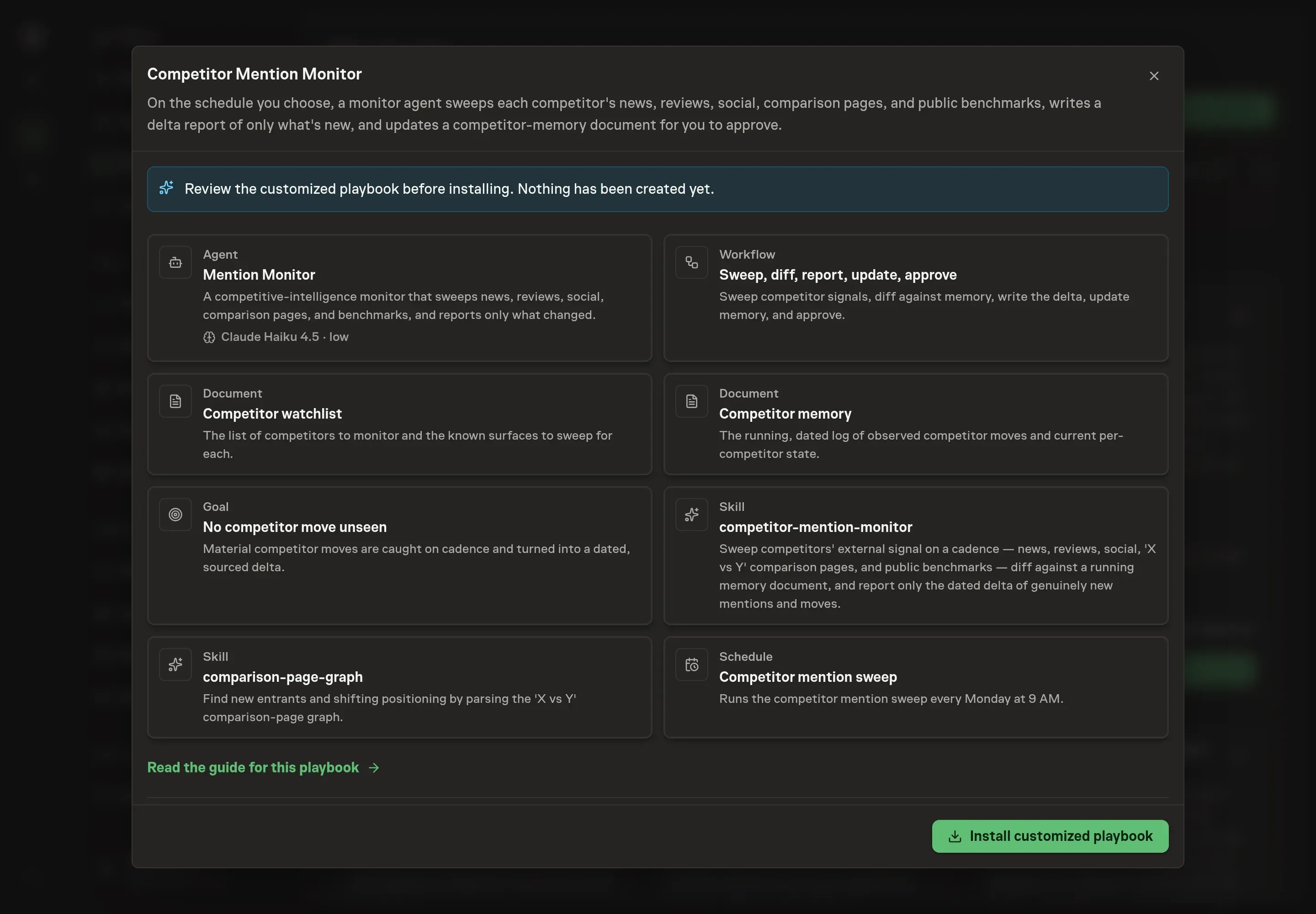
5. Approve and prepare the first work
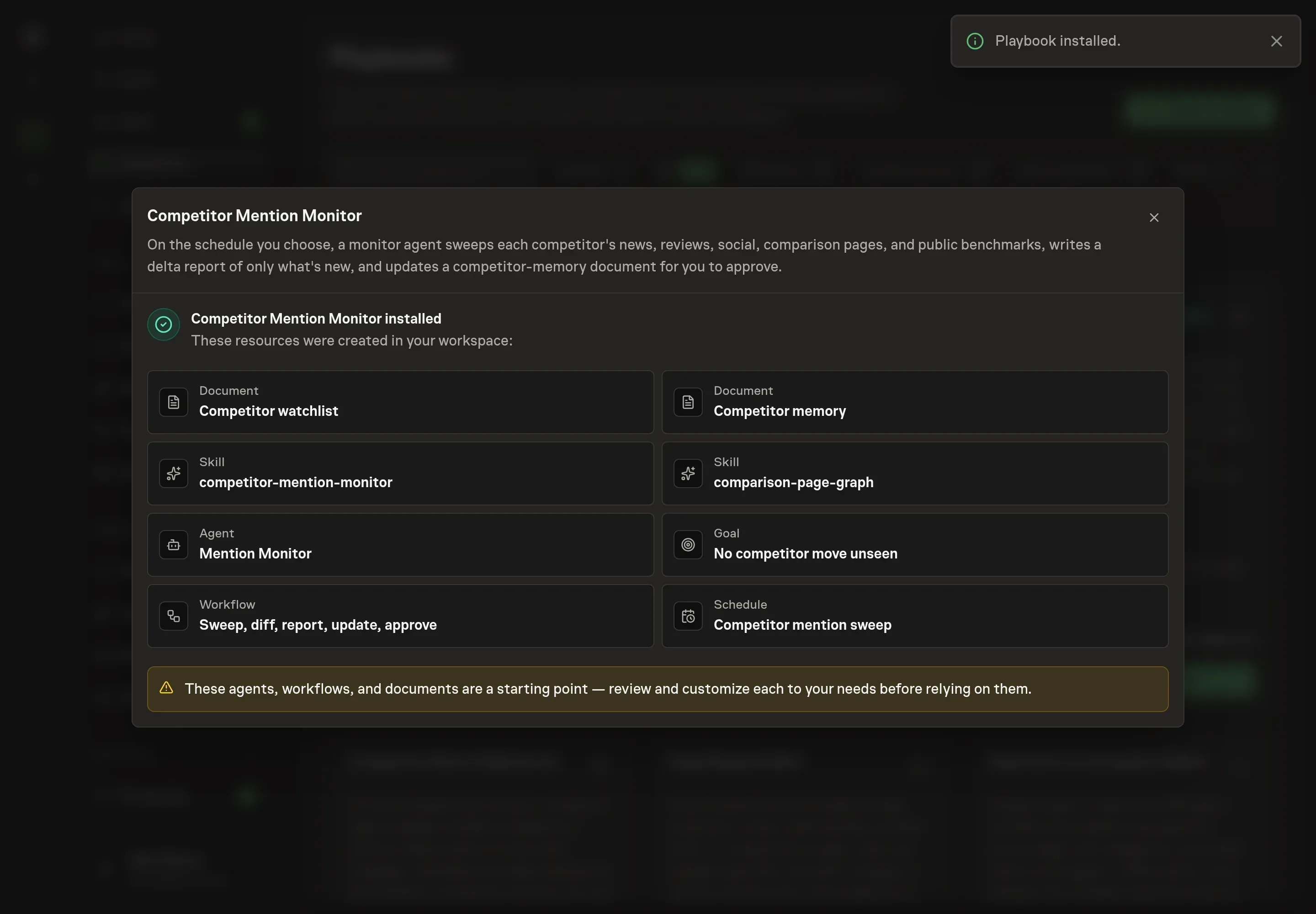
Choose Approve on the proposal in Chat when the configuration matches your brief. Task Machine installs that reviewed configuration. The approved item retains its review details. If your autonomy settings allow direct installation, this approval may not be required. Check the resulting configuration in that case too.
Complete any remaining secure service setup from the installation details in Chat. Inbox keeps those setup items available if you return later. Prepare the source documents and inputs before starting the first Task or Workflow. Installation does not authorize sending, publishing or changing an external service beyond the boundaries you agreed. Confirm each schedule's cadence and timezone, and resolve any pending schedule setup before it starts. A readback must wait for its agreed observation window and source data. Check the reviewed tracker or results document before the first cycle so evidence and human decisions have a durable home.
What good looks like
Three signals tell you whether the process works:
- Reports stay deltas. Each run shows only new movement since the last one. A report that re-dumps the full landscape means the memory document has gone stale and needs cleaning, because stale state produces false deltas.
- Every move is dated and sourced. An undated or unsourced mention should never ship. Low-confidence items arrive flagged, and competitor-authored claims arrive attributed.
- Quiet weeks read as quiet. "No material moves this period" is a valid, valuable report. If every report is full regardless of what happened, noise is being treated as movement.
Common questions
How does this find competitors you have not heard of yet? Through comparison pages. A brand-new name appearing across several "vs" result titles means someone is gaining mindshare against your set. The agent runs a quick category check on the unfamiliar name (a real direct competitor or an adjacent tool) and flags it as a watchlist candidate for you to confirm, rather than adding it on its own.
What happens on a week when nothing changed? The report says so. "No material moves this period" is a valid outcome, and the method treats it as information rather than a failure to find something. Manufacturing activity to fill the page is an anti-pattern the method explicitly rules out.
What if a competitor's site blocks automated reading? The agent falls back to browser access to read the rendered page. It only reads public pages, so anything behind a login stays out of scope.
Does the agent respond to competitor moves on its own? No. The playbook is draft-and-approve: the agent researches, writes the delta, and updates memory. Where a move warrants a reaction, it suggests one (a counter-message, a battlecard update, a pricing review), but every suggestion waits for your call and the agent never posts or notifies anyone externally.
Can a reshared old blog post trigger a false alert? It should not. The method separates moves (a price change, a feature that closes your moat, a new compliance badge, a funding round, a new comparison page, a benchmark that beats you) from noise, and a months-old review resurfacing counts as noise to relegate or drop.