How to Optimize Your App Store Listing
A practical guide to App Store optimization with an agent: a graded audit, keyword research, drafted metadata and creative, and approvals.

Founder, Task Machine
App Store listing optimization is the work of tuning an app's store page so it appears for the right searches and converts more of the people who see it. The page is a fixed set of fields with exact limits (a 30-character title, a 30-character subtitle, a hidden 100-byte keyword field, a description, screenshots, and an optional preview video), and every one of them either earns installs or wastes space.
The listing is worth this attention because it is the one page every install passes through. Paid campaigns, press coverage, and word of mouth all land on the same screen, so a page that ranks for the wrong terms or opens with a settings screenshot taxes every acquisition channel at once.
Visitors judge a listing in a few seconds
Browsers spend 3 to 6 seconds on a product page, and the first three screenshots (the ones visible without scrolling) drive roughly 80% of the install decision. A preview video autoplays muted, so its first frame, the poster frame, is all that most users ever see of it. When those few seconds go to a weak hook, the app pays for every impression and converts almost none of them.
The search side leaks just as silently. Apple indexes the title, subtitle, and keyword field separately, so a keyword repeated across them is a wasted slot, and a keyword field with plural forms or spaces after commas gives characters away. None of this shows up as an error anywhere. The listing simply ranks for fewer searches than it could, month after month.
What the manual process looks like
Done by hand, a full listing pass is a five-step ritual:
- Pull up the live listing and record every field as it stands: title, subtitle, description, promotional text, screenshots, preview video, rating, and when it was last updated.
- Research keywords. Expand seed terms through search autocomplete, read the top three to five competitors' listings for terms they rank on and you do not, and note how users phrase the problem in their own words.
- Rewrite the metadata inside Apple's limits without repeating a keyword across the title, subtitle, and keyword field.
- Plan the creative: which screens fill which screenshot slots, what the captions say, and what a 15-to-30-second preview video would show.
- Check the whole draft against the store's rules before submitting, because a rejected video or a stuffed keyword field costs a review cycle.
Each step rewards care over speed, and the method behind it treats this as recurring work: track keyword ranks weekly and refresh the research quarterly. That cadence is exactly what gets deferred when client work fills the week.
What an agent can automate
Most of that ritual is method rather than judgment, which makes it a good fit for an agent running a fixed workflow:
- Audit and score the listing. The agent fetches the live page, extracts every field, and classifies the app's brand maturity tier: Dominant brands can run brand-led listings, Established brands get partial benefit of the doubt, and Challengers (most apps) are scored strictly. It then scores six weighted dimensions (title and subtitle, description, visual assets, ratings and reviews, metadata freshness, and conversion signals) into a graded scorecard out of 100 and names the biggest conversion gaps.
- Research and rank keywords. Autocomplete expansion, competitor gap analysis, and an opportunity score that weights volume, low difficulty, and relevance. The results land in four buckets: 3 to 5 primary keywords that must appear in the title or subtitle, 5 to 10 secondary, 10 to 20 long-tail, and a short aspirational list to track without sacrificing the primaries.
- Draft the metadata. Three options per field with character counts, inside the 30-character title and subtitle and the 100-byte keyword field. The draft follows Apple's repetition rules: no keyword repeated across fields, singular forms only, no spaces after commas, and no brand or category names burning keyword-field bytes.
- Direct the creative. A per-slot plan for the 10-screenshot sequence (hook first, core value in slots two and three, features, trust, then a closing call to action), a designer brief with all ten captions, a beat-by-beat preview-video script with a deliberate poster frame, app icon directions framed as testable hypotheses, and a locale-by-locale plan that adapts to local search behavior instead of translating the English metadata.
- Self-check against store rules. Before handoff, the agent verifies its own draft: in-app footage only in the video, no "Download" call to action at the end (Apple rejects it), no competitor names in the keyword field, and every recommendation specific enough to act on, with character counts.
What stays with you is the judgment: whether the new positioning fits the brand, which title option to run, and the approval before anything touches the store.
The guardrails that make it safe
A store listing is a public asset with a review process attached, so the wrong kind of automation here is expensive. The safe shape puts a person between the draft and the store.
The workflow ends in an explicit approval step. The agent audits, researches, drafts, and self-checks, then the complete listing-update draft waits for your review before anything is published. The agent works in App Store Connect through its web interface in your browser and pauses for your approval before making any changes there. It also never invents search volumes or rankings it cannot measure, and it notes which numbers would need a paid tool instead of guessing them.
Set it up in Task Machine
The App Store listing optimization playbook provides a starting point for the method above. You need an active Task Machine workspace with Chat, workspace-management and Playbook-installation access (workspace owners have it). App Store Connect access is not required up front. Until you connect it, the agent works from exports you attach and the app context document.
1. Find the playbook
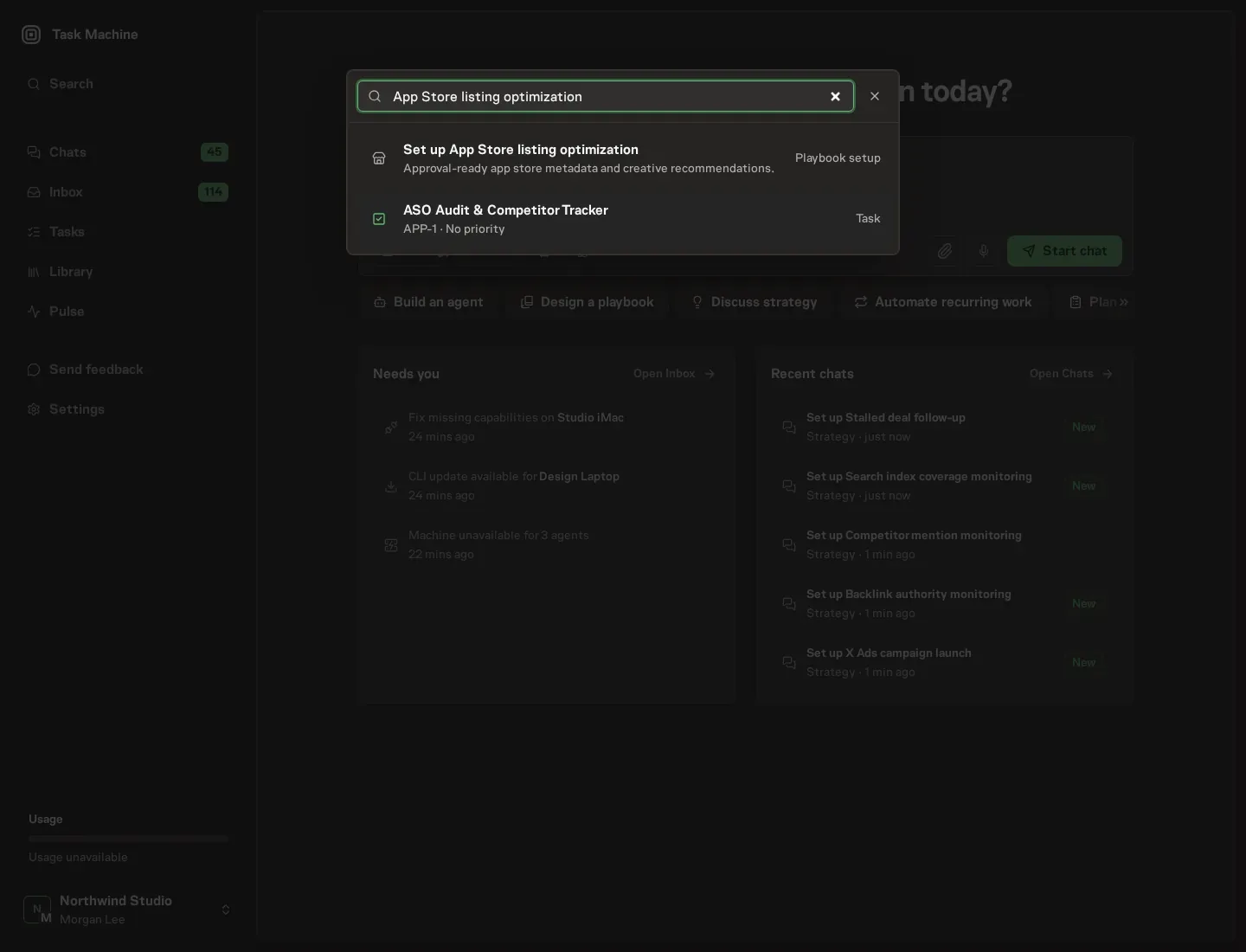
Open Search in your workspace and enter "App Store listing optimization". The command center lists Set up App Store listing optimization under Playbook setup.
2. Start the conversation
Choose Set up App Store listing optimization. Task Machine opens a dedicated Chat with the Playbook card and an editable, unsent request. Read the intended job and outcome. Add your situation and send it when ready. Opening the draft does not install anything or start work. This walkthrough uses settings that require approval of the proposed Playbook.
3. Agree the working brief
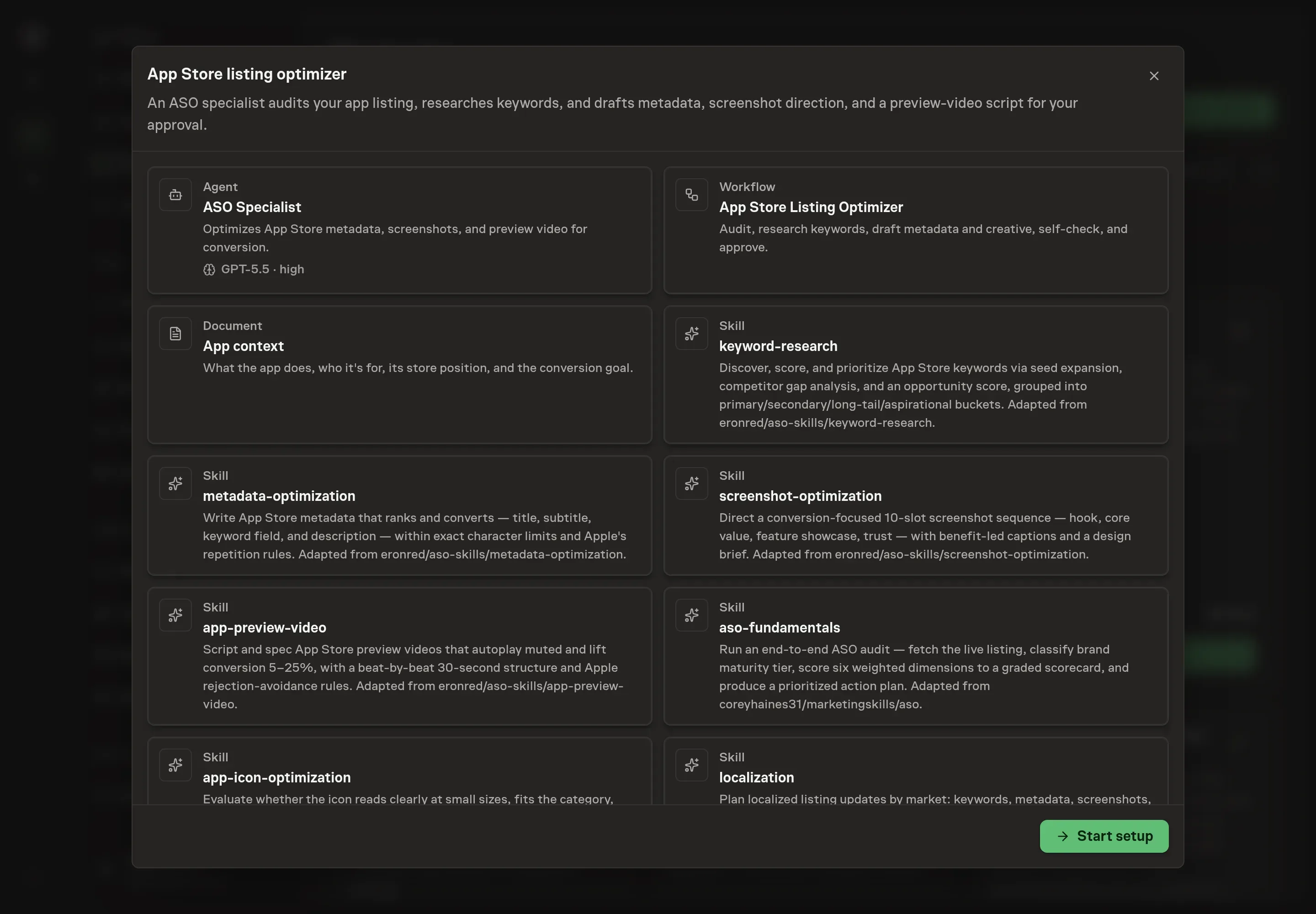
Use Chat to agree the inputs, expected output and limits before asking for a proposal. Discuss the listing and its market. Current app listing URL points the audit at the live page. Primary market or locale sets where keyword research and localization start. Keyword targets seeds the research with the terms you already care about. Known conversion problem tells the agent where the page is losing installs today, so the audit leads with it.
4. Review the proposed Playbook
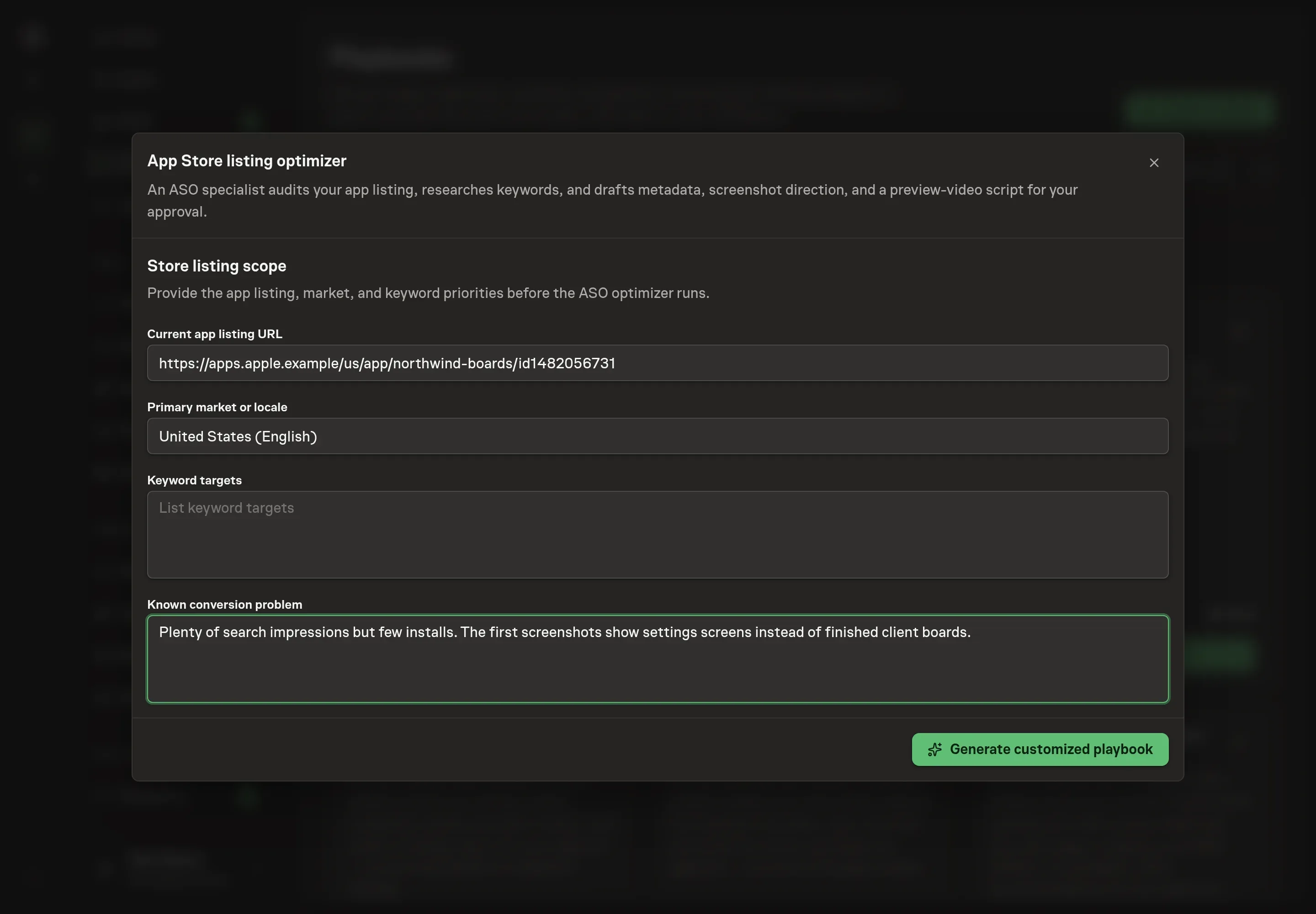
Ask the Agent to generate the Playbook from the agreed brief. Open its proposal in Chat and check the instructions and resources it will install, which carry more detail than the conversational summary. Read the agent and workflow cards and confirm the market and keyword targets landed where you expect. Ask for a revised proposal if anything is missing or changes the job.
5. Approve and prepare the first work
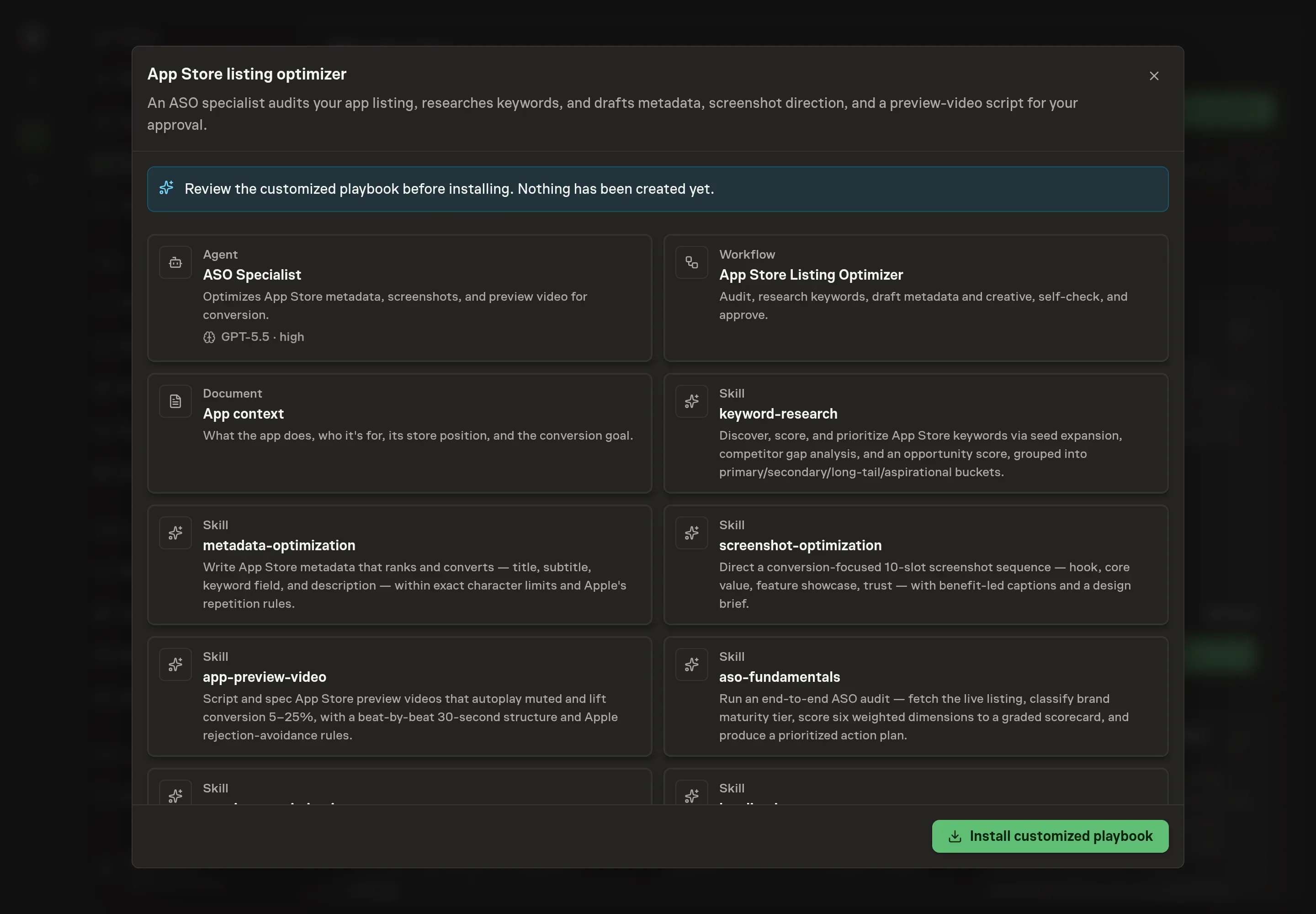
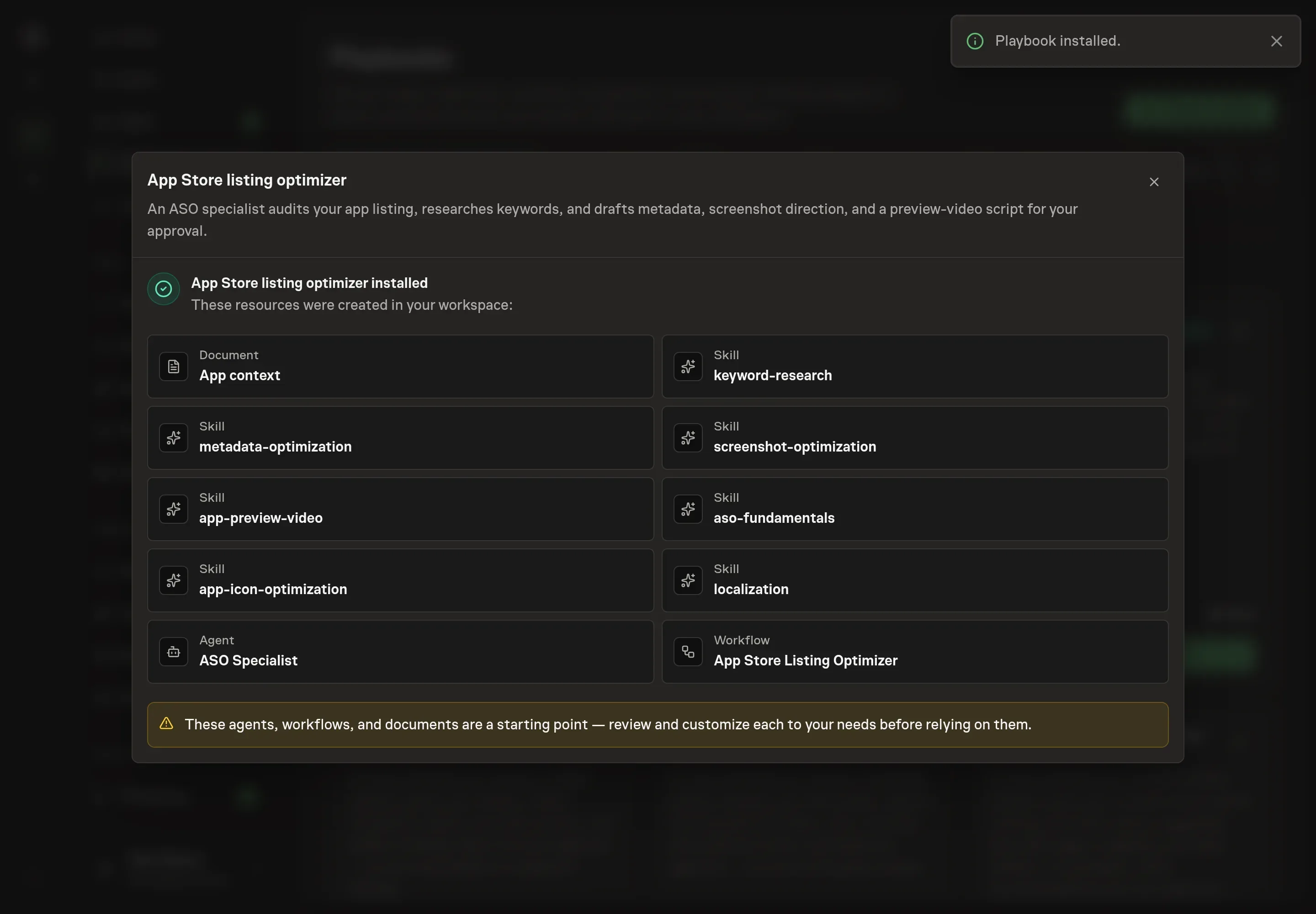
Choose Approve on the proposal in Chat when the configuration matches your brief. Task Machine installs that reviewed configuration. The approved item retains its review details. If your autonomy settings allow direct installation, this approval may not be required. Check the resulting configuration in that case too.
Complete any remaining secure service setup from the installation details in Chat. Inbox keeps those setup items available if you return later. Prepare the source documents and inputs before starting the first Task or Workflow. Installation does not authorize sending, publishing or changing an external service beyond the boundaries you agreed.
What good looks like
Three signals tell you whether the process works:
- Impression-to-install conversion rate. The app context document names this as the single store-page metric to move, with the current baseline written down. Measure every listing update against it.
- The audit grade. The scorecard runs six weighted dimensions to a score out of 100, where 85 and up is an A and 70 to 84 is a B. A Challenger-tier listing is scored strictly, so grade movement between runs is the honest signal, not the absolute letter.
- Keyword ranks. The method tracks ranks weekly and refreshes the research quarterly. Primary keywords earning and holding their title or subtitle placement is what a working strategy looks like.
Common questions
Does the agent publish changes to the App Store directly? No. The workflow ends in an approval step, and the full listing-update draft waits for your review first. When the agent works in App Store Connect, it does so through its web interface in your browser and pauses for your approval before making any changes.
Can more keywords fit by repeating them across the title, subtitle, and keyword field? No. Apple indexes each field separately, so a repeated keyword is a wasted slot. The draft uses singular forms, skips spaces after commas, and leaves out "app", the category name, and the brand, because none of them earn extra searches.
Is a preview video worth the effort? Usually. iOS previews lift product-page conversion 5 to 25%, but they autoplay muted, and the poster frame is what most users see. The script the agent drafts uses in-app footage only and skips a closing "Download" call to action, since Apple rejects both marketing footage and download prompts.
Does this work for Google Play too? The audit detects the store from the URL and flags the differences. On Android the full description is indexed, so keywords are woven into it at low density, and the promo video is a YouTube link that does not autoplay.
Where do the search volume numbers come from? The agent never invents them. It scores keywords from autocomplete behavior, competitor listings, and relevance, and it notes which figures (exact search volumes and rankings) would need a paid tool to measure.