How to Optimize Subscription Paywalls
A practical guide to diagnosing subscription funnels before changing paywalls, pricing, ratings, or lifecycle flows.

Founder, Task Machine
Subscription paywall optimization is the process of improving the point where a free user, trial user, or existing subscriber is asked to pay. A good optimization starts with diagnosis. It finds the weakest stage in the subscription funnel, then chooses whether the fix is paywall copy, pricing display, trial nurture, churn prevention, rating prompts, or an upgrade moment.
Teams get this wrong when they redesign the screen before reading the funnel. A paywall can look weak while the real problem is trial-to-paid conversion, churn, pricing mismatch, or a prompt shown before the user has felt value. The useful process ties every recommendation to a hypothesis, a change, and the metric it moves.
Why paywall changes waste release cycles
Paywall work attracts opinions. Someone wants a stronger headline, a different plan default, a bigger annual discount, more social proof, a longer trial, or a harder gate. Without diagnosis, the team tests five changes at once and cannot tell which one worked.
The bundle's method starts with stage benchmarks because each stage points to a different fix. App open to paywall view, paywall view to CTA tap, CTA tap to purchase, trial to paid, renewal, cancellation, and win-back are separate problems. If trial-to-paid is the bottleneck, rebuilding a converting paywall burns a design cycle while the lifecycle issue remains.
What the manual process looks like
Done by hand, subscription optimization is a disciplined loop:
- Pull paywall views, CTA taps, purchases, trial starts, trial-to-paid conversion, renewals, churn, dunning recovery, win-back results, and rating data.
- Find the single weakest stage instead of optimizing the screen by taste.
- Audit the paywall elements: headline, value props, social proof, plan picker, price anchoring, trust copy, and CTA.
- Check pricing and subscription lifecycle rules, including annual discount, trial length, churn save flow, dunning, and win-back offers.
- Draft recommendations with a hypothesis, exact change, metric, and sample-size expectation.
- Ship only the approved quick wins or A/B tests.
The process is slow when a founder or product lead has to assemble the diagnosis each time. It is risky when the team jumps straight to implementation.
What an agent can automate
An agent can keep the analysis honest by following the same order every run:
- Diagnose before redesigning. The agent pulls the funnel from analytics or works from the metrics you provide, then identifies the weakest stage.
- Audit the paywall. It scores the seven elements: outcome headline, benefit-led value props, social proof above the fold, plan picker, price anchoring, trust copy, and CTA.
- Check subscription economics. It compares pricing to the product category, checks whether annual pricing sits 40 to 60% below twelve monthly payments, and flags pricing display issues.
- Review lifecycle opportunities. It looks at trial nurture, voluntary churn save flows, involuntary churn recovery, and win-back offers instead of treating every issue as a screen design problem.
- Write metric-tied recommendations. Each proposed change states the hypothesis, the change, the metric it should move, and whether it is a quick win or an A/B test.
The agent does not ship monetization changes. A person decides which changes go to design, engineering, App Store Connect, billing, or the experiment backlog.
The guardrails that make it safe
Subscription changes affect revenue and trust, so the approval gate is non-negotiable. The agent can recommend a softer paywall, a new plan default, a rating-prompt gate, or a lifecycle message, but a human approves what ships.
The second guardrail is one-variable testing. A useful recommendation targets one stage and changes one thing. The agent should reject dark patterns such as hidden close buttons, confusing plan selection, guilt-trip copy, buried restore links, or prompts shown before the user has experienced value.
Set it up in Task Machine
The Subscription and paywall optimization playbook provides a starting point for the method above. You need an active Task Machine workspace with Chat, workspace-management and Playbook-installation access (workspace owners have it). App Store Connect, analytics, and billing access are not required up front. Until connected, the analyst works from pricing, funnel metrics, and exports you provide.
1. Find the playbook
Open Search in your workspace and enter "Subscription and paywall optimization". The command center lists Set up Subscription and paywall optimization under Playbook setup.
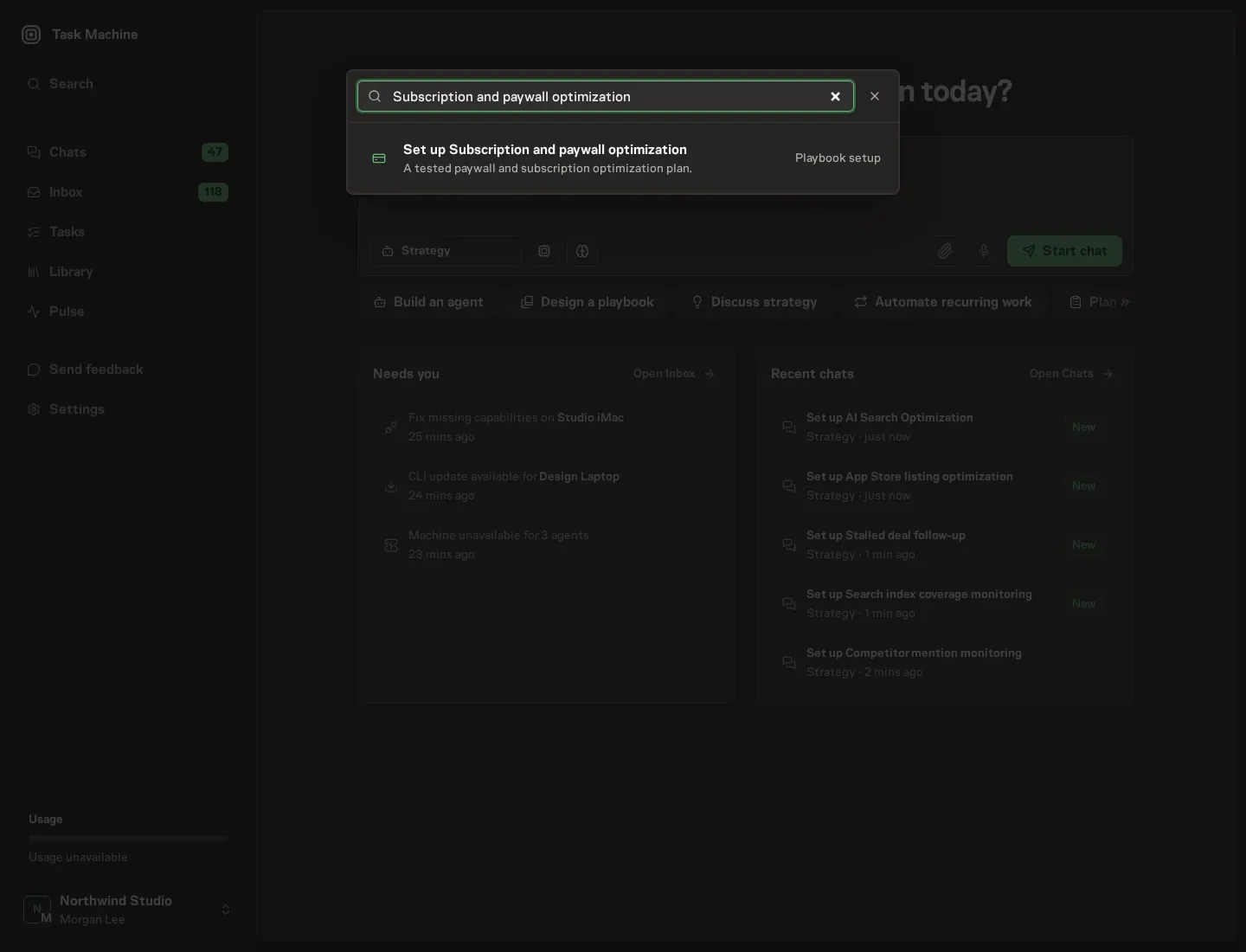
2. Start the conversation
Choose Set up Subscription and paywall optimization. Task Machine opens a dedicated Chat with the Playbook card and an editable, unsent request. Read the intended job and outcome. Add your situation and send it when ready. Opening the draft does not install anything or start work. This walkthrough uses settings that require approval of the proposed Playbook.
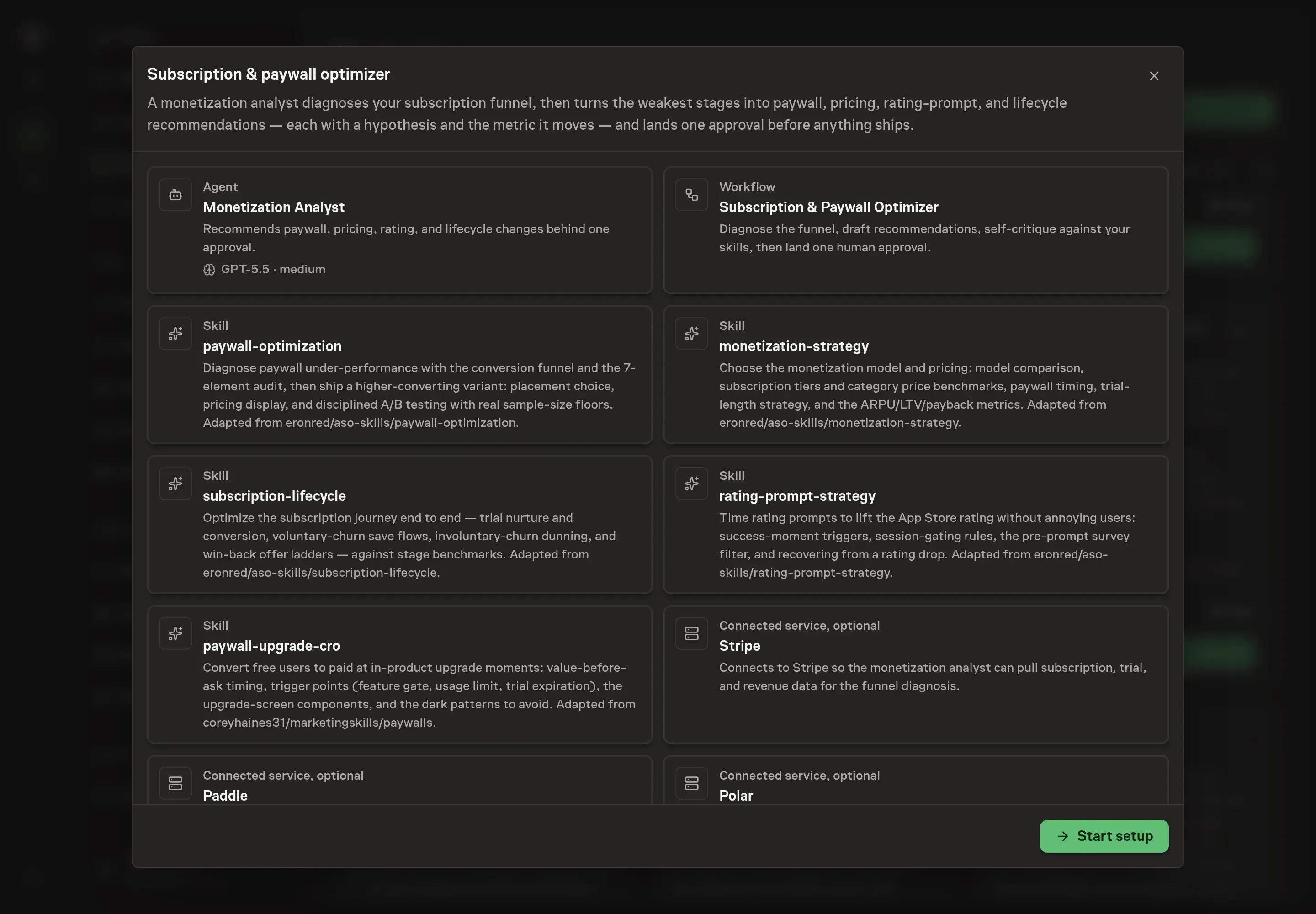
3. Agree the services
Tell the Agent which services you use. The catalog offers these starting choices:
- Payment providers: Stripe, Paddle, Polar, PayPal. Optional.
Discuss any missing access or export-based alternative before generation. Check the exact proposal includes only the services you agreed. Enter credentials only through secure setup, never in Chat.
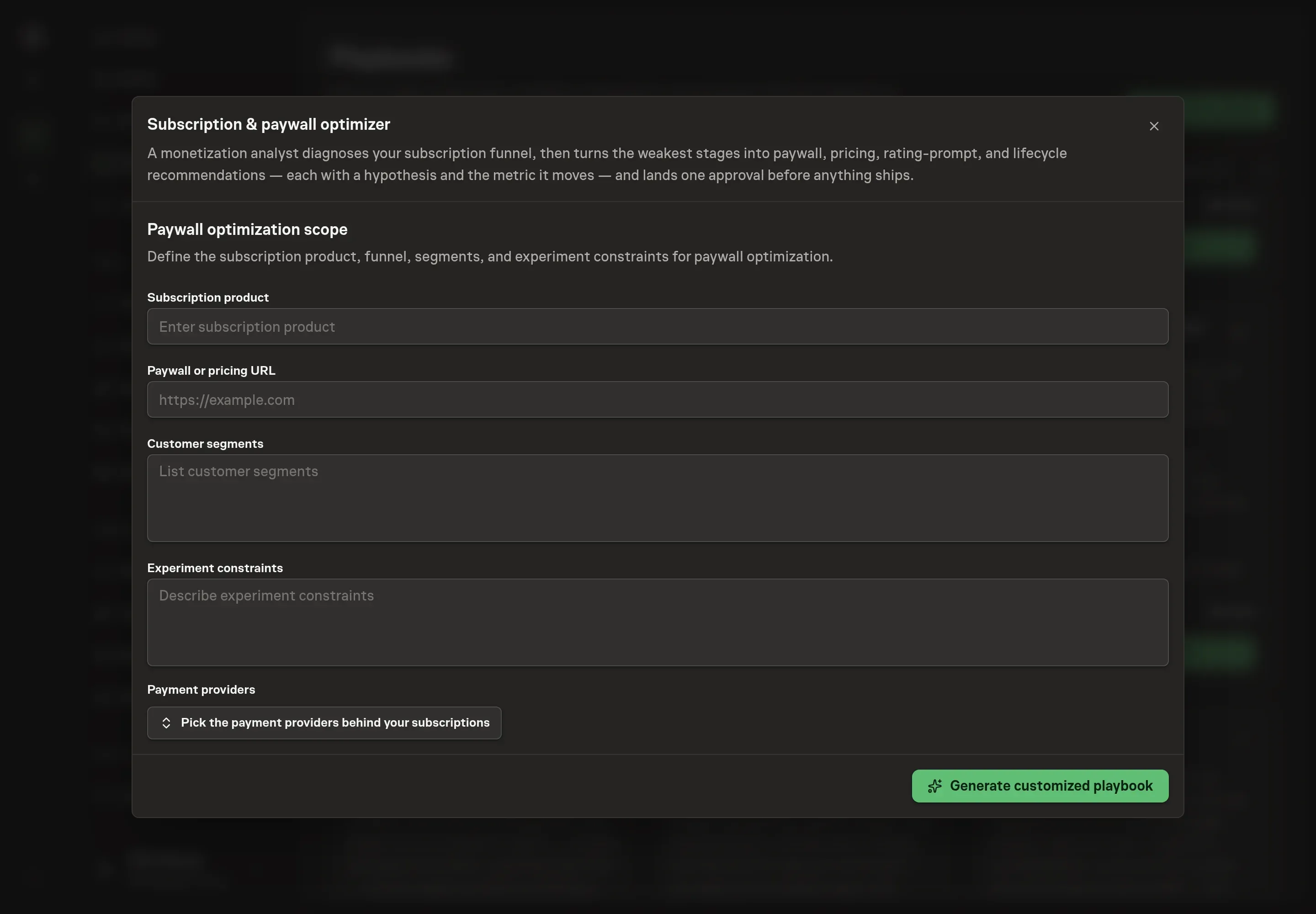
4. Agree the working brief
Use Chat to agree the inputs, expected output and limits before asking for a proposal. Discuss the subscription product, paywall or pricing URL, customer segments, and experiment constraints. Use this to keep the analyst focused on the real funnel, such as free-to-paid conversion for new audit clients or annual-plan upgrades for active accounts.
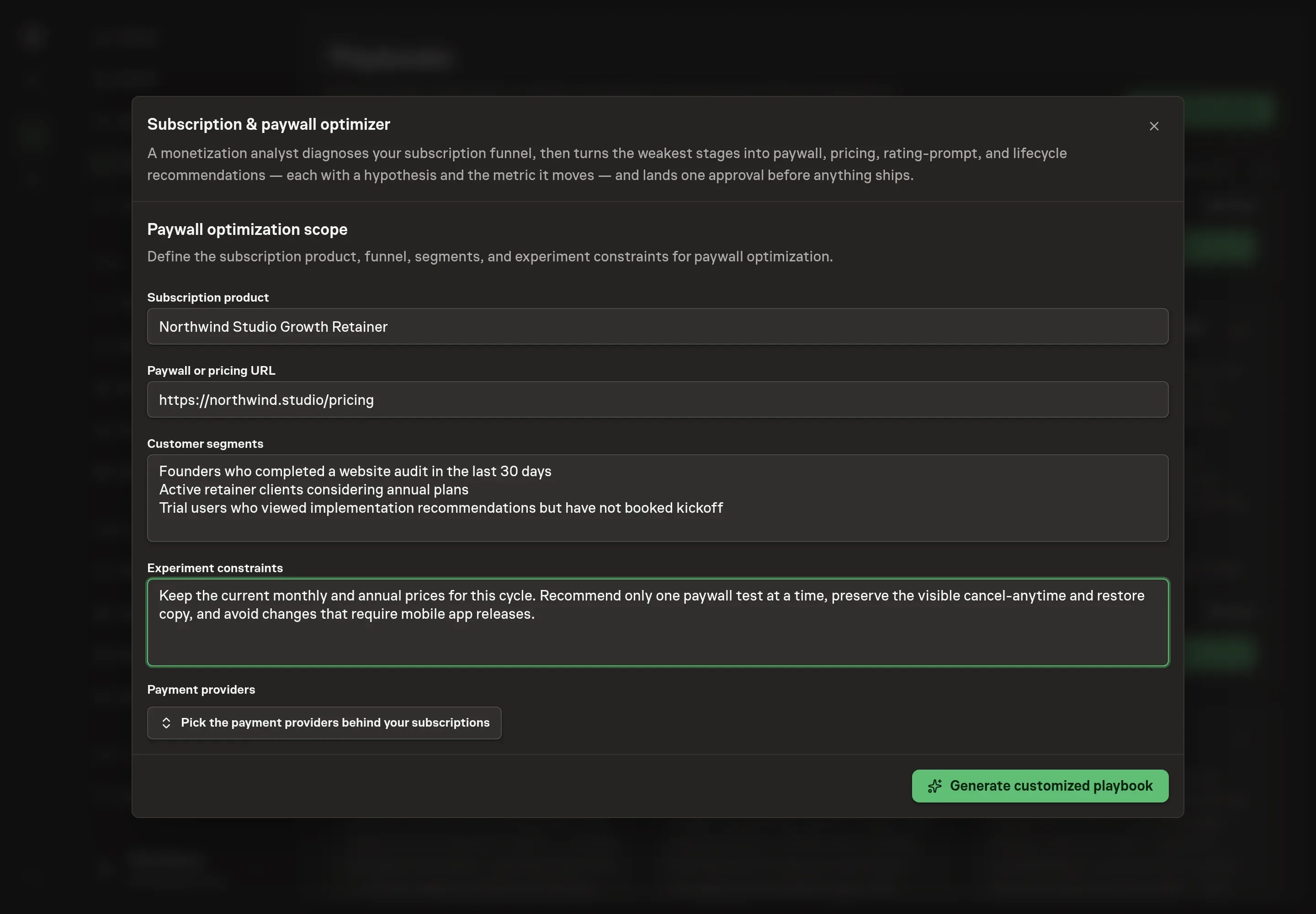
5. Review the proposed Playbook
Ask the Agent to generate the Playbook from the agreed brief. Open its proposal in Chat and check the instructions and resources it will install, which carry more detail than the conversational summary. Review the generated playbook before installing. Confirm the selected provider, segments, constraints, and paywall URL are reflected in the diagnosis step. Ask for a revised proposal if anything is missing or changes the job.
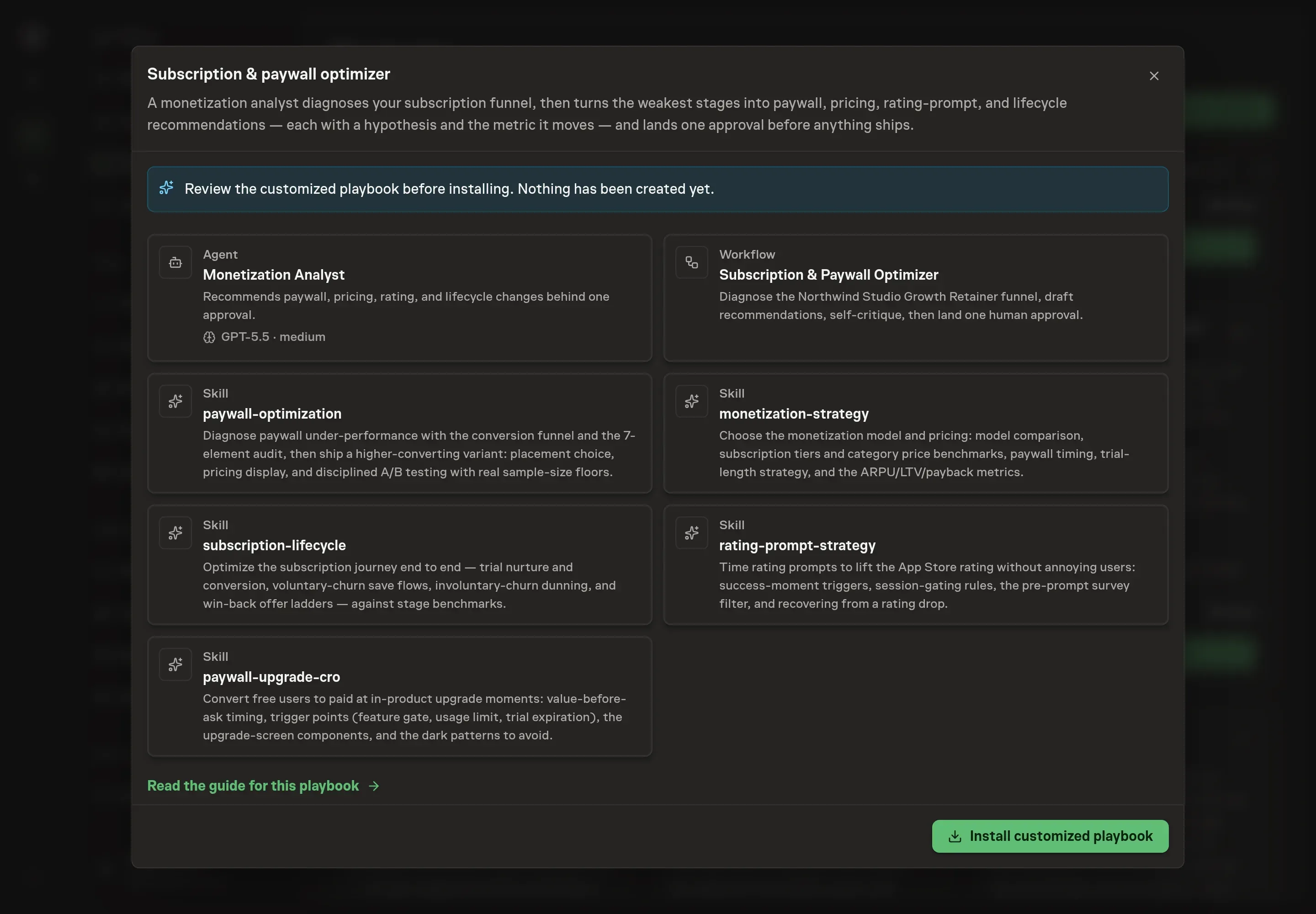
6. Approve and prepare the first work
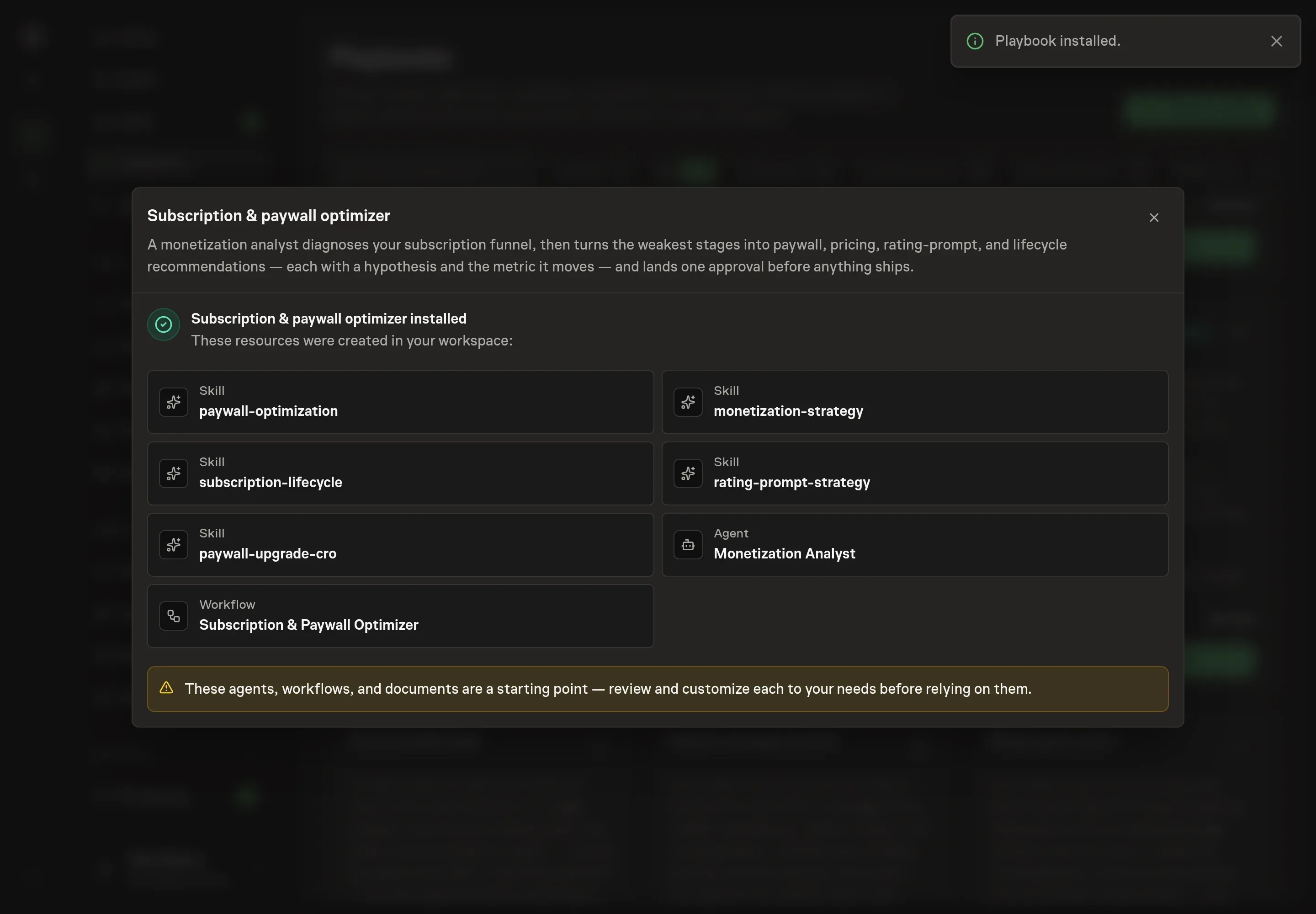
Choose Approve on the proposal in Chat when the configuration matches your brief. Task Machine installs that reviewed configuration. The approved item retains its review details. If your autonomy settings allow direct installation, this approval may not be required. Check the resulting configuration in that case too.
Complete any remaining secure service setup from the installation details in Chat. Inbox keeps those setup items available if you return later. Prepare the source documents and inputs before starting the first Task or Workflow. Installation does not authorize sending, publishing or changing an external service beyond the boundaries you agreed.
What good looks like
Track whether the process improves decisions before looking for revenue movement:
- One weakest stage named. Every run should identify the stage furthest below benchmark before recommending changes.
- One variable per test. Each A/B test changes one element and has a sample-size floor.
- Metric-tied recommendations. Every recommendation names the metric it should move, such as paywall view to CTA tap, CTA tap to purchase, trial to paid, renewal, churn, dunning recovery, or win-back.
Common questions
Should every paywall issue become an A/B test? No. Some issues are quick fixes, such as missing restore copy or unclear cancellation language. Larger changes need a test with a sample-size floor and one variable changed at a time.
What if trial-to-paid is the bottleneck? Then the fix is usually lifecycle work, not a paywall redesign. The analyst should review trial nurture, value recap, cancellation flow, dunning, and win-back before changing the screen.
Can this run without connecting billing providers? Yes. The analyst can work from pricing, subscription metrics, screenshots, and exports you attach. Connecting payment providers lets it pull subscription and revenue data directly for the diagnosis.
Does the agent change App Store Connect or pricing by itself? No. It can read through the browser when access is connected and draft recommendations. A human approves what ships.