How to Write Help Doc KB Articles
A practical guide to turning resolved tickets and recurring questions into searchable KB drafts with approval before publishing.

Founder, Task Machine
Help doc and knowledge-base writing is the process of turning repeated support reality into searchable self-service articles. The input is rarely a clean brief. It is resolved tickets, workaround notes, chat fragments, product changes, and customers using the words they would type into a search box.
The value comes from deflection and consistency. A good article prevents the next ticket, gives support one answer to point at, and keeps known issues current. A bad article creates another support problem because it is hard to find, duplicates an older page, or states an answer that no source supports.
Repeated tickets hide the missing article
Support queues often show the same question long before the team admits it needs documentation. Each ticket feels small, so the pattern hides. Customers wait for a human answer, agents rewrite the same explanation, and the knowledge base becomes a museum of whatever someone had time to publish months ago.
The main cost is deciding what deserves an article, proving the answer from real sources, and updating existing coverage instead of creating another partial duplicate. Without a process, the loudest ticket wins. The highest-deflection topic may sit untouched because nobody gathered the evidence across sources.
What the manual process looks like
A useful help article workflow has five steps:
- Gather resolved tickets, recurring questions, support notes, and any existing docs that cover the same topic.
- Deduplicate the source material, cluster it by theme, and rank the content gaps by frequency, deflection potential, breadth, volatility, and existing coverage.
- Search the knowledge base for an article to update before creating a new one.
- Pick the right article type: how-to, troubleshooting, FAQ, known issue, or reference.
- Draft, add metadata, self-critique, revise, and send the article for review before publishing.
The hard part is source discipline. Every factual claim needs a traceable source, conflicts need to be surfaced, and technical uncertainty should be flagged for a subject-matter expert.
What an agent can automate
The Help center & knowledge base writing playbook turns that editorial ritual into a repeatable workflow:
- Find the highest-value gap. The agent gathers resolved tickets and recurring questions, deduplicates near-identical material, ranks topics by frequency and deflection potential, and keeps the lower-priority gaps as backlog.
- Synthesize the answer. It merges sources by theme, keeps attribution, weighs freshness and authority, and states conflicts instead of silently choosing the convenient answer.
- Avoid duplicate articles. Before drafting, it searches the knowledge base for an existing article to update. Updating wins when the old page is mostly right but stale, incomplete, or confusing.
- Draft in the right shape. It chooses how-to, troubleshooting, FAQ, known issue, or reference format, then writes a customer-language title, search-friendly opening, scannable sections, and metadata.
- Critique before review. It checks whether the steps are testable, the title matches customer language, claims trace to sources, and the article covers one problem with one answer.
The agent does not publish. It prepares the draft and flags what needs human or expert review.
The guardrails that make it safe
Publishing help content changes what customers and support teams treat as true. That needs a human approval gate. The workflow ends with an approval request that includes the draft article, metadata, source attribution, and any unresolved accuracy questions.
The guardrail is especially important for known issues and technical fixes. If sources conflict, the agent should say so. If a product or policy decision is missing, the agent asks instead of inventing it. If an existing article should be updated, the draft should preserve the canonical page rather than splitting the answer across two URLs.
Set it up in Task Machine
The Help center & knowledge base writing playbook provides a starting point for the method above. You need an active Task Machine workspace with Chat, workspace-management and Playbook-installation access (workspace owners have it). Support desk access is not required up front. Until you authorize it, the workflow can work from attached exports and ticket summaries.
1. Find the playbook
Open Search in your workspace and enter "Help center & knowledge base writing". The command center lists Set up Help center & knowledge base writing under Playbook setup.
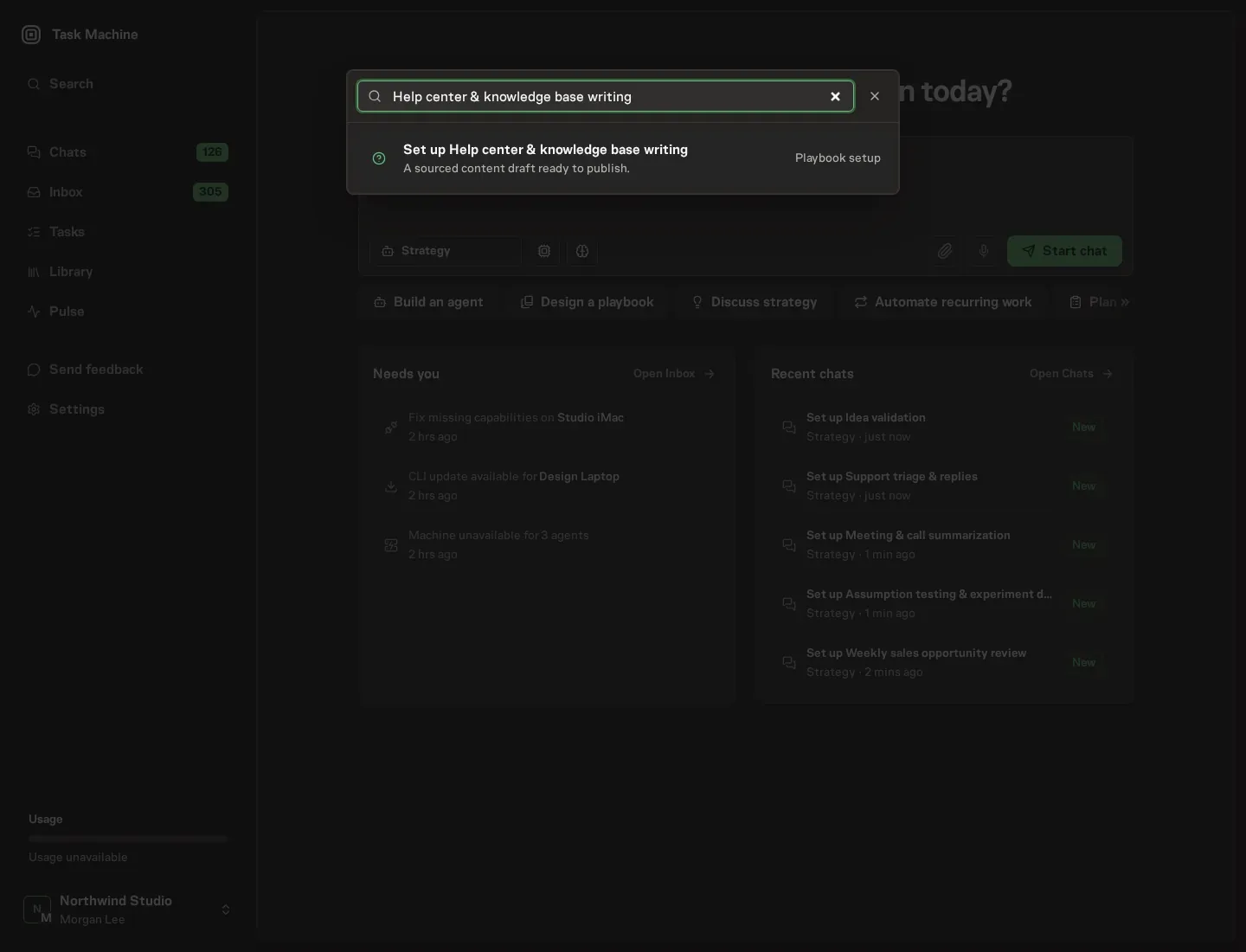
2. Start the conversation
Choose Set up Help center & knowledge base writing. Task Machine opens a dedicated Chat with the Playbook card and an editable, unsent request. Read the intended job and outcome. Add your situation and send it when ready. Opening the draft does not install anything or start work. This walkthrough uses settings that require approval of the proposed Playbook.
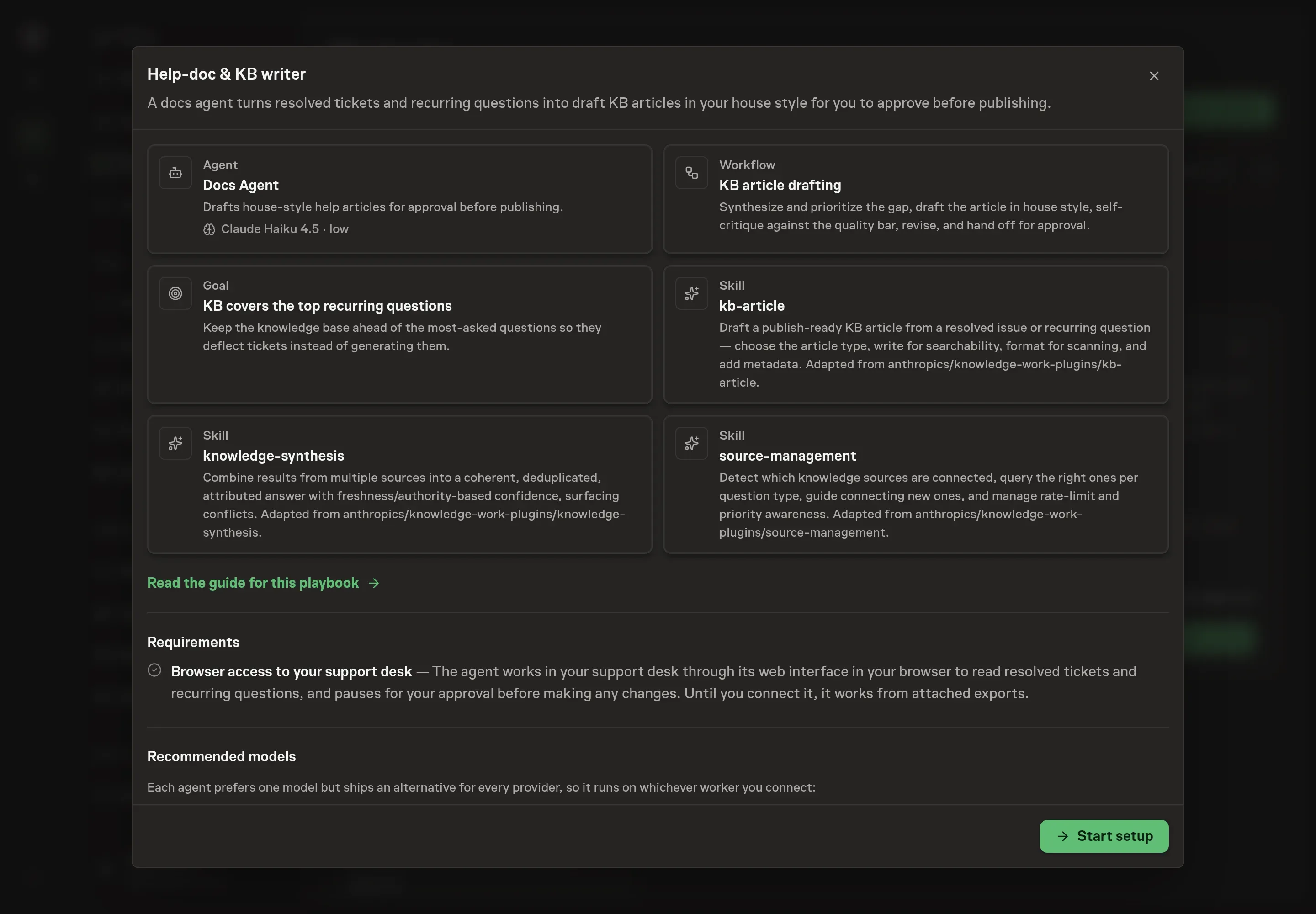
3. Agree the working brief
Use Chat to agree the inputs, expected output and limits before asking for a proposal. The Agent needs the product area, user problem, source materials, and support tone. For source materials, describe ticket exports, article links, chat threads, product notes, or any other material the draft must cite.
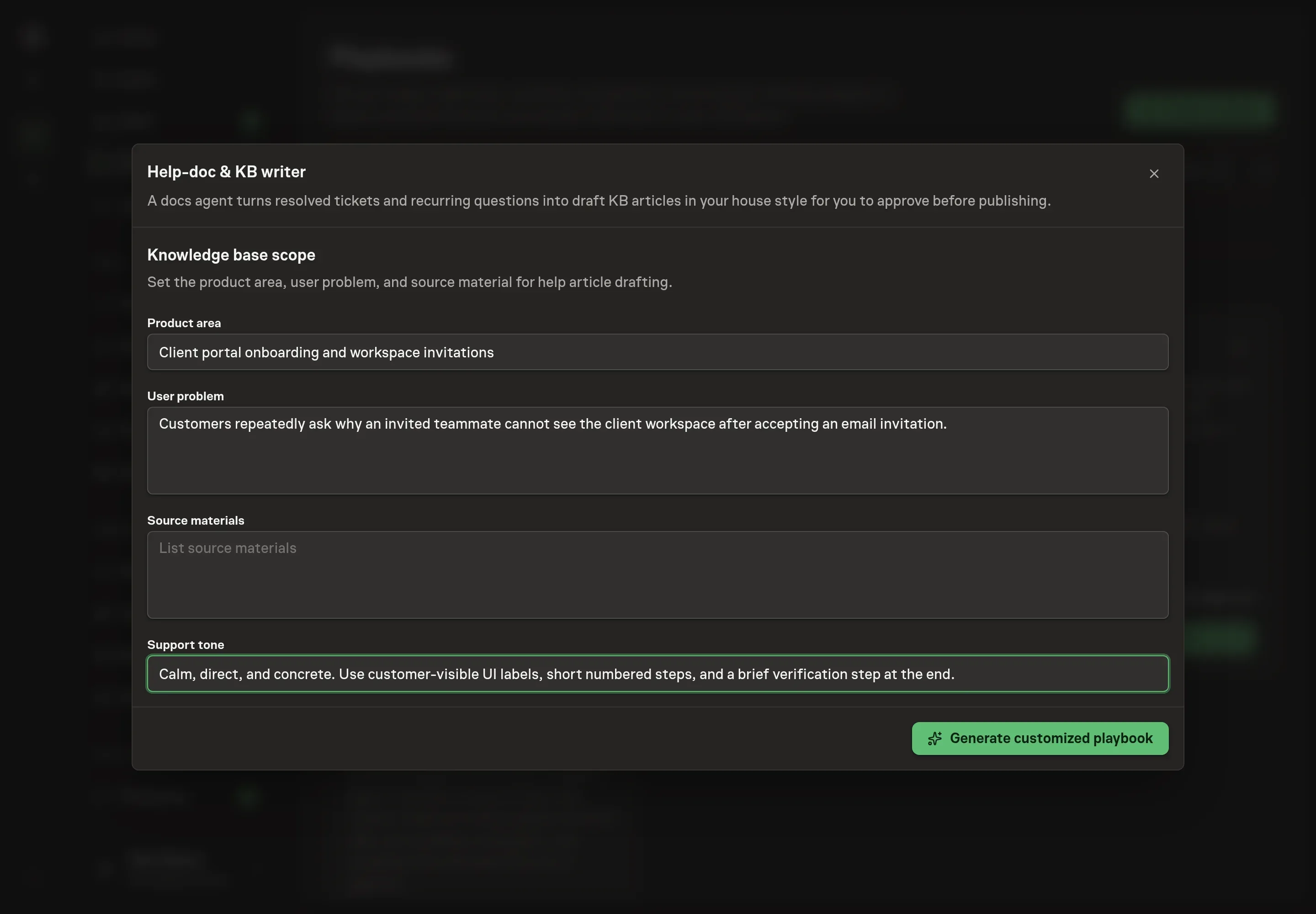
4. Review the proposed Playbook
Ask the Agent to generate the Playbook from the agreed brief. Open its proposal in Chat and check the instructions and resources it will install, which carry more detail than the conversational summary. Review the generated agent and workflow cards before anything is created. The important check is whether the workflow is set up to update an existing article when one exists, not create duplicates by default. Ask for a revised proposal if anything is missing or changes the job.
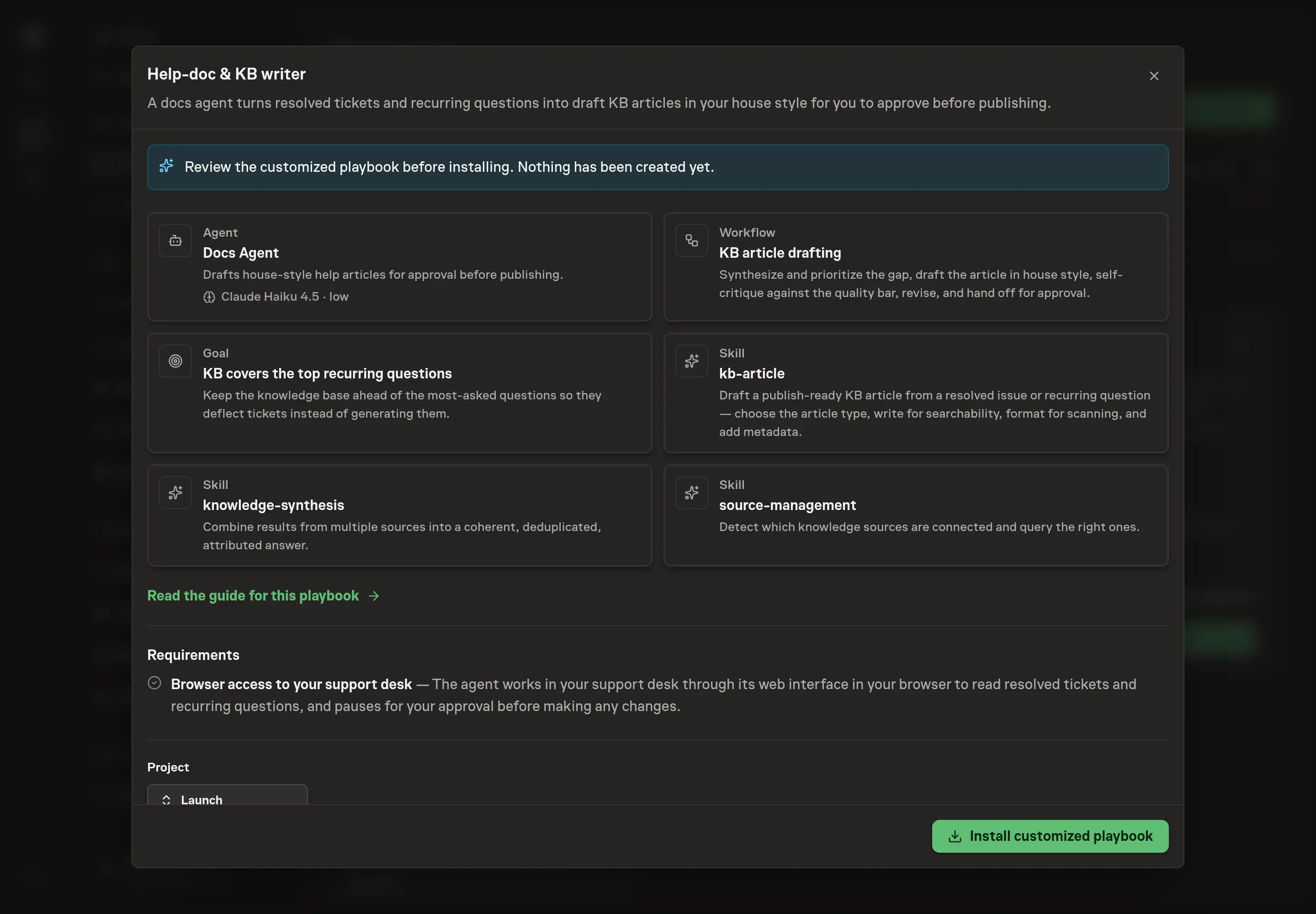
5. Approve and prepare the first work
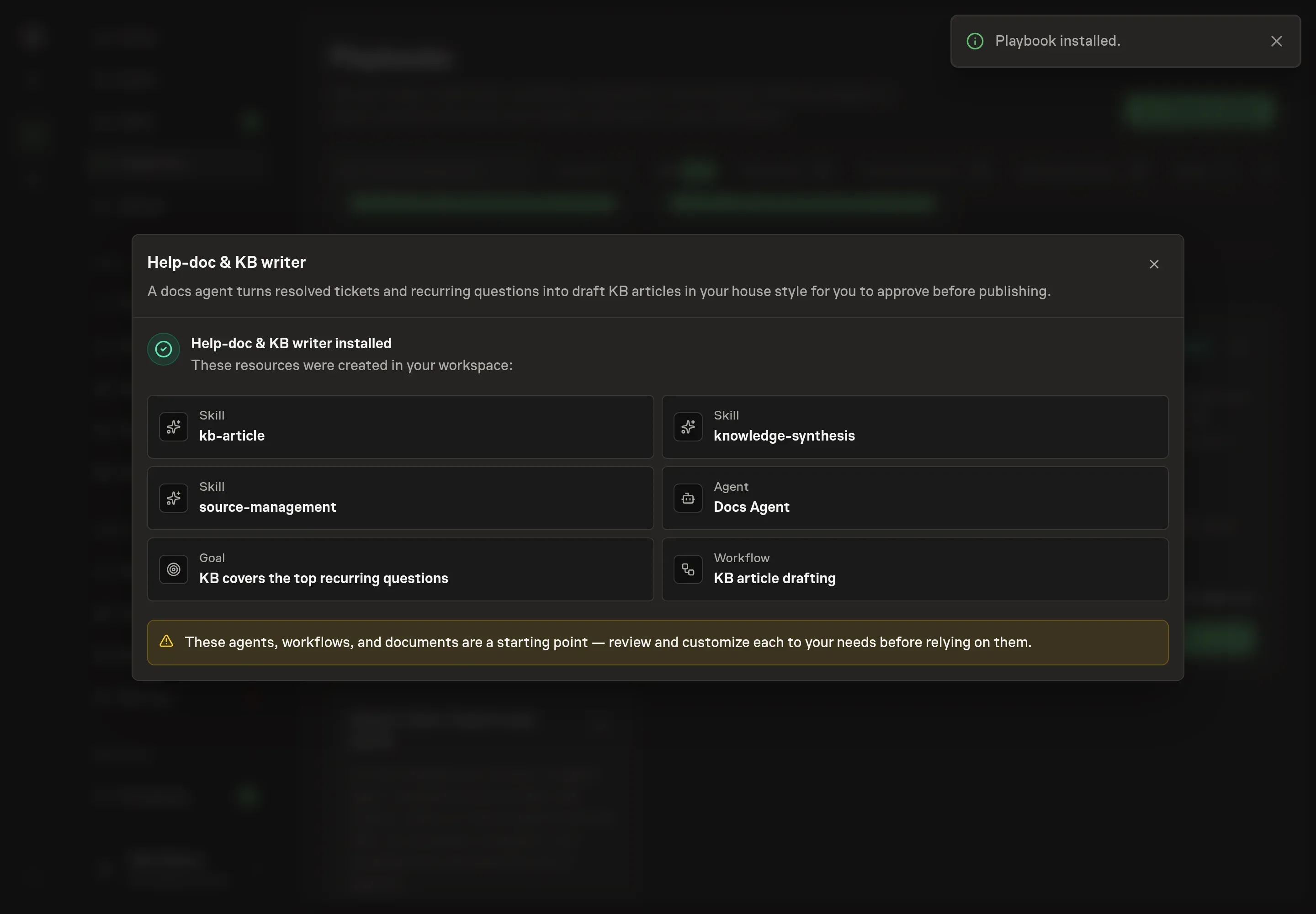
Choose Approve on the proposal in Chat when the configuration matches your brief. Task Machine installs that reviewed configuration. The approved item retains its review details. If your autonomy settings allow direct installation, this approval may not be required. Check the resulting configuration in that case too.
Complete any remaining secure service setup from the installation details in Chat. Inbox keeps those setup items available if you return later. Prepare the source documents and inputs before starting the first Task or Workflow. Installation does not authorize sending, publishing or changing an external service beyond the boundaries you agreed.
What good looks like
Three signals show the process is working:
- The topic came from recurrence. The chosen article maps to repeated tickets or questions, not the loudest one-off request.
- The answer is sourced. Claims trace back to tickets, docs, product notes, or other named sources, and conflicts are visible.
- The draft is review-ready. It has the right article type, customer-language title, metadata, and a clear approval path for technical accuracy.
Common questions
Should every resolved ticket become an article? No. The workflow ranks topics by frequency and deflection potential. A narrow one-off issue may belong in the ticket history, not the public knowledge base.
How does the agent avoid duplicate KB articles? It searches the knowledge base before drafting. If an article is mostly right but stale or incomplete, the workflow should update that article instead of creating a new one.
Can this publish directly to the help center? No. The playbook drafts and revises the article, then waits for approval. Publishing stays behind a human decision.
What if the sources disagree? The draft should surface the conflict, identify source dates and authority, and ask for review rather than presenting one answer as certain.