How to Rescue Abandoned Carts
A practical guide to rescuing abandoned carts with an agent: suppression, two-axis segmentation, drafted recovery sequences, and approval on every send.

Founder, Task Machine
Abandoned-cart rescue is the process of following up with shoppers who put items in their cart, started checkout, and left before paying. It works by reviewing the store's abandoned checkouts, removing the ones that should never be emailed, and sending each remaining shopper a short sequence of reminders matched to who they are and what they left behind.
These are the warmest prospects a store has. The shopper picked the products, entered an email, and stopped one step short of paying. Winning that order back costs a few emails, and the alternative is letting demand that already found you walk away.
An abandoned cart cools within hours
An abandoned checkout has a short shelf life. The intent that filled the cart cools within hours, and a reminder that arrives days later reads like marketing rather than help. Follow-up that depends on someone remembering to check the abandoned-checkout list happens late, unevenly, or not at all.
The cost hides because nothing visibly breaks. Orders that would have completed with one nudge simply never appear in the order list, and no dashboard flags their absence. Without a record of what recovery earns, the store also cannot say whether its follow-up works, whether discounts pay for themselves, or which shoppers respond to what.
What the manual process looks like
Done by hand, abandoned-cart rescue is a recurring ritual with five steps:
- Pull the abandoned checkouts from the store dashboard: cart contents, value, the customer's email, and when the cart was abandoned.
- Cross off everything that must not be emailed: shoppers who completed the order after all, addresses that unsubscribed, and carts already covered by a recovery email the platform sends on its own.
- Sort the rest by who the shopper is and what the cart is worth. A returning customer with a large cart deserves a different message than a first-time browser.
- Write the emails, deciding for each group what the message should say and whether a discount is warranted.
- Send each email at the right moment, starting while the cart is still warm, and track which orders came back.
None of it is hard, but all of it rewards consistency, and it competes with every other job in the store. The weeks with the most abandoned carts are the busy ones, which is exactly when the ritual gets skipped.
What an agent can automate
Most of that loop is mechanical, which makes it a good fit for an agent running a fixed workflow:
- Pull and suppress. The agent reads the abandoned checkouts from an attached export or the store dashboard and drops everything that must never be emailed: completed orders, missing or unsubscribed addresses, customers already in an active sequence, and carts a platform recovery email already covers. The drop list is part of the output, with counts by reason, so nothing disappears silently.
- Segment on two axes. The remaining carts split by customer history (first-time versus returning) and cart value (high versus low, at a threshold you set). Each segment gets a summary: how many carts, what they are worth, which products get abandoned most, and a one-line recovery angle. A single product dominating abandonment often signals a product-page or shipping-cost problem worth fixing beyond email, and the agent flags it.
- Draft the sequences. Per segment, three emails over roughly three days: a reminder one to four hours after abandonment while intent is warm, an objection handler at about a day, and a last call at about three days. The copy rules do the work: never a discount in the first email, subject lines that name the actual product (with two variants to test), one job and one call to action per email, and every claim about stock or shipping true.
- Track recovered revenue. Completed orders are matched back to sequences under a stable rule: an order for substantially the same items within seven days of a sequence email counts as recovered. Cycle summaries and per-segment recovery rates accumulate in a living log, so what the rescues earn becomes a number you watch rather than a feeling.
Two things stay with you: the discount policy and the send. The agent drafts within the policy you wrote, and nothing reaches a shopper until you approve that exact email.
The guardrails that make it safe
A recovery email reaches someone who almost bought from you, in your brand's voice, sometimes with money attached in the form of a discount. That is exactly the category of action that should wait for a person.
The safe shape is a workflow with an explicit approval step. The agent pulls, suppresses, segments, and drafts, then every email waits in your inbox: subject variants, preview text, body, send timing, the target list, and any discount with the policy line that justifies it. You approve per email, and only approved emails go out on their approved offsets.
Hard rules back the approval up. The agent re-checks every cart for a completed order right before sending, so nobody gets a reminder for something they already bought. Each customer carries at most one active sequence, and a new abandonment restarts it rather than stacking a second. Unsubscribes are respected absolutely. Every cycle lands in the revenue log, so you can always answer what went out, to whom, and what it recovered.
Set it up in Task Machine
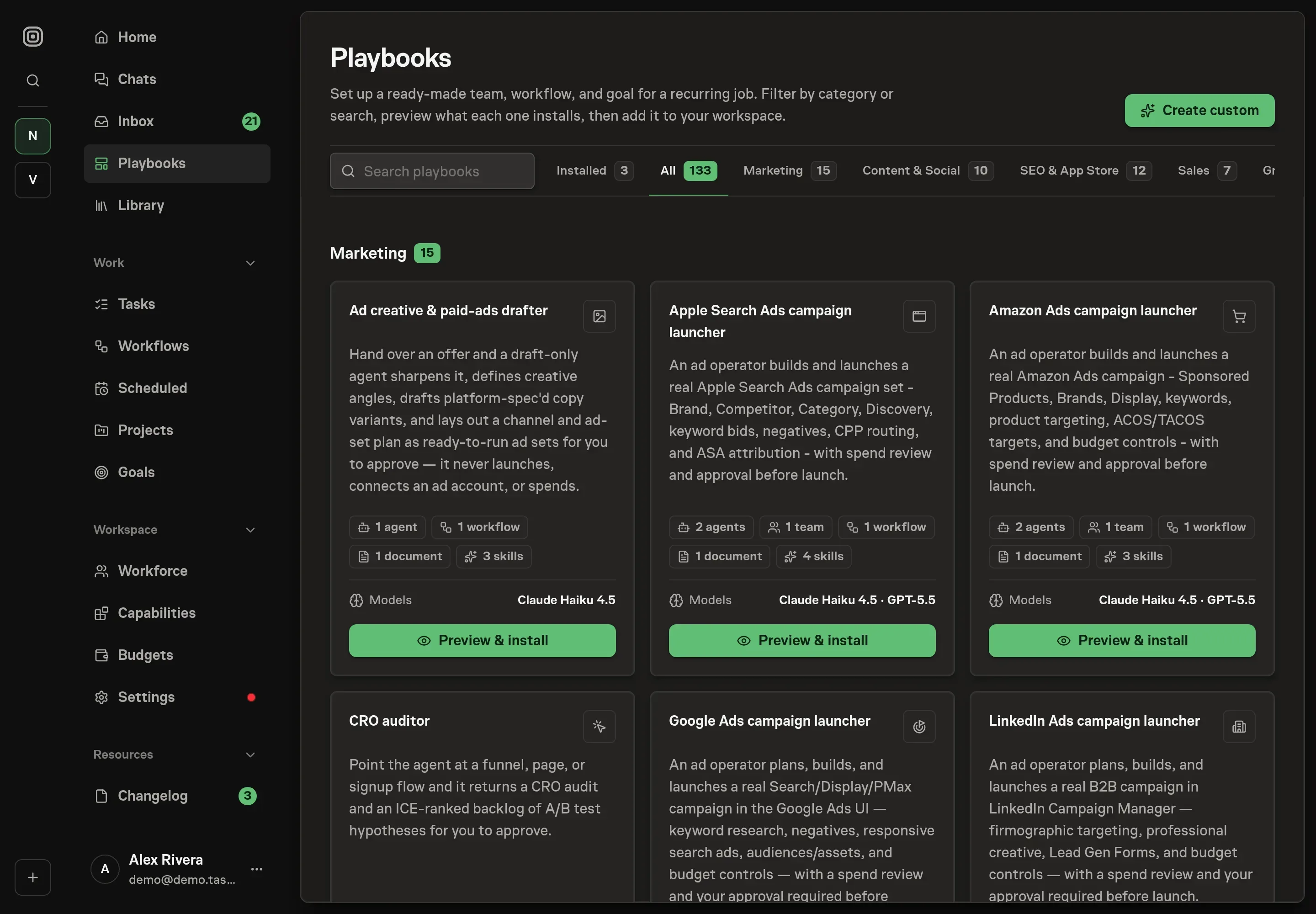
The Abandoned cart recovery playbook provides a starting point for the method above. You need an active Task Machine workspace with Chat, workspace-management and Playbook-installation access (workspace owners have it). Store access is not required up front. Until you connect your store, the agent works from abandoned-checkout exports you attach to each run.
1. Find the playbook
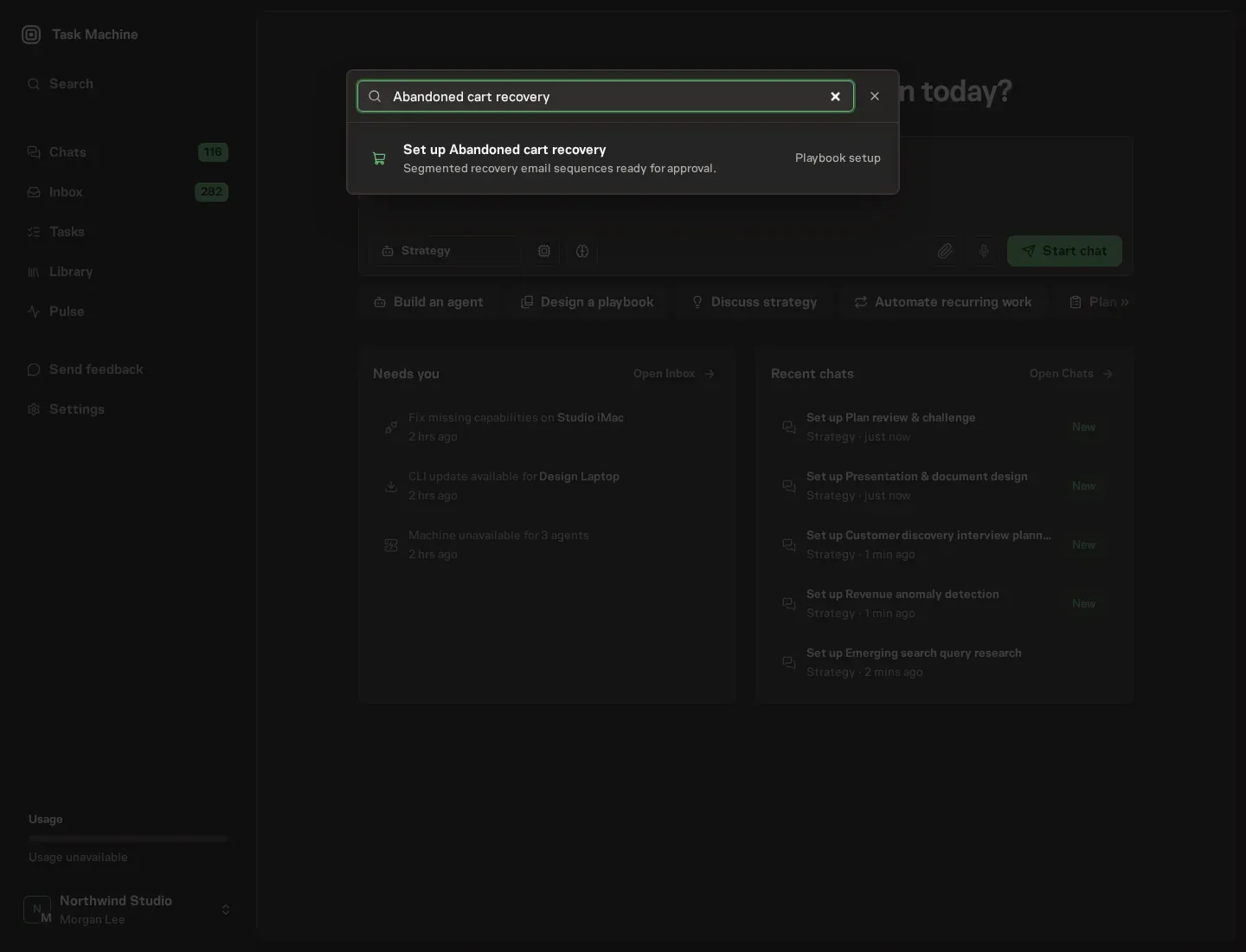
Open Search in your workspace and enter "Abandoned cart recovery". The command center lists Set up Abandoned cart recovery under Playbook setup.
2. Start the conversation
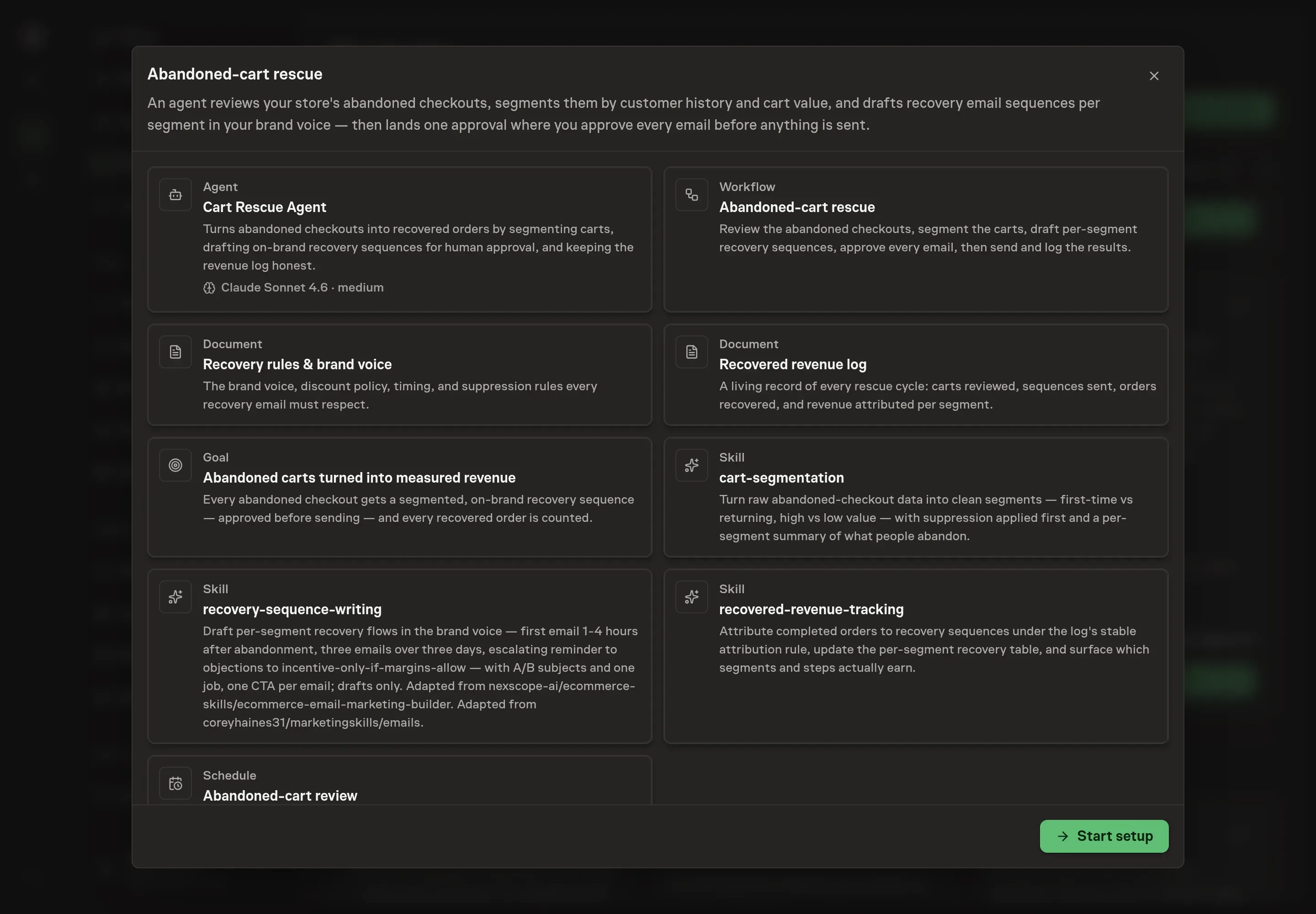
Choose Set up Abandoned cart recovery. Task Machine opens a dedicated Chat with the Playbook card and an editable, unsent request. Read the intended job and outcome. Add your situation and send it when ready. Opening the draft does not install anything or start work. This walkthrough uses settings that require approval of the proposed Playbook.
3. Agree the working brief
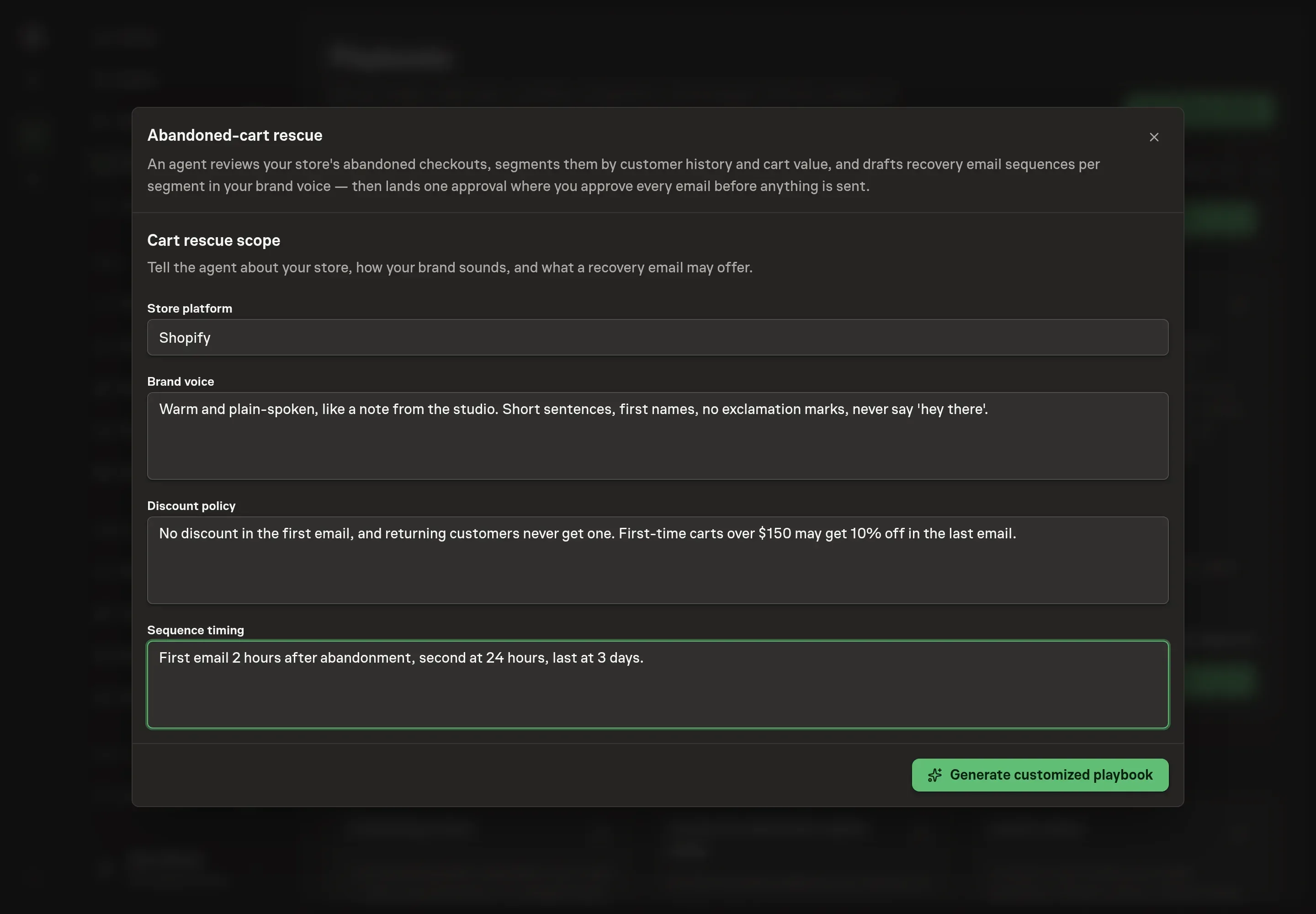
Use Chat to agree the inputs, expected output and limits before asking for a proposal. The Agent needs the details that shape every draft: your store platform (where the agent reads abandoned checkouts, such as Shopify or WooCommerce), brand voice (how your store sounds in email, down to the words you ban), the discount policy (whether a recovery email may offer a discount, and if so when, how much, and for which carts), and sequence timing (when each email goes out, counted from the abandonment).
4. Review the proposed Playbook
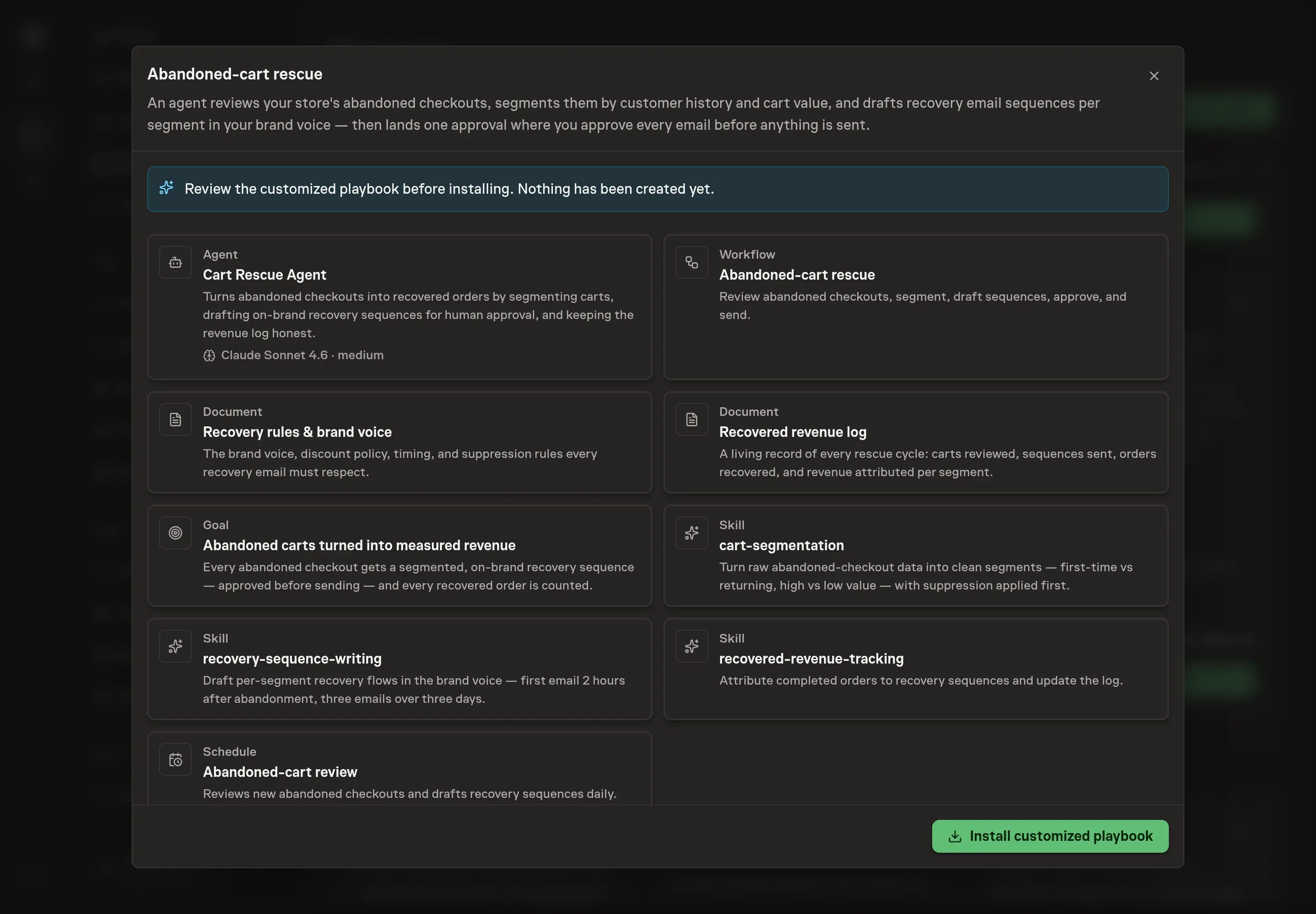
Ask the Agent to generate the Playbook from the agreed brief. Open its proposal in Chat and check the instructions and resources it will install, which carry more detail than the conversational summary. Read through the agent and workflow cards, confirm the tone matches your voice notes, and check that the discount policy landed the way you wrote it. Ask for a revised proposal if anything is missing or changes the job.
5. Approve and prepare the first work
Choose Approve on the proposal in Chat when the configuration matches your brief. Task Machine installs that reviewed configuration. The approved item retains its review details. If your autonomy settings allow direct installation, this approval may not be required. Check the resulting configuration in that case too.
Complete any remaining secure service setup from the installation details in Chat. Inbox keeps those setup items available if you return later. Prepare the source documents and inputs before starting the first Task or Workflow. Installation does not authorize sending, publishing or changing an external service beyond the boundaries you agreed. Confirm each schedule's cadence and timezone, and resolve any pending schedule setup before it starts. A readback must wait for its agreed observation window and source data. Check the reviewed tracker or results document before the first cycle so evidence and human decisions have a durable home.
What good looks like
Three numbers, all visible in the recovered revenue log, tell you whether the process works:
- Per-segment recovery rate. The log splits recoveries into first-time and returning, high and low value. A healthy pattern shows returning customers coming back on the reminder alone. If they only return when the last call carries a discount, the sequence is training them to abandon.
- Revenue recovered against discounts given away. The last-call incentive has to pay for itself. When the log shows a discount step handing back more margin than it earns for a segment, the agent proposes tightening the rules document, and you decide.
- Time to the first email. The reminder should land one to four hours after abandonment. A sequence that consistently starts later than that is scheduled at the wrong hour for your customers' timezone.
Common questions
Should abandoned-cart emails offer a discount? Never in the first email. Get the full-price completion before paying for one. After that it is policy: an incentive belongs in the last email at most, only where margins allow it, and never to shoppers whose order history shows they only ever buy with a code. Honest scarcity, a real stock level or a real expiry, often does the same job for free.
Won't this double up with the recovery emails my platform already sends? It must not, which is why the suppression rules cover it. Any recovery email your platform or email tool already sends gets listed in the recovery rules document, and carts those emails cover are dropped before segmentation. The follow-up after install asks for that list explicitly.
Can this run without connecting the store? Yes. The agent works from an abandoned-checkout export attached to each run, as long as it shows cart contents, value, the customer's email, when the cart was abandoned, and whether the customer has ordered before. Connecting the store dashboard removes the manual export.
How is a recovered order counted? Under a rule that stays stable: an order for substantially the same items within seven days of a sequence email counts as recovered. You can adjust the window in the log, but the point is to pick a rule and apply it the same way every cycle, so the recovery rate means something across months.
What happens when a shopper completes the order mid-sequence? The remaining emails stop. The agent re-checks every cart for a completed order right before each send and skips any that converted, reporting the skips. Nobody gets asked to buy something they already bought.