Administration
Remote MCP access
On this page
Remote MCP access lets an external collaboration client inspect and edit Task Machine records in the workspaces you choose. It is a controlled way to work from another assistant, not a way to turn that client into a Task Machine execution Agent.
Connect through the Task Machine server
Give your MCP client this server URL:
https://app.taskmachine.io/mcp
A compatible client discovers Task Machine's authorization service from that address, opens Task Machine in your browser, and returns to its own application after you approve access. You sign in to Task Machine directly. Do not paste a Task Machine password, access token, or refresh token into the client.
The client must support remote Streamable HTTP MCP and OAuth 2.1 authorization with PKCE. Task Machine does not claim compatibility with a named client until that client has been verified separately.
Register the client
Task Machine supports the standard public-client registration paths used by MCP clients. The client chooses the path it implements before opening authorization.
| Registration path | When it applies |
|---|---|
| Client ID Metadata Document | The client uses an HTTPS metadata-document URL as its client ID. Task Machine retrieves and validates that public document. Local, private-network, and unsafe redirect destinations are rejected. |
| Dynamic Client Registration | The client discovers registration support and submits its bounded public-client metadata and exact redirect addresses. |
| Predefined client | A client that supports neither metadata documents nor dynamic registration needs a Task Machine-managed registration. Give support the client's stable name and exact HTTPS redirect addresses. Predefined clients are public PKCE clients and do not receive a client secret. |
All paths use exact registered redirects and the same authorization screen. Registration does not itself grant access to an account or workspace.
Approve the requested access
The authorization screen shows the client, its requested permissions, and every currently eligible workspace. Task Machine initially selects all of those workspaces for convenience. Deselect any workspace the client should not use, then choose Allow access.
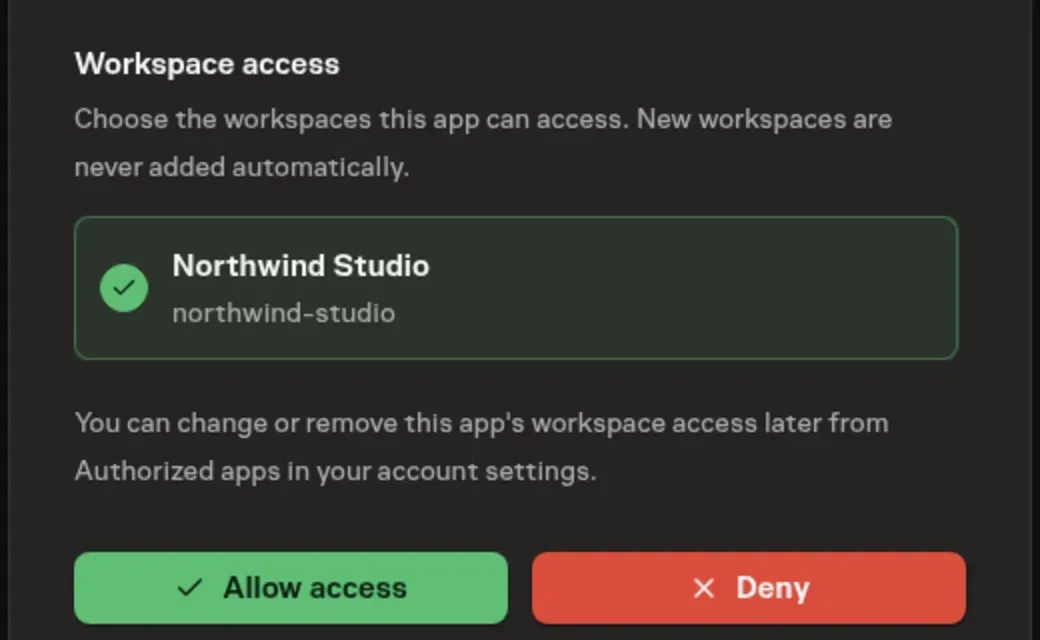
Task Machine supports three OAuth permissions:
mcp:tools:listlets the client discover the tools allowed by its grant.taskmachine:readlets it inspect supported collaborative records.taskmachine:writelets it make supported edits and submit proposals.
A permission can only narrow access. Every request still needs an explicit granted workspace, your current active membership there, and the permission required by the Task Machine operation. Joining another workspace later does not add that workspace to an existing authorization.
The client can call workspaces_list before choosing a workspace. That bounded result contains only workspace IDs and names from the authorization that you can still access. Workspace tools then require one of those IDs explicitly.
Collaboration stays separate from execution
Remote MCP clients can inspect supported workspace records and make eligible collaborative changes, including bounded Task reads, Task field edits, direct Human or Agent assignment, comments, dependencies, labels, documents, and proposals that wait for Human review.
The remote surface does not let a client become an execution Agent. It cannot start or steer runs, advance Task progress, approve or review work, manage Task specifications, route Team work, increase execution budgets, access credentials, or read and change Agent memory. Unsupported and unknown methods return the same closed error instead of revealing a private catalog.
Mutations require an idempotency key so an exact retry returns the original result without repeating the change. A changed request cannot reuse that key. Every read is bounded; tools that offer continued paging return an opaque continuation cursor rather than collecting an entire workspace in one request.
Change or remove access
Open Account settings, then Authorized Apps to review each client. You can replace its workspace selection without changing its requested OAuth permissions, or remove the authorization completely.
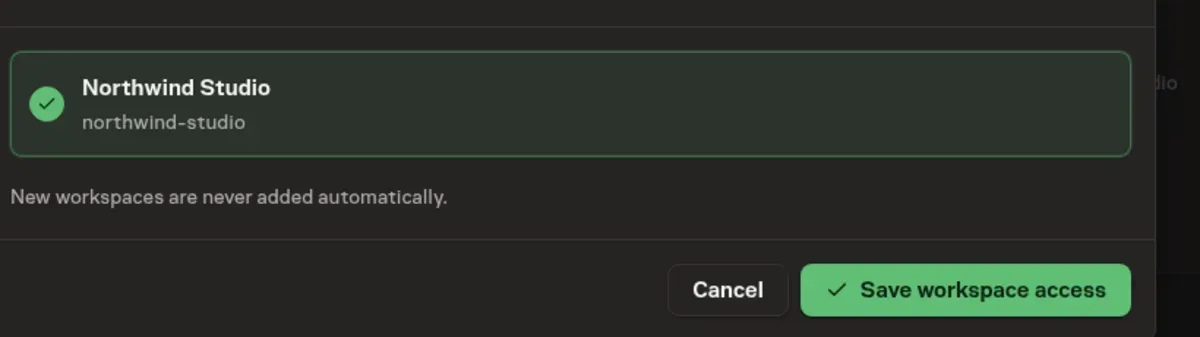
Removing access rejects later MCP requests and refresh attempts. Already issued access-token strings are signed, short-lived credentials; removing the authorization does not erase a copy that a client already received, and Task Machine does not describe that action as cryptographic token erasure. Access tokens expire after five minutes, while current authorization is rechecked at the remote MCP boundary.
If a client loses its refresh state, its registration changes, or you want to add a newly joined workspace, start authorization again. Reauthorization replaces the selected workspace set for that client rather than creating a second identity.
From here, use Workspace and account for membership and account administration, or Tasks to review the durable work and history produced through the client.